
Lieferung heute & morgen

Qualitätsgarantie

Willkommens-Angebote freischalten: KOSTENLOSE Lieferung | Bis zu 80 % RABATT | Kostenlose 30-Tage-JoyPlus-Testphase
App herunterladen
An empty ink tank is never convenient. It usually happens right when you need to print an important document, a ticket, or a homework assignment. The search for the right Canon printer cartridges can then quickly become overwhelming. The market is filled with options, ranging from genuine inks to low-cost alternatives. But not every choice is a good one. Certain pitfalls often lead to unnecessary expenses or poor print results.
As your Joybuy Product Recommendation Officer, I'm here to help you navigate these common mistakes. We'll focus on the facts so you can make an informed decision that suits your printer and your needs.
Common Mistakes When Buying Printer Cartridges:
To find the right Canon ink, you only need to check a few crucial features. These ensure that your new cartridge will work flawlessly and deliver the expected performance.
The most important parameter is your cartridge's model number. Every Canon printer is designed for a specific series of ink cartridges.
Many printer cartridges for Canon PIXMA printers use a combination of black pigment ink (PGI series) for text and dye-based inks (CLI series) for photos and graphics. Be sure to purchase the correct type for each slot.
The choice between genuine ink and alternatives depends on your priorities: print quality, cost, and purpose.
The cartridge size determines how many pages you can print before a replacement is needed.
A Canon multipack, which contains multiple colours or a combination of black and colour, can also be more cost-effective than buying individual cartridges.
Here are some recommendations tailored to different printing needs.
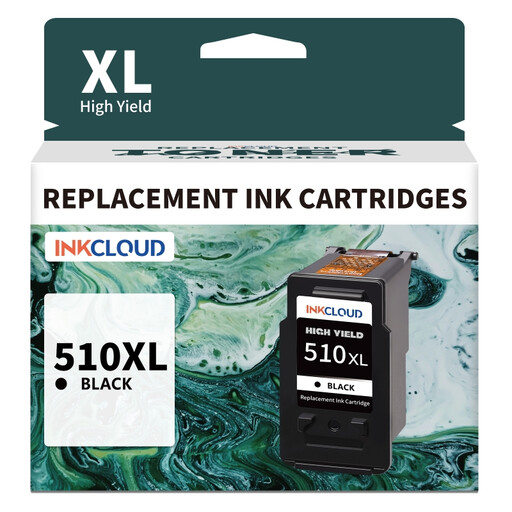
Why This Fits Their Persona: This remanufactured cartridge offers a cost-effective solution for users of older but still common Canon PIXMA models. It's ideal for printing text documents where the focus is on functionality rather than maximum colour brilliance.
Unlike no-name budget options, this is a product from a well-known brand for compatible cartridges, which reduces the risk of malfunctions.
Despite its low price, the XL capacity offers a high page yield. Compatibility with popular printer models like the iP2700 is clearly stated.
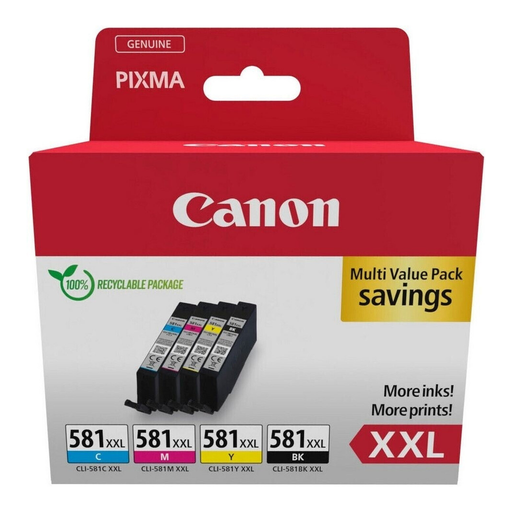
Why This Fits Their Persona: For users who print documents, graphics, and reports daily, efficiency is key. This multipack with XXL capacity ensures that the ink lasts a long time and print quality remains consistently high.
This pack avoids the pitfall of constantly having to buy replacement standard cartridges. The investment in XXL cartridges significantly lowers the cost per page and reduces administrative hassle.
Genuine Canon ink guarantees optimal performance and sharp print results. The combination of XXL size and a multipack offers excellent value for money for high-volume users.
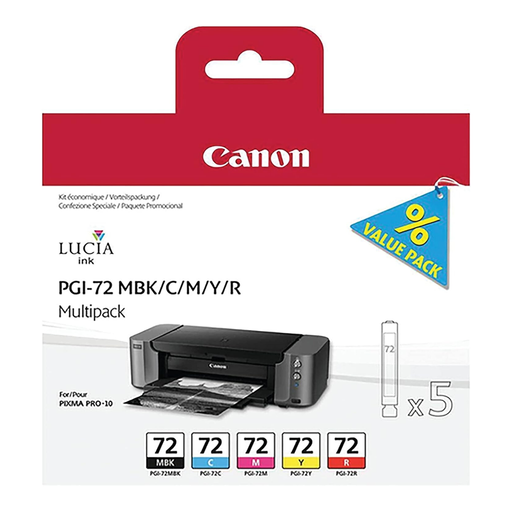
Why This Fits Their Persona: For users of professional photo printers like the PIXMA PRO series, colour accuracy and print longevity are crucial. This set contains special LUCIA pigment inks developed for high-quality photo prints.
Using genuine pigment inks prevents distorted colours and rapid fading—common problems when using unsuitable inks for photo printing.
The multipack includes all the necessary colours, including Matte Black and Red, for an expanded colour gamut. The pigment ink ensures long-lasting, fade-resistant prints.
We've compiled a complete, up-to-date list of products that meet these selection criteria.
1. How do I find the correct cartridge number for my Canon printer? You can find the correct cartridge number in three places: directly on the old cartridge you are replacing, in your printer's manual, or on a sticker inside the device. Checking the number before you buy is the most important step to avoid incompatibility.
2. What is the difference between XL and standard printer cartridges? The difference is the amount of ink inside. A Canon XL cartridge contains more ink than a standard cartridge and can therefore print more pages. Although the initial purchase price is higher, the cost per printed page is usually lower with XL cartridges. This makes them a more economical choice for anyone who prints regularly.
3. Can using compatible cartridges damage my printer? Genuine cartridges are developed by the manufacturer for the specific device and guarantee optimal performance. With compatible cartridges from reputable third-party suppliers, the risk of damage is low, as they are designed for the corresponding printer models. However, caution is advised with extremely cheap, no-name products, as the quality of the ink and the cartridge housing can lead to problems like clogged nozzles.