
Lieferung heute & morgen

Qualitätsgarantie

Willkommens-Angebote freischalten: KOSTENLOSE Lieferung | Bis zu 80 % RABATT | Kostenlose 30-Tage-JoyPlus-Testphase
App herunterladen
Searching for genuine Canon printer ink cartridges and toner may seem straightforward at first. In practice, however, similar model numbers, different page yields and unclear compatibility information can quickly lead to the wrong purchase. A cartridge with a similar name will not automatically fit your printer.
These are the three most common problems:
Genuine Canon ink cartridges and Canon toner cartridges are designed for specific devices. Before buying, you should therefore check not only the colour and price, but above all the exact cartridge number and printer compatibility.
The model number on your old cartridge or in the printer menu is the most important starting point. For Canon PIXMA printer cartridges, you may see series such as CLI-571XL, CLI-581 XXL, PG-540 or CLI-551M. For Canon MAXIFY ink, codes such as PGI-1500XL are relevant. Canon i-SENSYS laser printers, on the other hand, use toner cartridges such as CRG-067, CRG-046H or 040C.
Office devices in the imageRUNNER series also use their own systems, such as C-EXV toner. For example, Canon C-EXV14 toner with part number 0384B006 is intended for selected imageRUNNER devices and not for PIXMA printers.
The compatibility list for the relevant product should always match your printer’s model designation. If you are unsure, the information in the manual or on the Canon support website is the deciding factor.
With individual cartridges, the colour designation must match exactly. This also applies to a Canon magenta printer cartridge. Inkjet printers often use separate black, colour and photo colours. Some models also use Photo Blue or Matte Black.
The toner colour must also match the device in laser printers. A magenta cartridge such as the CRG-067 Magenta cannot be swapped for a yellow CRG-046 cartridge. The colour marking on the printer can help with identification, but it does not replace checking the code.
Page yield is usually specified under defined conditions, for example according to ISO/IEC 24711 for ink or ISO/IEC 19798 for colour laser toner. These values are useful for comparison, but they do not represent a fixed number of pages for every household.
If you print infrequently, you should also check the expiry date. Unopened cartridges should be stored in a dry, cool place away from direct sunlight.
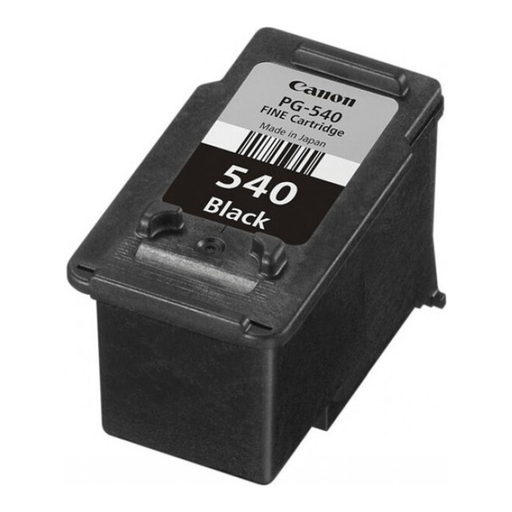
Why this product suits the profile: The single black cartridge is ideal for occasional documents at home or simple home-office tasks. It contains 8 ml and delivers approximately 180 pages at 5% coverage.
The clear PG-540 code and stated PIXMA compatibility make checking the details easier. You do not pay for a larger XL yield if you only print occasionally.
Single black cartridge, 8 ml capacity and compatibility with selected PIXMA MG, MX and TS models.
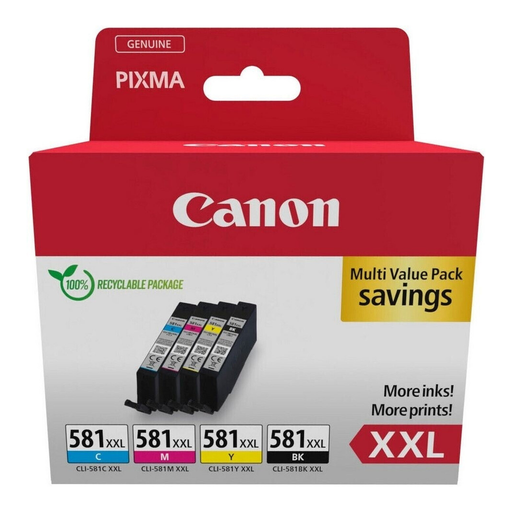
Why this product suits the profile: This set combines black, cyan, magenta and yellow for users who regularly print documents and colour photos with a compatible PIXMA printer.
The four cartridge codes and list of compatible PIXMA models make the choice easy to verify. The XXL size should be matched to your actual colour consumption.
XXL format, 4-pack and individual colour cartridges for targeted replacement.
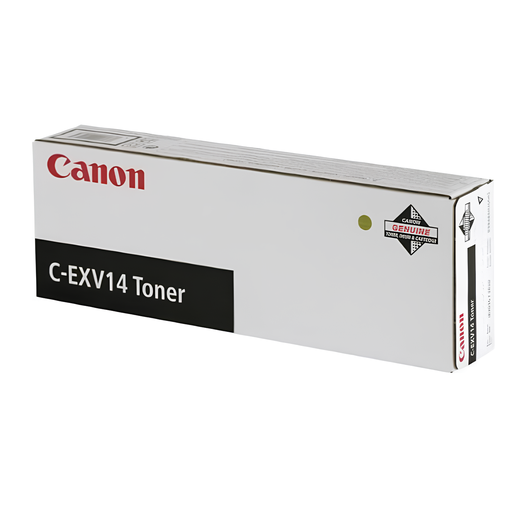
Why this product suits the profile: The black C-EXV14 toner is designed for offices with compatible Canon imageRUNNER devices and higher document volumes.
It is limited to the stated imageRUNNER series. This prevents you from mistakenly buying office toner for a PIXMA or i-SENSYS printer.
Stated yield of up to 8,300 pages and black toner for compatible imageRUNNER devices.
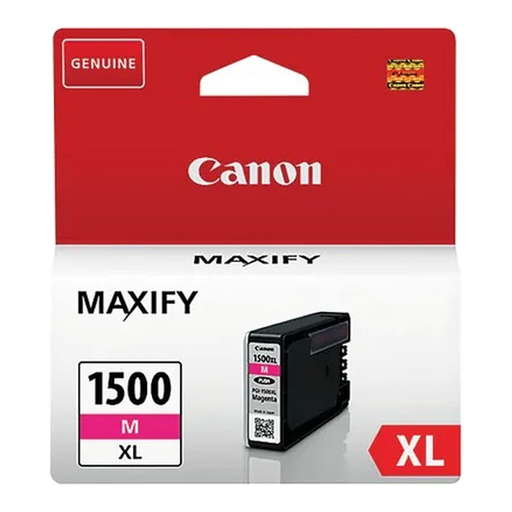
Why this product suits the profile: The pigment-based PGI-1500XL series is designed for selected Canon MAXIFY printers and regular business or document printing.
The stated compatibility with MAXIFY MB2050, MB2150, MB2350, MB2750 and MB2755 clearly narrows down the choice. The XL size is suitable for higher print volumes.
Pigment ink, XL format, 12 ml capacity and a stated yield of 900 pages according to ISO/IEC 24711.
We have put together a complete, regularly updated list of products that fully meet these strict selection criteria and the safety regulations applicable in the EU.
Before installation, the cartridge should remain in its original packaging until it is needed. Remove the protective film and orange transport lock only immediately before installation. Do not touch the contacts, chip or ink outlet.
For toner cartridges, carefully shake them from side to side as instructed in the product guide. Toner powder should not be inhaled. If any toner is spilt, clean it with a damp cloth; using a standard vacuum cleaner can spread the powder.
Empty cartridges should not be disposed of with general waste. Depending on the product, suitable options for ink and toner include manufacturer take-back schemes, local collection points or appropriate recycling centres.
The key factors are the printer model, cartridge series, colour and capacity variant. The designation on your old cartridge should match the product description. An offer described as compatible with a Canon printer is not automatically a genuine product, so look for the “Original” or “Genuine” designation.
Not necessarily. The decisive factors are the price per stated page, actual consumption and shelf life. For regular printing, XL or XXL variants can reduce the number of replacements needed. For occasional use, a standard size may be more economical.
This depends on storage conditions, print volume and cartridge type. Unopened cartridges should be stored in a dry, cool place away from light and used within the stated shelf-life period. Once installed, page coverage, cleaning cycles and photo printing have the greatest impact on yield.