
Lieferung heute & morgen

Qualitätsgarantie

Willkommens-Angebote freischalten: KOSTENLOSE Lieferung | Bis zu 80 % RABATT | Kostenlose 30-Tage-JoyPlus-Testphase
App herunterladen
When your printer signals an empty toner cartridge, time is often of the essence. However, rushing to buy a replacement Canon Toner 046 cartridge can lead to pitfalls, resulting in unnecessary costs, poor print quality, or even device issues. Many users grab the wrong model or are lured by seemingly cheap deals that later prove to be unreliable.
This guide will help you make the right decision. We'll highlight the crucial criteria you should check before purchasing a new printer cartridge and show you how to avoid common errors.
Before you add a new cartridge to your shopping cart, you should be aware of these common problems to avoid a bad investment.
To make the right choice, focus on two objective metrics: compatibility and page yield.
The Canon 046 toner series is specifically designed for certain colour laser printers in the Canon i-SENSYS range. These include models like the Canon i-SENSYS LBP654Cx and the Canon i-SENSYS MF735Cx. Using a genuine cartridge ensures that the toner's chemical composition, particle size, and melting properties are perfectly matched to your printer's fuser unit and imaging drum. This is the foundation for sharp text, precise colour gradients, and a long device lifespan.
Always check the exact model name of your printer before purchasing and compare it with the compatibility list on the toner cartridge's product page.
Canon offers the 046 series in two versions to meet different printing demands.
The decision between Canon 046 and Canon 046H should be based on a simple calculation: divide the price of the cartridge by the stated page yield to determine the cost per page. For businesses and high-volume users, the 046H version is almost always the more economical choice.
Here are some recommendations tailored to typical usage scenarios that meet the criteria mentioned above.
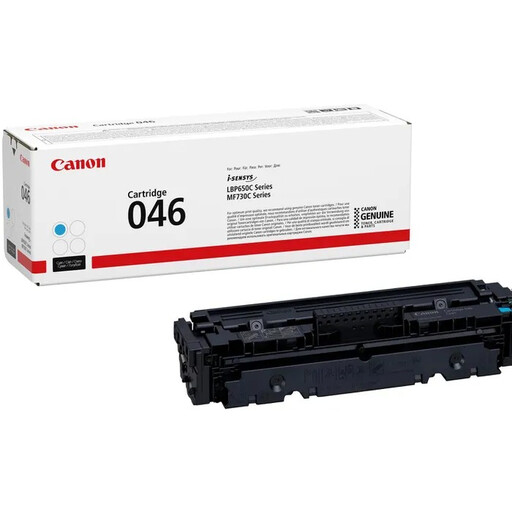
Why This Fits Their Persona: This standard cartridge is ideal for the targeted replacement of a single colour in offices with everyday printing needs. It delivers the colour quality and reliability expected from Canon for presentations, reports, and marketing materials.
As a genuine Canon product, full compatibility with printers like the i-SENSYS MF732Cdw is guaranteed. This prevents issues with printer detection and protects the manufacturer's warranty.
Offers a page yield of up to 2,300 pages and delivers consistent, vibrant cyan tones from the first print to the last.
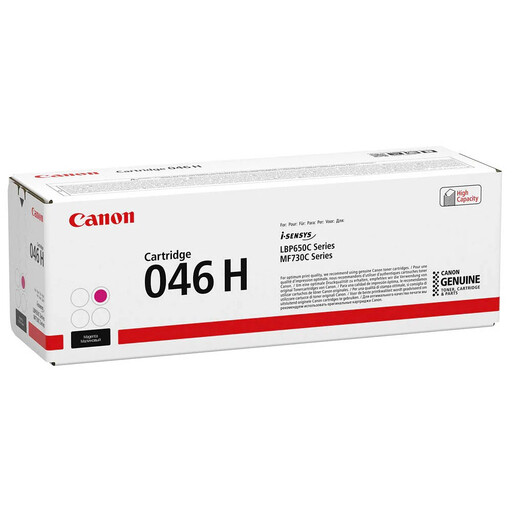
Why This Fits Their Persona: For departments or businesses with high printing volumes, this high-yield cartridge is the most economical solution. It reduces the frequency of replacements and noticeably lowers the printer's operating costs.
This cartridge (model 1252C004) directly addresses the pitfall of high follow-up costs. Its high page yield significantly reduces the cost per page compared to the standard version.
Offers a high page yield of up to 5,000 pages. This minimises maintenance and maximises office productivity.
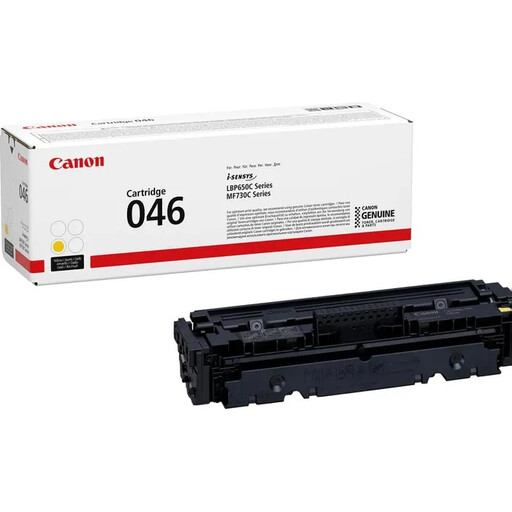
Why This Fits Their Persona: Perfect for users who only need to replace a specific colour and don't want to compromise on colour accuracy. It ensures that the colour balance with the other genuine toners in the device is maintained.
Prevents colour distortions and quality fluctuations that can occur when mixing genuine and third-party toners. Investing in original supplies ensures a consistently professional print image.
Guarantees vibrant and precise yellow tones. The cartridge is designed for a simple and clean installation.
We have compiled a complete, up-to-date list of products that fully meet these strict selection criteria and UK regulations.
1. How do I install a Canon 046 toner cartridge? Turn off your printer and open the front cover to access the toner cartridges. Remove the empty cartridge by gently pulling it out. Unpack the new cartridge, remove all protective seals, and gently shake it horizontally 5-6 times to distribute the toner powder evenly. Insert the new cartridge into the corresponding colour-coded slot until it clicks into place. Close the cover and turn the printer back on.
2. What is the exact difference between Canon 046 and 046H? The only difference is the amount of toner and the resulting page yield. The Canon 046H cartridges contain more toner and therefore print significantly more pages than the standard 046 versions. The physical size of the cartridges and their compatibility with the printers are identical. The H version is intended for users with high printing volumes to reduce the cost per page.
3. Can I use compatible third-party toners in my Canon i-SENSYS printer? Technically, it is possible, but it comes with risks. Genuine Canon toners are precisely engineered to match the printer's technology to ensure optimal print quality and reliability. When using third-party products, problems such as streaking, poor toner adhesion, or incorrect cartridge detection can occur. Furthermore, according to the warranty terms of many manufacturers, using such products can void the printer's warranty.