
Lieferung heute & morgen

Qualitätsgarantie

Willkommens-Angebote freischalten: KOSTENLOSE Lieferung | Bis zu 80 % RABATT | Kostenlose 30-Tage-JoyPlus-Testphase
App herunterladen
An empty cartridge, an unclear model designation and numerous variants in your basket: when buying Canon printer cartridges, poor choices are usually caused not by the price, but by inaccurate matching. Cartridge series, colour and printer type are particularly easy to confuse. Terms such as “XL”, “compatible” and high page yields are only meaningful when they suit your printer and your actual printing volume.
This buying guide explains which details matter before purchasing original Canon ink, Canon ink cartridges or compatible alternatives.
“Canon PIXMA” describes a product family, but not a specific cartridge series. A PIXMA printer may use PGI and CLI cartridges, PG and CL cartridges, or another series, for example. Even similar model names may require different ink tanks.
Before buying, you should therefore:
A Canon XL printer cartridge usually contains more ink than the standard version of the same series. This can be useful if you print regularly. However, the cost per page depends on the actual selling price, the yield and the coverage of your individual print jobs.
Page yields often refer to defined test conditions, such as 5% coverage or ISO values. Photos, colour graphics and full-page documents use considerably more ink. So do not compare only the millilitre volume. Also consider:
Original Canon ink is designed by the printer manufacturer for specific device families. A compatible or remanufactured cartridge can be a budget-friendly alternative, but it should clearly match the relevant Canon model and the correct cartridge series.
When choosing compatible Canon printer cartridges, it is worth checking:
A cartridge’s shape alone is not sufficient proof of compatibility.
The cartridge series is the key selection criterion. Many PIXMA models, for example, combine pigment-based PGI cartridges for text printing with dye-based CLI cartridges for colour printing or photos. The combination required depends on the specific printer model.
When checking a product, compare the model numbers exactly. Examples from the range include:
A Canon black cartridge may contain pigment-based or dye-based ink. Pigment ink is often used for crisp document text, while dye-based inks are used in many photo systems. A Canon colour cartridge may be available as an individual colour or as a combined cartridge.
Pay attention to the colour codes:
For photo printers with multiple ink tanks, special variants such as Photo Blue, Grey or Matte Black are important. The Canon CLI-581 PB, for example, contains 5.6 ml of Photo Blue ink and is designed for specific PIXMA models.
Page yield is a general guide. The Canon PG-37 Black Ink is described as containing approximately 11.0 ml of pigment ink, with a stated yield of around 220 pages at 5% coverage. The Canon PGI-550PGBK contains 15 ml of pigment ink and has a stated yield of around 300 pages.
For a small office, a larger cartridge such as the Canon CLI-581XLBK, with a stated yield of up to 501 pages, may be a sensible choice. For a mobile printer, however, a smaller multipack may be more practical. The Canon CLI-36 colour cartridges, for example, are designed for PIXMA iP100, iP110 and TR150 printers and are supplied in packs of two.
Laser printers do not use ink cartridges; they require Canon toner. According to the product details, the C-EXV59 Black Toner is designed for specific Canon iR models and has a stated yield of up to 30,000 pages. This figure relates to a different printing system and cannot be compared with ink yields.
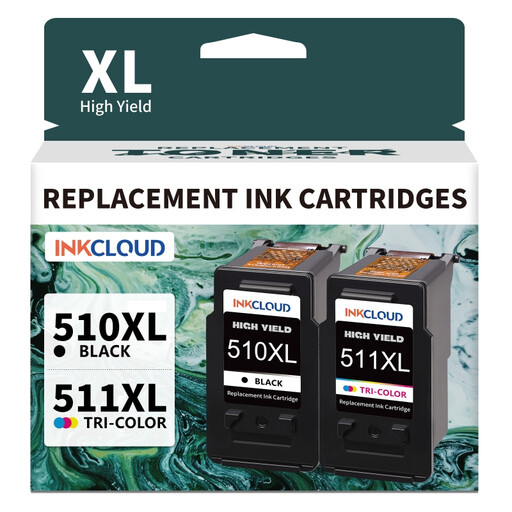
Why this product suits this profile: This remanufactured black cartridge is aimed at users who regularly print documents on compatible Canon PIXMA devices such as the MP495, iP2700 or MX410.
The product status is clearly stated as compatible or remanufactured. This makes it easy to distinguish the alternative from original Canon ink.
Black cartridge for everyday documents; reusing the cartridge casing can help reduce material consumption.
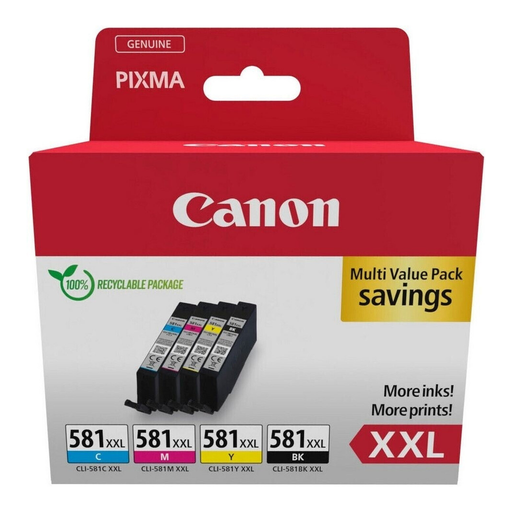
Why this product suits this profile: This four-cartridge pack is designed for selected PIXMA models with separate tanks, combining black, cyan, magenta and yellow in one delivery.
The listed compatibility information names specific PIXMA models. Before buying, you should check your device against this list.
Original product; XXL version; four individual colours for replacement as needed.
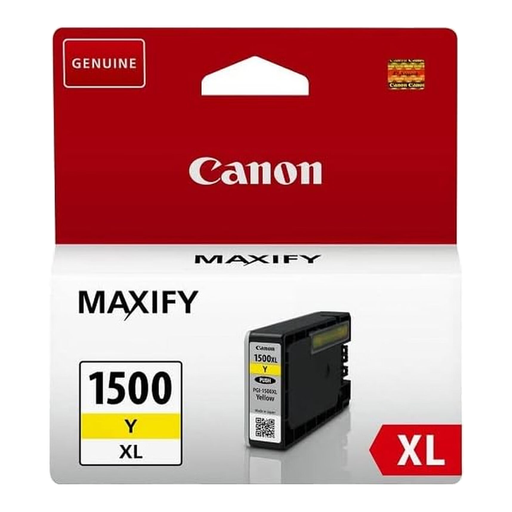
Why this product suits this profile: This XL cartridge with pigment-based ink is designed for selected Canon MAXIFY devices and regular office colour printing.
The product details specify MAXIFY MB2350 and the PGI-1500 series. This clearly distinguishes it from PIXMA cartridges.
Pigment-based ink; stated yield of up to 935 pages; XL capacity for regular use.
We have put together a complete, regularly updated list of products that fully meet these strict selection criteria and the safety regulations applicable in the EU.
The exact printer model number and cartridge series are decisive. For example, check whether your device requires PG-540, CLI-571, CLI-581 or PGI-1500. The details on the product page and in the printer manual should match.
An XL cartridge may require fewer changes if you print regularly. Whether it is more economical depends on the price, yield and your personal printing habits. If you mainly print occasionally, a standard-size cartridge may be sufficient.
There is no universal fixed timeframe. Service life is affected by the amount you print, colour coverage, cleaning cycles, storage conditions and the fill volume. The expiry date and the manufacturer’s storage and usage instructions are the key factors.