Joybuy products
The products below are HDMI capture cards for routing a signal from a gaming source to a computer and, where specified, on to a monitor. Check the recording and passthrough resolutions separately.
 No image available
4K video capture card, USB 3.0, 5 ports
For gameplay with a separate monitor, provided the listed recording and passthrough modes suit your signal.
USB 3.0 and 5 ports. Listed specifications include 1080p/60 recording and 4K/60 passthrough; the passthrough specification isn’t the recording resolution.
View at Joybuy
 No image available
4K video capture card, 5 ports, HD converter
For recording gameplay with monitor output, provided the listed modes match your existing HDMI signal.
The description lists 4K/60 loop-through and 1080p/60 recording. The loop-through specification doesn’t refer to the recording resolution.
View at Joybuy
 No image available
4K HDMI capture card, USB 3.0
For capturing HDMI gameplay with recording and passthrough; check the input limits against your source.
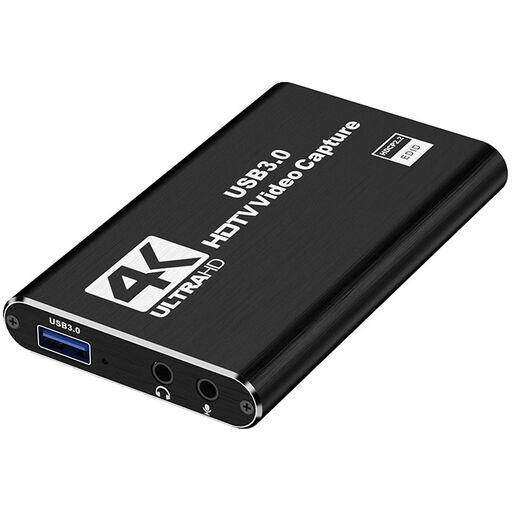
The HDMI input is specified for up to 4K/30 Hz, with 1080p/60 recording. It also has USB 3.0, a microphone input and a headphone output.
View at Joybuy
 No image available
4K USB 3.0 capture card, audio capture, 5 ports
For gameplay with output to a monitor or projector, provided the signal modes suit your setup.
USB 3.0 and 5 ports. Listed specifications include 1080p/60 recording and 4K/60 passthrough; the passthrough resolution isn’t the recording resolution.
View at Joybuy
 No image available
VIELLAN 4K HDMI video capture card, USB 3.0
For an HDMI gameplay signal with passthrough, if 1080p recording meets your needs.
USB 3.0; the title lists 1080p recording and 4K HDMI passthrough as separate specifications. The description calls the casing compact.
View at Joybuy
Frequently asked questions
How do I add a hand camera and gameplay to OBS?
Add compatible cameras and capture cards as video capture devices, then arrange their pictures in your scene. OBS lists audio sources separately; check the picture and sound with a short test recording.
Why might there be no picture from a console?
First, check the HDMI signal path and the supported recording modes. PlayStation notes that HDCP can prevent picture and sound when the PS4 is connected to incompatible HDMI devices. The option to turn off HDCP applies only while playing games, not to Blu-rays, DVDs or DRM-protected videos; this shouldn’t be taken as a general statement about other consoles.
What should I check once everything is set up?
Check the connections, picture and sound before making longer recordings. The NZXT Signal HD60 manual also advises you not to cover the ventilation openings or dismantle or repair the device yourself; these instructions apply to this model.
What are the rules on returns and faults when buying online?
According to the Verbraucherzentrale, online purchases generally come with a 14-day right of withdrawal; exceptions and the exact start of the period should be checked. Statutory rights against the seller are separate from a voluntary guarantee.
Can I simply record and publish protected game or video content?
No, this doesn’t give you general permission to publish it. Section 53 of the German Copyright Act (UrhG) covers certain copies for private use. A quotation may be permitted under Section 51 of the UrhG only if its extent is justified by the purpose of the quotation; Section 95a of the UrhG protects effective technological measures under the conditions set out there. Whether you can publish specific game footage, music or third-party videos depends on the material and how you use it. The relevant provisions are those of the Federal Ministry of Justice and the Federal Office of Justice.


