Mod showcases on a single PC
If your game and OBS are running on the same computer, try recording the game directly in OBS first. OBS Project describes Game Capture as a source for a running game.


If your modded game and OBS are running on the same suitable PC, try recording the game directly first – you don’t automatically need a capture card. If your video comes from a console or a second PC, choose a card based on its recording format, monitor passthrough and connection to the recording computer. For example, AVerMedia lists 1080p60 recording and 4K60 passthrough for the GC311G2, while Elgato specifies recording at up to 2160p60 for the 4K S.
If your game and OBS are running on the same computer, try recording the game directly in OBS first. OBS Project describes Game Capture as a source for a running game.
If the game video comes in externally over HDMI, consider the recording format and the monitor display separately. AVerMedia lists different recording and passthrough modes for certain models.
If you also need an HDMI camera, 4K recording or a particular monitor display mode, check the inputs, slot and signal limits of the specific model. Technical specifications are available from manufacturers including Elgato and AVerMedia.
Best if: your modded game and OBS are running on the same suitable PC. Try capturing the game in OBS first.
Consider: You won’t need additional HDMI hardware, but you should check that the specific game can be captured reliably.
Best if: your video comes from a console or second PC. Choose based on the recording you want: will Full HD be enough, or do you need a specifically stated 4K recording mode?
Consider: Recording and monitor passthrough are separate capabilities. The USB connection, operating system and signal path all need to be compatible with the model.
Best if: you’re planning a permanent desktop setup with a compatible free slot. The AVerMedia GC570D requires PCIe x4 Gen 2.
Consider: This option requires a suitable desktop PC; it isn’t a general-purpose USB option for laptops.
| Priority | What to check before buying | Who is this important to? |
|---|---|---|
| Signal path and connection | Check that the video source, OBS source and required USB port or PCIe slot are compatible with the recording computer. | If my game and OBS are running on my PC, I want to know first whether I need extra hardware at all. With a console or second computer, the right input matters. Around 36% of consumers prioritise the signal path and computer connection. |
| Recording format | Check the resolution and frame rate for the specific model. HDR, the operating system and recording software may limit the available mode. | What matters to me is the saved file: it needs to have the resolution and frame rate I want, not just look sharp on the monitor. Around 29% of consumers put actual recording quality first. |
| Monitor display | Check the HDMI output, resolution and frame rate against your source device and monitor. Only consider HDR or VRR if all your devices support the mode you want. | When showcasing a game, I want to keep the monitor display I need, even if the recording is saved in a different format. Around 21% of consumers prioritise the display mode on their gaming monitor. |
| Audio and an additional camera | Check the number of HDMI inputs, audio path and OBS audio settings against your setup. | If I want to add commentary or an HDMI camera alongside gameplay, I want to plan the video and audio sources together. Around 14% of consumers prioritise additional video or audio sources. |
OBS Project describes how to capture a game directly in OBS. In this setup, an HDMI card isn’t automatically required.
Start with a short test recording using the right OBS source. Only choose extra hardware if you still have a specific need.
A capture card may support different resolutions for passthrough and recording. For example, AVerMedia lists 4K60 passthrough but 1080p60 recording for the GC311G2.
Check the specific model’s recording resolution and frame rate separately from its monitor passthrough specifications.
AVerMedia specifies passthrough of up to 1080p60 for the GC311, compared with 4K60 for the GC311G2.
Check the full model code and the connections you need before choosing a card.
A second HDMI source may require an additional input. With a two-PC setup, you’ll also need to consider the audio path.
Plan your video and audio sources in advance, and check how they’ll connect to the card and OBS.
The Game Capture Neo and Game Capture 4K S cater for different recording needs.
The GC311 and GC311G2 are external Full HD options, while the GC573, GC553G2 and GC570D offer different connections and signal modes.
The Signal HD60 is an external option for recording when Full HD is enough.
The Ripsaw HD is a documented external HDMI option for Full HD recording.
The Joybuy products below are external capture options for HDMI sources when Full HD recording is enough. Check the recording format and passthrough separately, and make sure the connections suit your setup.
 No image available
For an external recording setup where multiple connections matter.
The product title lists USB 3.0 and 5 ports. Check whether “4K” refers to recording or passthrough.
 No image available
An external capture option for video recording if five ports suit your setup.
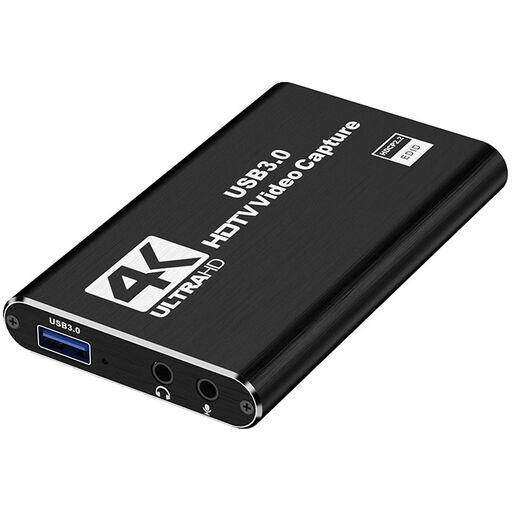
The product title includes “4K”. Check the recording resolution and passthrough as separate specifications.
 No image available
For gaming and streaming setups where Full HD recording is enough.
The product title lists 1080p60 recording, HDMI input up to 4K 30Hz and USB 3.0.
 No image available
For game capture and streaming setups where multiple connections and audio recording matter.
The product title lists USB 3.0, 5 ports and audio recording. Check the specific 4K claim against the recording and passthrough modes you need.
 No image available
For an external HDMI setup where Full HD recording and separate passthrough suit your signal path.
The product title lists recording up to 1080p, 4K HDMI passthrough, UVC and UAC, as well as a microphone input and headphone output.
Add a video capture device in OBS and select the connected capture card. Check the resolution, frame rate and audio. If you want to view the game separately on your monitor, also plan an HDMI connection to the screen. OBS Project describes video capture devices as an OBS source.
Because HDMI passthrough and recording are separate capabilities. AVerMedia lists 4K60 passthrough and 1080p60 recording for the GC311G2. NZXT also highlights this distinction for the Signal HD60.
Check which video output the source allows and which resolutions and frame rates the card and software support. A capture card doesn’t give you permission to bypass protection measures.
For a faulty product, the seller is generally responsible for statutory consumer rights. Verbraucherzentrale says the product must generally be free from defects at the time of delivery for two years; a voluntary guarantee is separate.
Electrical waste must not go in household rubbish. The Federal Environment Agency lists local recycling centres among the places where you can return it.