Demos on the same computer
You want to demonstrate an application on your computer and record it there at the same time. OBS offers window and display sources for this.


If you’re demonstrating software on the same computer, first check whether an OBS window or display source will do the job. You won’t need an external HDMI capture card for that. For a second computer or another HDMI device, a capture card could be suitable if the video output, input, operating system, USB connection, recording format and audio setup are all compatible. Passthrough and recording resolution are different specifications. According to their manufacturers, Elgato and StarTech capture devices cannot record HDCP-protected signals.
You want to demonstrate an application on your computer and record it there at the same time. OBS offers window and display sources for this.
You want to capture the output from a second computer or HDMI device on a recording computer. OBS describes capture cards as possible video capture devices. As StarTech.com also explains, the connections and system requirements need to suit your setup.
You need a particular recording resolution or frame rate for an external source. AVerMedia and Elgato list different recording and passthrough formats for their models.
First, work out whether the demo and recording will happen on the same computer. If you’re using an external source, consider the signal path, recording format and audio next.
| What you need | What to check before buying | Who is this most relevant to? |
|---|---|---|
| Avoid extra hardware | Will the demo run on the recording computer? Is an OBS window or display source enough? | If I only want to show an application, I’ll first check whether a window source will do the job. Around 36% of consumers are primarily looking to avoid buying an unnecessary capture card. |
| Connect a second device | Check that the source’s video output, HDMI input, USB connection and recording computer’s operating system are compatible. | For a demo from a second device, the signal path all the way to the recording computer needs to work. Around 29% of consumers are primarily looking to make sure they can connect a second device. |
| Choose a recording format | Check the recording resolution and frame rate separately from the input and passthrough specifications. If you need HDR, check the operating system requirements too. | If you need to record interfaces at a particular resolution or frame rate, the actual recording format matters. Around 21% of consumers have specific image requirements. |
| Include audio in the demo | Check whether audio will come through HDMI or a separate OBS audio source, then make a short test recording. | If I want to combine application audio and commentary, the audio setup needs to support this. Around 14% of consumers are primarily looking for separate audio and commentary paths. |
OBS can capture a specific window or the entire display directly as a source. You don’t automatically need an additional capture card for this.
Start by testing a short recording with the right window or display source. A window source won’t automatically show other windows, while a display source may capture other on-screen content or notifications.
AVerMedia StreamLine MINI+ GC311G2 and Elgato Game Capture Neo both list a higher passthrough resolution than recording resolution.
Check the specifications for the exact model, and compare the input, passthrough and recording details separately.
According to their respective manufacturers, Elgato and StarTech capture devices cannot record HDCP-protected signals. Audio also needs a suitable signal path.
Check that the source is unprotected and work out how you’ll record the audio you need. Don’t plan to circumvent copy protection.
Elgato states that Game Capture Neo does not include an HDMI cable.
Check what’s included with the exact model and make sure it’s compatible with the connections you have.
You may need to buy an HDMI cable separately for this model.
Game Capture Neo is designed for external demos with Full HD recording. Game Capture 4K S is an option if you need to record at up to 2160p60.
StreamLine MINI+ GC311G2 is an HDMI option if Full HD recording is enough and you want to connect a separate display via passthrough.
USB Capture HDMI Gen 2 is designed to provide an external HDMI input for recording computers running a range of operating systems.
UVCHDCAP is designed to record unprotected HDMI sources at 1080p60, for example during training sessions or conferences.
These products are options for external HDMI demos. Check that their recording specifications, connections and, where relevant, passthrough are compatible with your device and recording computer.
 No image available
An option if you want to connect an external video source using a USB 3.0 capture card. The product name lists five ports; check which ones are compatible with your source and recording computer.
 No image available
This video capture card could be worth considering for an external demo if its connections suit your signal path. The product name lists five ports; check what each one does and which recording formats are supported before buying.
 No image available
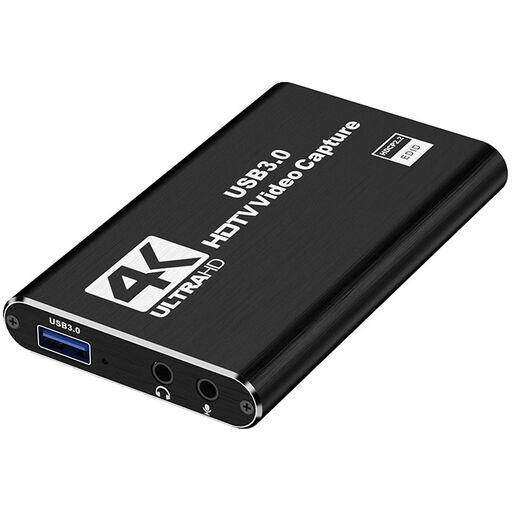
For an external HDMI demo where the stated Full HD recording specification suits your planned video. The product name lists an HDMI input of up to 4K at 30 Hz and recording at 1080p at 60 Hz. It also lists PCs and laptops as compatible devices.
 No image available
An option for external video recording if you also need to consider audio features. The product name lists USB 3.0, five ports and audio recording; check that each port and the recording format you need suit your setup.
 No image available
For an external demo with Full HD recording and a separate commentary path, if the listed connections suit your setup. The product name lists recording at up to 1080p, 4K HDMI passthrough, UVC and UAC support, as well as a microphone input and headphone output.
Not just to record your screen. OBS offers sources for a specific window or the whole display. A capture card is useful if you want to bring in the video signal from an external device instead.
First, check its video output and the card’s supported inputs, along with the USB connection, operating system and software on the recording computer. In OBS, you can add a supported card as a video capture device. For resolution and frame rate, choose only a combination the device supports.
Make a short test recording to check whether the audio you need is coming through HDMI or a separate OBS audio source. OBS notes that enabling an additional global desktop audio source can cause echo when you’re using audio sources for individual applications.
No. Verbraucherzentrale distinguishes statutory rights against the seller from a voluntary guarantee offered by the manufacturer or retailer. The terms of the relevant guarantee explain what it covers. Also check whether the exact model includes any cables you need: Elgato states that Game Capture Neo does not come with an HDMI cable.