Joybuy products for HDMI capture
This selection includes external HDMI capture cards with passthrough for consoles or HDMI gaming sources, with separate recording on a computer.
 No image available
HDMI capture card, 4K input and 1080p60 recording
For an HDMI gaming source with a separate recording path. The product specifications list HDMI passthrough and USB recording.
HDMI input up to 4K 30 Hz; recording up to 1080p 60 Hz. The product description lists microphone and headphone connections.
View at Joybuy
 No image available
4K USB 3.0 capture card with five connections
For an HDMI gaming source and a separate monitor. The product description lists passthrough and simultaneous recording.
4K/60 Hz input and passthrough; recording at 1080p/60 Hz. Audio recording is listed in the product specifications.
View at Joybuy
 No image available
VIELLAN 4K HDMI Video Capture Card
For HDMI gaming sources such as the consoles named in the product title. The description lists passthrough and USB recording on a computer.
4K passthrough and 1080p recording. The product description lists a microphone input and headphone output.
View at Joybuy
 No image available
VIELLAN HDMI Video Capture Card with UVC and UAC
For an HDMI console with a separate monitor. The product specifications list passthrough and simultaneous recording over USB.
Recording up to 1080p and 4K passthrough. UVC/UAC, a microphone input and a headphone output are listed.
View at Joybuy
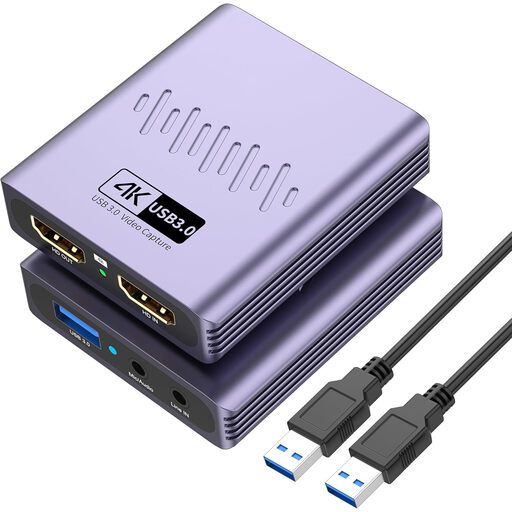 No image available
VIELLAN HDMI Video Capture Card with microphone input
For an HDMI gaming source and a separate monitor. The product description lists USB recording and passthrough.
4K passthrough and recording up to 1080p. The product description lists a microphone input and headphone output.
View at Joybuy
Frequently asked questions
Do I need a capture card to speedrun on my only gaming PC?
Not necessarily. If your game and OBS are running on the same PC, first try OBS Game Capture with the game you plan to play. OBS Project notes that it may not work with some games.
How do I connect an HDMI console for gaming and recording?
With a device that has HDMI passthrough, connect the console to HDMI In, the gaming monitor to HDMI Out and the recording PC to the designated USB connection. The supported modes depend on the exact model. Elgato’s guide for the 4K X specifies two HDMI cables for a PS5.
What should I check if the audio is silent, doubled or out of sync?
Check the selected audio source and audio mixer in OBS, then listen back to a test recording. OBS Project warns against capturing the same source both globally and within a scene, as this can cause an echo.
Why is the screen black when I connect a PS5 to the Elgato 4K X?
Elgato lists HDCP being enabled as one possible cause, and explains that you can turn off HDCP in the system settings to capture PS5 gameplay. This product-specific set-up does not give you permission to record protected films or other content.
Can I publicly stream any captured gameplay and music?
No. Being able to record something technically doesn’t automatically mean you have permission to share it. Under §§ 15 and 19a UrhG, public performance and making protected works available to the public are exclusive rights of the relevant rights holders. Check which rights you need for the specific content and how you plan to publish it.


