Card-makers who care about colour
If you’re showing paper and ink colours, make sure the daylight and any additional lighting work well together, and that the white balance stays consistent between shots.


If the window lights your crafting area evenly, first try filming without extra lighting. If the light changes or your hands cast distracting shadows, an adjustable, dimmable continuous light may help. To keep paper colours looking true, match the light colour to the daylight from the window and check your camera’s white balance. A small light takes up less space, while a larger panel can cover more of the work area but needs a suitable mount.
If you’re showing paper and ink colours, make sure the daylight and any additional lighting work well together, and that the white balance stays consistent between shots.
When filming from above, your hands can cast shadows over the card. Check whether the light can be repositioned and dimmed, and whether it reaches the whole area in the camera frame.
If you don’t want your light and mount to get in the way, plan where to attach the light, how to power it and where the cable will run alongside your camera position.
Suitable if: paper, tools and hands are all clearly visible in a test shot, and the daylight stays consistent enough while you film.
The trade-off: you won’t need an extra light or mount, but it’s harder to compensate for changing daylight and hand shadows.
Suitable if: you want to brighten a larger work area or reduce shadows beside the card, and have room for a secure mount.
The trade-off: dimming and adjustable colour temperature give you more control, but size, power requirements and mounting options vary by model.
Suitable if: you mainly want to brighten a small area of shadow or often move your setup around.
The trade-off: its compact design makes it easy to reposition, but check in the camera frame whether it provides enough light for your entire crafting area.
Suitable if: you also want to film someone facing the camera and need a compatible camera or smartphone mount.
The trade-off: the stated benefits mainly relate to filming people from the front. For an overhead card-making tutorial, what matters is whether the light can be directed at your work area.
The percentages group consumers according to their main priority when buying video lighting for card-making videos filmed by a window.
| Priority | What to check before buying | Who it matters most to |
|---|---|---|
| Paper colours | Compare adjustable colour temperature and colour-rendering specifications. Test the white balance with white and coloured paper where you plan to film. | If I want colours to look consistent in daylight and artificial light, I check the settings at my craft table. Around 36% of consumers prioritise paper colours. |
| Hand shadows and coverage | Position the light to the side of the camera and move your hands over the work area in a test shot. If lux figures are given, check the measurement distance. | If my hands cast shadows over the card while I’m cutting or sticking, even lighting across the work area matters more to me than a single light reading. Around 29% of consumers have this priority. |
| Consistent video | Record a clip using your planned camera, frame rate, shutter speed and dimmer setting, then check for banding and changes in brightness. | For longer recordings, I want to avoid banding or changes in brightness interrupting the steps. Around 21% of consumers prioritise a consistent image. |
| Space and mounting | Measure the table edge, light height, cable route and available work area. Check the mounting and power options for the specific model. | If a light or cable might get in the way of my crafting area, I plan the setup before buying. Around 14% of consumers put space and mounting first. |
A lux figure applies to the stated measurement distance and conditions. For example, Rollei gives 630 lx at 0.5 m and 5,500 K for the LUMIS Key Light. You can’t compare this figure with other lights unless the measurement conditions are the same.
Check the measurement distance and operating conditions, then use your own test shot to see how evenly the light covers the whole area.
The stated strengths of a ring light mainly relate to lighting people from the front. For a card-making tutorial, what matters is whether the light can be directed at your work area.
Before buying, sketch out the camera position and direction of the light, and check that the mount suits your table setup.
For the Elgato Key Light Air MK.2, the stated maximum light output depends on the available input power. Elgato does not list a separate power supply for full brightness as included.
Check the power requirements against what’s included in the specific offer.
Rollei describes the LUMIS Key Light as a compact desk light for a fixed setup.
The Key Light Air MK.2 is designed to clamp onto a suitable table edge.
The P260C Pro is a panel designed for a movable setup, with several power options.
The NL660 Bi-Color is a larger panel that needs separate space for the light and its mount.
The VL49 RGB is a small, battery-powered fill light for portable or space-saving setups.
These Joybuy product options are suitable for compact, portable fill lighting when filming at your craft table. Check in a test shot whether each light reaches the whole card.
 No image available
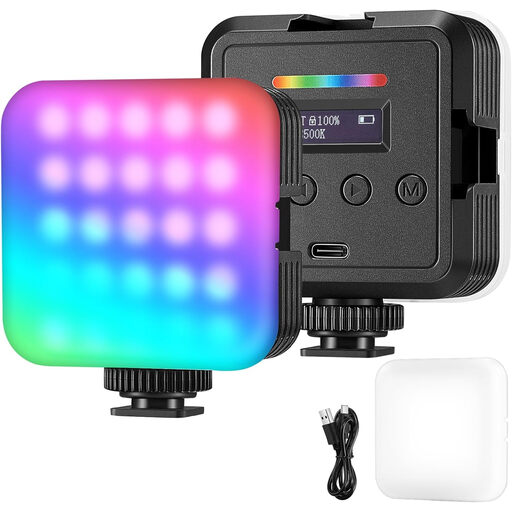
For a portable setup where you want to adjust the colour and brightness of the light to suit the daylight from your window. Before buying, check which mount and power supply are included in the specific offer.
Described as a portable LED video light.
 No image available
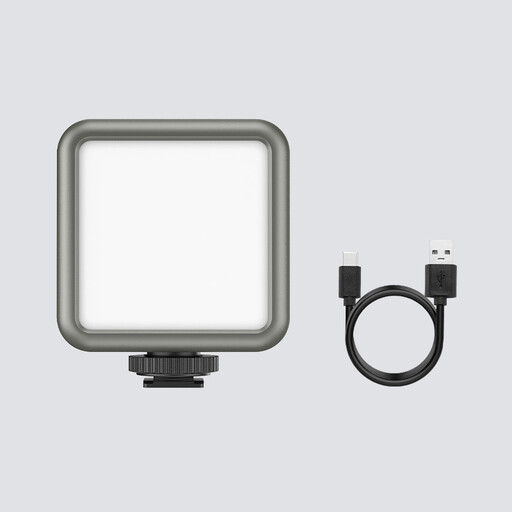
For a compact setup when you want to balance daylight from the window with additional lighting. Check that the available light modes and power supply suit your filming needs.
Described as a portable RGB video light with adjustable lighting modes.
 No image available
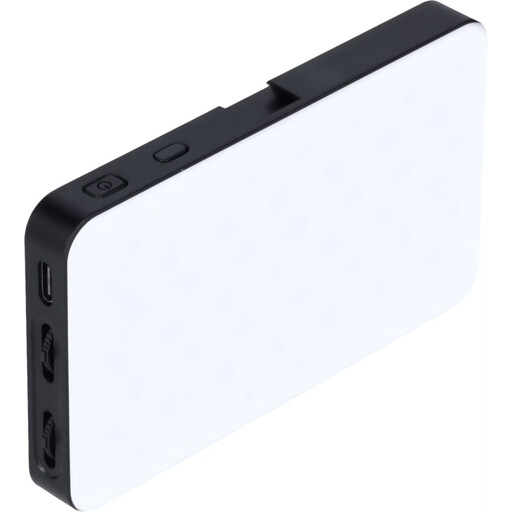
For portable fill lighting when a compact light with adjustable brightness suits your setup. Check the effect across the whole card before relying on a small light as your only light source.
The product title specifies a 2,000 mAh battery and magnets on the back.
 No image available
For a compact setup where an RGB light with app control fits your workflow. Before buying, check how you’ll attach the light to your table and power it.
The product title specifies 8 W, 360 colours and app control.
 No image available
For a flexible setup where you want to use a handheld, battery-powered light. The product title specifies an adjustable range of 2,500–9,000 K and 360 lux at 0.5 m. Keep the measurement distance in mind when comparing it with other lights.
The product title also specifies a 3,300 mAh battery.
First, adjust the light colour in the camera frame to match the daylight from your window, then check the white balance using a white card at your craft table. Nikon USA describes measuring white balance with a white card as one way to adjust colour rendering in mixed lighting. Check the results with your camera and the papers you use.
Record a test clip using the planned dimmer setting and camera settings. Sony Support explains how flickering light sources can cause banding and describes possible camera-side solutions. Check the settings for your specific camera model rather than assuming a high CRI means flicker-free lighting.
No. What’s included and how the light is powered varies by model. Elgato lists a desk clamp and USB-C cable for the Key Light Air MK.2, but no separate power supply for full brightness. On its Australian manufacturer website, NEEWER says that NP-F batteries for the NL660 are not included. Check the details of the specific German offer.