If desk space is limited, a 23.8- to 24-inch Full HD monitor is a natural starting point. Before you buy, compare the full dimensions, including the stand, with your desk. If a 27-inch monitor fits comfortably, WQHD gives you more pixels for the game view and instruments, but it also puts more demand on your computer’s graphics output. 4K and particularly high refresh rates only make sense if they suit the resolution, connection and other games you play.
Which monitor sizes are right for you?
Players short on desk space
If you want to play a ship simulation at a small desk, first measure the available width and depth, including the stand. AOC lists the 24G4X as a 23.8-inch Full HD model, but screen size alone won’t tell you how much room the actual monitor takes up.
Players who want to see the instruments clearly
If you have room for a 27-inch monitor and want more pixels for the game view and displays, you can compare WQHD with Full HD. MSI lists the MAG 274QFDE at 2,560 × 1,440 pixels. Also check which resolution your computer can output.
Players who also enjoy fast-paced games
If you play games with plenty of on-screen movement as well as cargo ship simulations, compare the refresh rate and synchronisation support at the resolution and through the connection you’ll use. The usable settings also depend on your computer and the game.
What should you look for?
When choosing a monitor for a small desk, the main considerations are its footprint, how clearly you can see the displays, suitable motion performance and day-to-day use.
| What matters when buying |
What to check |
Who should consider it? |
| Desk space and seating position |
Compare your desk’s width and depth with the dimensions of the specific monitor and its stand. If you’re using a monitor arm, also check the VESA mount and desk clamp. |
If I need to keep room for the rest of my controls on a small desk, the overall footprint matters. Around 36% of consumers say available space is their top buying priority. |
| Game view and instruments |
Check the screen size and native resolution against your computer’s output and the scaling options in the game you actually play. |
If I want to see the displays and game view clearly, I compare resolution and scaling rather than focusing on screen size alone. Around 29% of consumers say display detail is their top priority. |
| Motion and signal output |
Check the refresh rate alongside the resolution and connection. Also make sure variable refresh rate synchronisation is supported by the connected source. |
If I also play fast-paced games, I want to know what frame rate my computer and monitor can actually support at the chosen resolution. Around 21% of consumers put motion performance first. |
| Power use, care and cover |
Compare the energy label and EPREL entry for the specific model. For OLED, read the model’s care guidance and warranty terms. |
If ongoing power use and clear cover terms matter to me, I check these details before ordering. Around 14% of consumers say running costs and cover are their top priority. |
Which buying mistakes should you avoid?
-
Comparing screen size alone instead of the full footprint
The stand and mounting options affect how much space is left free on a small desk.
Measure your desk’s width and depth, then compare them with the full dimensions of the exact model. If you’re using a monitor arm, make sure it will fit the desk edge and clamp area too.
-
Looking at the highest refresh rate without checking the resolution
For the LG 27GX790B-B, LG lists 540 Hz at QHD and 720 Hz at HD. So the higher figure doesn’t apply at QHD.
Always check the refresh rate alongside the resolution it applies to and the connection on the specific model.
-
Confusing an OLED warranty with your statutory rights
A voluntary manufacturer’s warranty has its own terms and doesn’t replace your statutory rights against the seller if goods are faulty. This also applies to statements about possible OLED damage.
For OLED, read the warranty terms for the specific model, including the provisions on burn-in. Keep proof of purchase for any claim with the seller or manufacturer.
Useful brands to consider
AOC
The 24G4X is a compact Full HD example to consider when choosing a monitor for a small desk.
- AOC lists the 24G4X with a 23.8-inch Fast IPS panel, 1,920 × 1,080 pixels and a 180 Hz refresh rate.
- These specifications apply to the 24G4X, not the similarly named 24G4XE. They also don’t confirm that a specific offer is available in Germany.
MSI
The MAG 274QFDE and MPG 271QRXDE represent different 27-inch WQHD options.
- MSI lists the MAG 274QFDE with WQHD and a 180 Hz refresh rate. The MPG 271QRXDE is a separate WQHD QD-OLED model with a 360 Hz refresh rate.
- OLED care and warranty information for the MPG 271QRXDE doesn’t automatically apply to other MSI monitors. A higher refresh rate doesn’t prove a particular benefit for cargo ship simulations.
Samsung
The Odyssey OLED G8 G81SF is an example of a 27-inch QD-OLED monitor with 4K resolution.
- Samsung lists the model at 3,840 × 2,160 pixels and 240 Hz.
- 4K resolution places greater demands on graphics output than WQHD. Whether the monitor and computer suit your setup also depends on your desk dimensions and graphics hardware.
LG
The UltraGear 27GX790B-B illustrates how a 27-inch QHD OLED monitor can offer different refresh rates at different resolutions.
- LG lists 540 Hz at QHD and 720 Hz at HD.
- The 720 Hz figure applies at HD, not QHD. Limited-time offers or warranty promotions aren’t permanent product features.
BenQ ZOWIE
The XL2411K is a 24-inch example with a smaller stand and height adjustment.
- BenQ describes this model as having a smaller stand and height adjustment.
- Features designed for target tracking don’t prove a particular advantage for cargo ship simulations. BenQ notes that brightness decreases when DyAc is switched on.
Compact Full HD monitors at Joybuy
This selection features compact 23.8- to 24-inch Full HD monitors as a starting point for a small desk.
 No image available
KOORUI MB24V29FS4, 24-inch Full HD IPS monitor, 120 Hz
This 24-inch Full HD model is a compact option if desk space is your priority.
IPS panel, 120 Hz, 5 ms, 99% sRGB, HDMI and VGA; VESA 100 × 100 mm and tilt-adjustable.
Joybuy
 No image available
KTC H24B9S, 24-inch Full HD IPS gaming monitor, 144 Hz
This 24-inch Full HD model is a compact monitor option for a small desk.
IPS panel, 144 Hz, Adaptive Sync, HDMI and DisplayPort; tilt-adjustable.
Joybuy
 No image available
ASUS Eye Care VY249HF-W, 24-inch Full HD monitor, 100 Hz
The 24-inch Full HD format is a compact option if desk space is limited.
IPS panel, 100 Hz, AdaptiveSync, 1 ms MPRT and HDMI; VESA 100 × 100 mm.
Joybuy
 No image available
Acer Vero B247YGbmiqprx, 24 inches
The listed 24-inch screen size is a compact starting point. Before you buy, compare the full dimensions of the monitor and stand with your desk.
Joybuy
 No image available
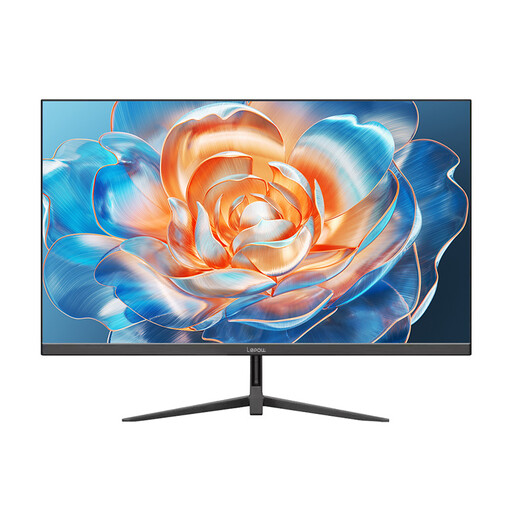
Lepow HC-24Z2, 24-inch monitor, 100 Hz
The 24-inch size is a compact option for a desk with limited space.
100 Hz.
Joybuy
Frequently asked questions
Which size should I look at first if space is limited?
First measure the clear width and depth of your desk, then compare them with the monitor’s full dimensions, including the stand. AOC lists the 24G4X with a 23.8-inch diagonal, but you’ll still need to check the dimensions of the specific model.
Can I fit a monitor arm on a small desk instead?
That may work if the monitor and arm are compatible, and the desk edge, desktop thickness and space behind the desk allow for the mount. Check these details before buying, as a desk clamp won’t fit every desktop.
Do I need 240 Hz or more for a cargo ship simulation?
You can’t determine whether you need 240 Hz or more without knowing the specific game. Start by comparing screen size, resolution and your computer’s graphics output. According to LG, the 27GX790B-B only supports 720 Hz at HD, not QHD.
How can I compare power use, and what happens if the monitor develops a fault?
Compare specific monitors using the EU energy label and their EPREL entries. In Germany, statutory rights relating to faulty goods are against the seller and are separate from a voluntary manufacturer’s warranty. The Verbraucherzentrale explains the difference.
Can I return a monitor bought online if it doesn’t fit on my desk?
For a consumer purchase made at a distance, you generally have 14 days from receiving the goods to exercise your right of withdrawal. You must notify the retailer. The European Union notes that exceptions may apply. Before ordering, also check the terms of the contract and who pays return costs. This doesn’t automatically apply to purchases from private individuals.


