If guests are sitting to the side of the screen, first check their viewing angle: a projector’s keystone correction does not affect how well the screen can be seen from the side. If the projector itself needs to sit off-centre, compare the horizontal lens shift with horizontal keystone correction, and also check the throw distance, ambient light and how you’ll connect your photo collection.
Who is this photo show for?
Hosts with off-centre seating
If guests are sitting at the edge of the seating area, the screen’s light distribution matters just as much as the projector. ProjectorCentral explains that screens with lower gain have wider half-gain viewing angles; Elite Screens EU describes its MaxWhite material as offering wide light dispersion.
Hosts without a central spot for the projector
If furniture or walkways prevent you from positioning the projector centrally, check the horizontal alignment options on the specific model. BenQ Germany distinguishes digital keystone correction from optical lens shift; Epson lists manual horizontal keystone correction for the EF-11.
Hosts using different rooms
If your setup changes from room to room, reliable power and a dependable connection between your photo source and projector are important. Epson lists HDMI and Miracast for the EF-11; BenQ lists HDMI and a built-in battery for the GV50. Check that these features work with your devices.
What should you look for when buying?
Projector centred, guests sitting to the side
A good fit if: Only the seats are off-centre and the projector can be positioned straight on.
Trade-off: A more directional screen may lose brightness when viewed from the side; a wider viewing angle won’t automatically solve problems with ambient light.
Off-centre positioning with lens shift
A good fit if: The projector can’t be positioned centrally and the selected model’s horizontal shift range suits the offset.
Trade-off: The usable range varies by model, so compare it with the projector’s actual position.
Off-centre positioning with keystone correction
A good fit if: Flexible positioning matters more and the specific device offers horizontal, not just vertical, correction.
Trade-off: Correction digitally straightens the image, but doesn’t change the screen’s viewing angle.
For your photo show, consider the screen, projector position, photo input and room lighting separately.
| What matters |
What to check when buying |
Who it matters most to |
| Viewing from the side |
Screen gain and viewing angle; consider the seats at the edges too. |
If I want to show costume photos clearly from the seats at the sides, the screen’s light distribution is key. Around 33% of consumers are likely to consider this first when planning a photo show. |
| Off-centre projector position |
Measure the offset and throw distance; check for horizontal lens shift or horizontal keystone correction. |
If the projector needs to sit off-centre because of furniture or walkways, I need correction that suits the planned position. Around 27% of consumers are likely to prioritise off-centre positioning. |
| Photo quality and input |
Check the native resolution and a suitable HDMI connection or explicitly supported screen-mirroring option. |
If I want fine details in costume photos to remain clear, I also need to transfer my images reliably from my phone or computer. Around 20% of consumers are likely to put sharpness and photo input first. |
| Ambient light and portability |
Consider the room lighting and picture mode; for battery-powered models, check battery life in battery mode. |
If the room can’t be fully darkened or the setup changes often, lighting conditions, power and ease of positioning all matter to me. Around 20% of consumers are likely to prioritise portability and ambient light. |
Common pitfalls
-
Confusing off-centre seating with off-centre projector positioning
Keystone correction adjusts the shape of an image projected at an angle, but it won’t improve the viewing angle of a highly directional screen.
Plan your seating and screen first, then check the projector position separately.
An unsuitable viewing angle may mean you need a different type of screen.
-
Relying on vertical keystone correction to fix horizontal offset
For an off-centre setup, horizontal adjustment is what matters; the usable range depends on the model.
Look specifically for horizontal lens shift or horizontal keystone correction in the specifications.
-
Assuming battery life is the same at full brightness
XGIMI states that the MoGo 4 Laser offers up to 2.5 hours of video playback in Eco mode. This doesn’t guarantee the same runtime in another picture mode.
Check runtime and brightness separately for the mode you plan to use.
If battery power isn’t enough for your planned use, you may need mains power or an extension lead.
Brands to consider
Epson
The models mentioned offer different alignment options: according to Epson, the EF-11 has manual horizontal keystone correction, while the EH-LS12000B offers a wide horizontal lens-shift range.
- The EF-11 lists HDMI and Miracast.
- Alignment features vary by model; check compatibility with your image source.
BenQ
According to BenQ, the GV50 is a portable projector with native 1080p resolution, HDMI and a built-in battery. The TK705STi is a separate short-throw option with horizontal and vertical keystone correction.
- The models cater for different positioning and usage scenarios.
- A short throw doesn’t remove the need to plan the distance and image width. Check the positioning requirements of the specific model.
XGIMI
XGIMI describes the MoGo 4 Laser as a portable 1080p projector with a battery and rotating stand.
- The rotating stand can help with changing setups.
- XGIMI quotes up to 2.5 hours of video playback in Eco mode; runtime and brightness depend on the operating mode.
Aurzen
According to Aurzen, the BOOM mini is a mains-powered Full HD projector with HDMI and real-time keystone correction.
- Aurzen lists supported photo formats including JPEG, BMP, GIF and PNG.
- Manufacturer specifications are not independent measurements and don’t confirm playback from every external image source.
Projectors at Joybuy
This selection includes portable projectors and models with flexible positioning, suitable for photo shows. Check that the listed connections and transfer options work with your image source.
 No image available
Aurzen Tri-Fold DLP mini projector
The foldable design and adjustable stand are made for setups that change from room to room.
The title lists a 5000 mAh battery and up to 1.5 hours of runtime. ToF autofocus and wireless screen mirroring support are listed; according to the product details, Google Cast is not supported.
According to the product details, mirroring from Google Pixel and Motorola phones, as well as Chromebooks, isn’t possible. Check your device’s compatibility before buying.
Joybuy
 No image available
XGIMI MoGo 4 – Match Night EU Edition with EA SPORTS FC 26 game code
The built-in battery suits a portable setup, provided the runtime and operating mode are right for how you plan to use it.
This version lists native Full HD 1080p resolution and 450 ISO lumens. Battery life is listed as 2.5 hours; the title also mentions Google TV and an EA SPORTS FC 26 game code.
Wireless content streaming is listed. Check that the intended transfer method works with your device.
Joybuy
 No image available
Philoent short-throw mini projector
The short throw is described as an option for smaller rooms; check the distance required for your desired image size in advance.
The product details list HDMI, automatic 4D keystone correction and autofocus. Compatibility with iOS, Android and laptops is listed; check that the connection and transfer method work with your image source.
Joybuy
 No image available
Projector with automatic image correction and 180° rotation
The listed rotation and automatic image correction may be useful for changing setups; check the correction at your planned position.
The title lists HDMI, USB flash drive compatibility, iOS, Android and laptops, as well as an image size of 50–200 inches. Digital zoom is listed as 50–100%.
Joybuy
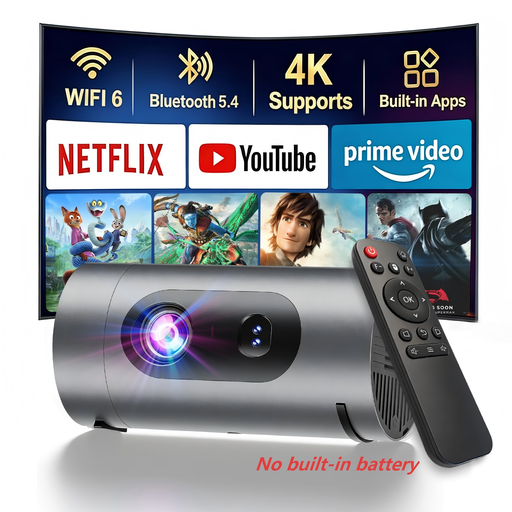 No image available
XBJ 1080P mini projector
Using a power bank may let you set up without a nearby socket; according to the product details, you’ll need to provide your own power bank.
Native 1080p resolution and Wi-Fi casting are listed. The title also states 800 Lumens, but doesn’t specify a measurement standard.
Joybuy
Frequently asked questions
Can keystone correction improve visibility from seats at the side?
No. It corrects the image shape when projecting at an angle, not the screen’s viewing angle. For off-centre seating, check the screen’s light distribution and viewing angle separately.
How do I prepare a photo show from a laptop or smartphone?
Check whether your chosen model offers HDMI or an explicitly supported screen-mirroring option that works with your device, and test it with the actual photos before the event. A USB port or built-in streaming apps alone don’t confirm that your image files will play.
What should I measure before setting up?
Measure the throw distance, desired image width and the projector’s horizontal offset. Set up the image, then check visibility from the seats furthest to the side.
What statutory rights apply when shopping online in Germany?
For a typical online purchase of goods, you generally have a 14-day right to cancel from the date of delivery; exceptions and rules on return costs apply. The European Union’s Your Europe portal also refers to a two-year legal guarantee for faulty goods. This is separate from any additional manufacturer’s guarantee.


