Which option is right for you?

USB slideshow without a computer

If you want to show costume photos directly from a USB stick, check the photo playback and slideshow features of the specific TV. The Philips 7000 Series manual describes USB playback and photos for models including the 43PUS7000.

Hosting a larger group

If several guests need to see the pictures from where they’re sitting, screen size, viewing distance and placement are all important considerations. The right screen size depends on the room and where people will be sitting.

Presenting from your own computer

If you want to prepare and control the image sequence on a computer, check that the TV has the right HDMI input and can connect to your device. Philips lists HDMI connectivity for the 43PUS7000.

What should you look for when buying?

What you need What to check before buying Who is it important to?
Local photos via USB Check the model manual for photo playback, supported image formats and slideshow controls, then test your own files before the event. TCL Germany notes that some TVs have USB ports intended for maintenance purposes only. If I want to show photos from a stick without an additional playback device, the TV’s media features need to support my files. Around 33% of consumers put direct USB photo playback first.
Visibility for guests Consider viewing distance, available space and where people will be sitting together. IMTEST gives 55 inches at 2.5 metres and around 65 inches at 3 metres as examples, not fixed recommendations. If several guests need to see costume details from their seats, I want to plan the screen size and room layout together. Around 27% of consumers prioritise visibility for a group.
Computer via HDMI Check that the TV and computer have the HDMI connections you need and that they work together for video output; run through the presentation beforehand. If I prepare the sequence and display on a computer, I want to be able to use the TV as a screen. Around 20% of consumers prioritise connecting a computer.
Longer use and running costs For OLED TVs, follow the manufacturer’s guidance on photos displayed for long periods or repeatedly; compare the energy label of the specific model to check power consumption. Sony Germany warns of a possible burn-in risk on OLED TVs from images displayed for long periods or repeatedly. If the slideshow is running for longer, I want to avoid static images and understand the power consumption of the specific TV. Around 20% of consumers prioritise longer use and running costs.

Common mistakes when choosing

  • Assuming a USB port guarantees photo playback

    Not every USB port is designed for media playback. TCL Germany’s guidance makes clear that some ports are intended for maintenance purposes only.

    Check the manual for your specific model to see whether the port can display photos and which file formats it supports. If you’d rather use HDMI, plan to connect a computer as the playback device.

    If the TV can’t play your files directly, you may need an additional playback device or time to prepare the files.

  • Leaving a single photo on screen for a long time on an OLED TV

    Sony Germany lists photos displayed for long periods or repeatedly as a possible burn-in risk on OLED TVs. This doesn’t mean that every short slideshow will cause damage.

    Keep the images changing and follow the care and protection guidance for your specific model.

Key brands at a glance

Philips

The 7000 Series manual describes USB playback and photos for the 43PUS7000.

  • The manual provides a model-specific starting point for checking direct photo playback.
  • Test your own files and the slideshow controls you need beforehand to make sure they work.

LG

The 43UA75006LA is a 43-inch 4K LCD TV with webOS 25. LG describes USB media playback via “Photos & Videos”.

  • LG’s general USB support guidance explains how to access photo playback.
  • The guidance covers multiple models and doesn’t confirm support for every image format or a specific slideshow feature on the 43UA75006LA.

TCL

The 55P7K is a 55-inch model in the P7K QLED range.

  • TCL Germany provides guidance to help you check whether a USB port supports multimedia features.
  • According to TCL, a USB port may be intended for maintenance purposes only; this doesn’t confirm that the 55P7K has a slideshow feature.

Sony

Sony Germany explains how to select photos from USB and start a slideshow in the album app covered in its guidance.

  • The support guidance gives you a starting point for checking photo display on your specific model.
  • The steps described depend on the model and app; in the album scenario covered, photos from a home network server can’t be selected for a slideshow in the same way.

Joybuy TVs for viewing photos together

This selection features TVs for viewing photos together; the TCL 55Q7D PRO is also listed as an option for connecting a computer via HDMI.

TCL 55Q7D PRO, 55-inch 4K SQD-Mini LED TV

TCL 55Q7D PRO, 55-inch 4K SQD-Mini LED TV

For viewing photos together; you can check how the screen size works with your viewing distance and room.

55 inches and 4K; four HDMI ports listed.

View at Joybuy
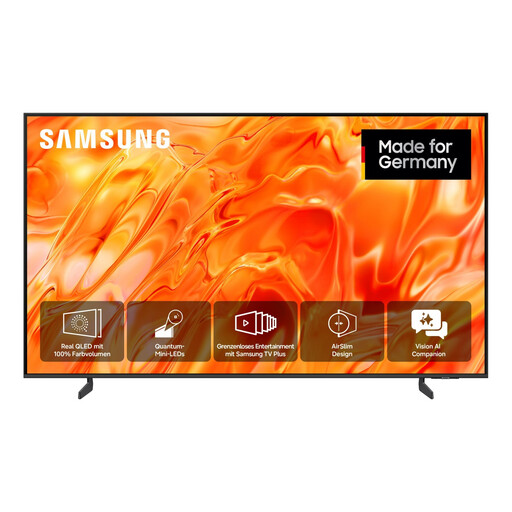
Samsung GQ75QN70H Neo QLED 4K, 75 inches

Samsung GQ75QN70H Neo QLED 4K, 75 inches

For viewing photos together; check that the screen size suits your viewing distance and available space.

75 inches and 4K UHD.

View at Joybuy
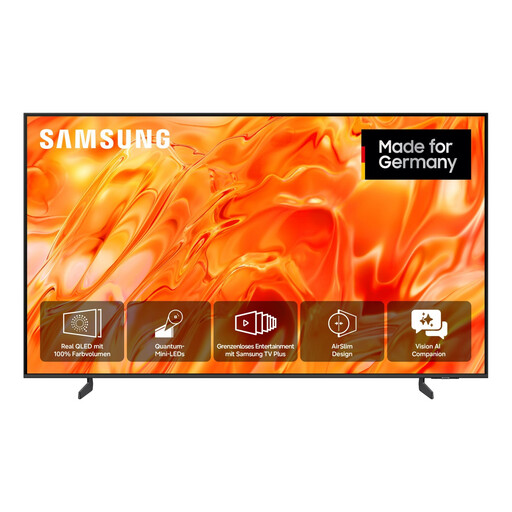
Samsung GQ85QN70H Neo QLED 4K, 85 inches

Samsung GQ85QN70H Neo QLED 4K, 85 inches

For viewing photos together; make sure the large screen size suits your room, setup and seating positions.

85 inches and 4K UHD.

View at Joybuy
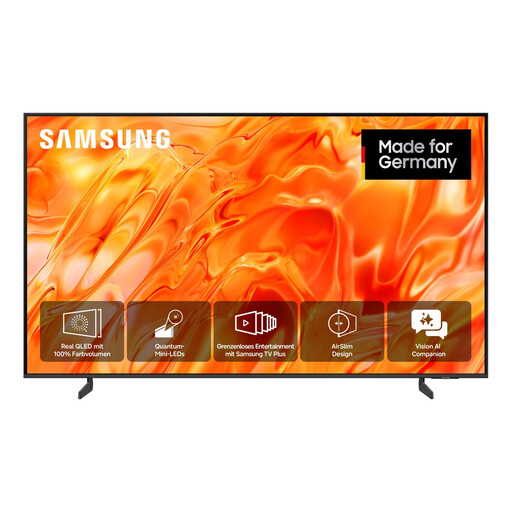
Samsung GQ55QN70H Neo QLED 4K, 55 inches

Samsung GQ55QN70H Neo QLED 4K, 55 inches

For viewing photos together; check that the screen size suits your viewing distance and available space.

55 inches and 4K UHD.

View at Joybuy

Frequently asked questions

Is a USB port enough for a costume slideshow?

No. The port needs to support media playback, and your specific TV model needs to recognise your photos. TCL Germany notes that some USB ports are intended for maintenance purposes only, so check the manual, image formats and slideshow controls.

How should I prepare the USB stick?

Follow the instructions for your specific TV and test your files before the event. TCL lists FAT32 in its USB stick guidance, while LG’s general TV support guidance describes FAT32 or NTFS. These are different manufacturers’ recommendations, not a universal formatting rule.

When is it useful to connect a computer to the HDMI input?

HDMI is a useful alternative if you want to prepare or control the image sequence on a computer. Check that your computer and TV have the required ports, then run through the presentation in advance using the connection you plan to use.

Can I show photos of other carnival-goers in public?

Under § 22 KunstUrhG, you generally need consent from the person shown if you distribute images or display them publicly. § 23 sets out exceptions, including pictures of gatherings and processions; these do not apply without limits and are restricted by the legitimate interests of the people shown. Whether a particular screening is public or an exception applies depends on the circumstances.

What should I bear in mind when running a long slideshow on an OLED TV?

Keep the photos changing rather than leaving one image on screen for a long time or displaying it repeatedly, and follow the guidance for your specific model. Sony Germany lists photos displayed for long periods or repeatedly as a possible burn-in risk on OLED TVs.