Choose a laptop based on the design software and projects you actually use. For mainly 2D designs, look for a suitable display and enough RAM; regular 3D modelling may call for more powerful graphics and storage. For a shared workstation, you’ll also need separate user accounts, clear rules for shared project files and a backup routine. Always check the exact specification rather than relying on the name of a laptop range.
Who is this laptop for?
Shared stage design team
If you take turns using a laptop, separate accounts help keep personal settings and files apart. Microsoft explains how to set up separate user accounts in Windows, while Germany’s Federal Office for Information Security recommends individual, password-protected accounts for different users.
3D stage designers
If you regularly create or render 3D models, check that the RAM, GPU and graphics memory meet the requirements of your software. Blender and SketchUp list different requirements and recommendations.
Design and print graphics team
For 2D artwork, plans and print-ready designs, the display and enough RAM are important considerations. Adobe recommends at least 16 GB of RAM for the specified version of Photoshop.
What should you look for when buying?
First, decide which programmes and types of project will determine your choice of laptop. Then make sure the accounts, file storage and ports suit your shared workspace.
| What you need |
What to look for |
Who it matters most to |
| Shared use and project files |
Check the operating system’s user accounts, file-sharing and backup options; agree who is responsible for shared project folders. |
If we take turns using the laptop, accounts and project files need to be clearly separated. Around 36% of consumers prioritise sharing. |
| Display and RAM for 2D designs |
Compare the exact display specification with your software requirements. Adobe recommends at least 16 GB of RAM for the specified version of Photoshop. |
If we review artwork and print-ready designs on the laptop, the display and smooth image editing are essential. Around 29% of consumers prioritise 2D design work. |
| Extra performance for 3D models |
Check that the GPU, graphics memory and RAM meet the requirements of your software and project type. Blender recommends 32 GB of RAM for Windows; SketchUp specifies 8 GB of VRAM for models using the PBR materials described. |
If we regularly model or render stage sets, the components need to suit our projects. Around 21% of consumers put 3D work first. |
| Portability and ports |
Balance weight and screen size against how you plan to transport the laptop; check that it has ports for your existing monitors, input devices and storage media. |
If we also show designs at rehearsals, the laptop needs to be portable yet easy to connect at a fixed workstation. Around 14% of consumers prioritise portability. |
Common buying mistakes
-
Assuming every workstation in a range has the right GPU specification
A range can include models with different graphics options. The range name alone won’t tell you whether a particular model meets the requirements of your 3D software.
Before buying, compare the full specification with the requirements of the programmes and projects you’ll be using.
-
Confusing a shared laptop with shared login details
Separate user accounts give each person their own workspace. Adobe says that an Adobe account is for the individual user, including on a Teams plan.
Plan device access and software accounts separately, and check which personal licences your team will need.
Accounts need to be set up and maintained; some software may require individual licences.
-
Relying on a large internal SSD as your backup
Files on a laptop can be lost if it breaks, is accidentally deleted or is stolen. Germany’s Federal Office for Information Security explains how backups can help in these situations.
Set up a separate backup, stored away from the laptop, and agree on a recovery process.
You may need additional storage for backups.
Brands worth considering
The following notes refer to the product ranges or specifications mentioned. They don’t describe the features of every model from each brand.
Lenovo
The ThinkPad P series includes mobile workstations.
- The ThinkPad P16s Gen 4 is listed with integrated graphics and an optional NVIDIA RTX PRO 1000.
- The graphics option needs to suit your design software; the range name alone doesn’t prove that a model is suitable for demanding rendering.
HP
HP positions the ZBook X range for mobile 3D modelling and other demanding workflows.
- HP lists optional GPU and RAM specifications for the ZBook X G2i.
- The highest specifications aren’t available on every configuration. HP’s claims about suitability reflect the manufacturer’s positioning, not an independent performance test.
Dell
The Dell Pro Max 16 is available with different graphics options.
- Listed options include both integrated graphics and RTX PRO graphics.
- Before buying, check the exact specification and availability of the configuration you want.
ASUS
ASUS says the ProArt P16 range is designed for creative work.
- ASUS lists an OLED display and a dedicated GPU for the H7606WX-SE090X variant.
- The display, ports and GPU details apply to this variant and may not be the same across all ProArt P16 models.
Apple
The MacBook Pro is available with a range of chips, memory capacities and displays.
- It may be a good option if the software you need and the way your team works together suit macOS.
- Compare the specification of the exact model and check that it’s compatible with the programmes you use.
Joybuy products for design and 3D work
The following Windows laptops with dedicated graphics may suit design and some types of 3D work. Check the display, ports and components against the programmes and projects you actually use.
 No image available
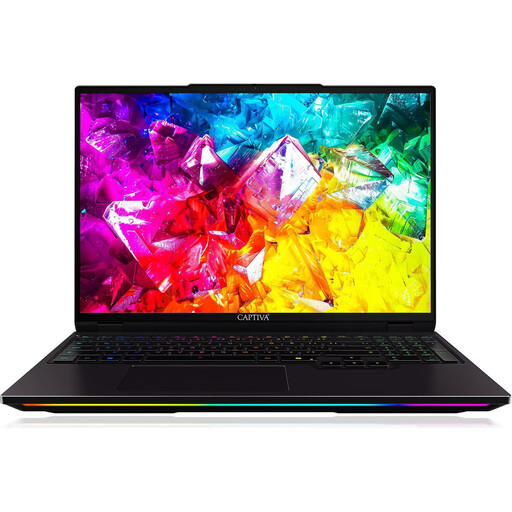
Captiva I92-069 Ultimate, 16-inch
For design and 3D work, provided the specific programmes you use are suited to this Windows laptop’s specification.
Intel Core Ultra 9 275HX; NVIDIA GeForce RTX 5080 with 16 GB GDDR7; 32 GB DDR5; 16-inch WQXGA IPS display with 300 Hz; 1 TB SSD; Windows 11 Home.
View at Joybuy
 No image available
HP OMEN MAX 16-ah0698ng, 16-inch
For design and more demanding 3D projects, provided your software and this specific configuration are a good match.
Intel Core Ultra 9 275HX; GeForce RTX 5090 with 24 GB graphics memory; 64 GB RAM; 2 TB SSD; WQXGA with 240 Hz; Windows 11 Home.
The display is listed as covering 100% DCI-P3; check the exact display specification of the version on offer.
View at Joybuy
 No image available
HP OMEN MAX 16-ak0693ng, 16-inch
For design and 3D work; make sure the graphics specification meets the needs of your software and projects.
AMD Ryzen AI 9 HX 375; GeForce RTX 5070 Ti with 12 GB graphics memory; 32 GB RAM; 1 TB SSD; WQXGA with 240 Hz; Windows 11 Home.
Listed ports include HDMI 2.1 and USB-C.
View at Joybuy
 No image available
THUNDEROBOT Radiant S16
For design and occasional 3D work, if 16 GB of RAM is enough for your projects.
AMD Ryzen 7 7745HX; NVIDIA GeForce RTX 5060; 16 GB DDR5 RAM; 1 TB SSD; 16-inch QHD+ display with 240 Hz.
Blender recommends 32 GB of RAM for Windows. This laptop’s listed 16 GB falls short, so check whether it’s enough for your Blender projects.
View at Joybuy
 No image available
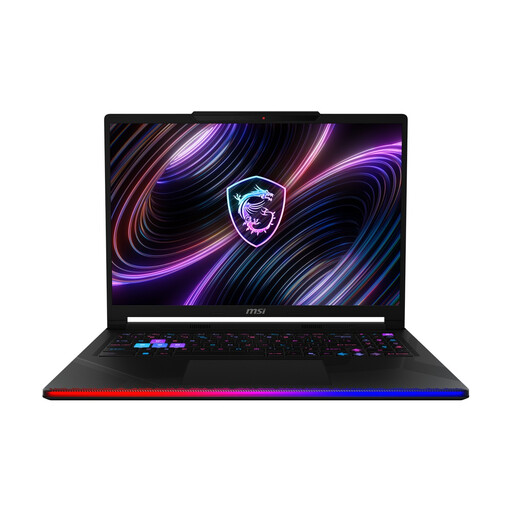
MSI Raider 16 Max HX B2WJ-071
For design and 3D projects, provided the specific configuration can run the programmes you need.
Intel Core Ultra 9 290HX; NVIDIA GeForce RTX 5090; 32 GB DDR5 RAM; 2 TB SSD; 16-inch OLED WQXGA display; Windows 11 Home.
View at Joybuy
Frequently asked questions
Do we need Windows 11 Pro to share a laptop?
No. Sharing a laptop doesn’t, by itself, mean you need this edition. Windows supports multiple user accounts, each with their own settings and documents; Germany’s Federal Office for Information Security recommends individual, password-protected accounts. Also check which management features your team needs.
Can several people use the same Adobe account on a shared laptop?
No. Adobe says that an Adobe account is for the individual user, including on a Teams plan. Sharing a device doesn’t mean you can share login details. Check which individual licences you need for your software.
How can we protect design files from accidental deletion or a device failure?
Set up separate accounts, agree where project files will be stored and make regular backups that you can restore. Germany’s Federal Office for Information Security lists device failure, accidental deletion and theft among the situations where backups can help.
What legal protection applies when buying a laptop in Germany?
For a consumer purchase from a trader, EU law provides a minimum statutory guarantee of two years from receipt of the goods; your claim is against the seller. Your Europe, the European Union’s information portal, points out that a manufacturer’s warranty doesn’t replace these rights. Whether a purchase by an association or business counts as a consumer purchase depends on the parties to the contract.
Can every team member use SketchUp remotely on the shared computer?
Not without checking your workflow first. According to its compatibility information, SketchUp doesn’t support remote desktop connections in shared environments because of hardware limitations. This restriction applies to SketchUp and shouldn’t be assumed to apply to other design software.


