What should you look for when buying?
Start with your editing programme and recording format. Then compare the specifications you need for your audio workflow, resolution, files and portability.
| What matters |
What to check |
Who should pay particular attention? |
| Bringing in separately recorded audio |
Check your editing programme, recording formats and available synchronisation points; test a sample clip. |
If you record video and audio separately, your workflow should bring them together reliably. Around 31% of consumers put their audio workflow first. |
| Performance for your resolution |
Check that the resolution, codec and effects you use meet the requirements of your chosen editing programme. |
If you regularly edit 4K footage, the right level of performance matters more than specifications you’re unlikely to need for short HD clips. Around 31% of consumers prioritise performance for high-resolution projects. |
| Managing video and audio files |
Check there’s enough SSD space for your media and cache, as well as the card readers and ports you actually need. |
If your project uses several video and audio files, you’ll need a suitable way to import them and enough storage space. Around 23% of consumers say file management is their main concern. |
| Portability and workspace |
Compare the weight and screen size with where you’ll work and how much space you want to see on screen. |
If you regularly take your laptop to rehearsals or events, portability matters. A larger screen gives you more workspace too. Around 15% of consumers prioritise portability. |
Joybuy products for video editing
The Joybuy products below cover portable Windows laptops and workstations, from occasional HD projects to regular 4K editing.
 No image available
HP ZBook Fury 16 G1i Mobile Workstation
A mobile Windows workstation for projects where you need a more powerful configuration.
Intel Core Ultra 9 285HX, RTX PRO 4000 Blackwell, 64 GB RAM, 2 TB SSD NVMe and a 16-inch display with 3840 × 2400 pixels.
View at Joybuy
 No image available
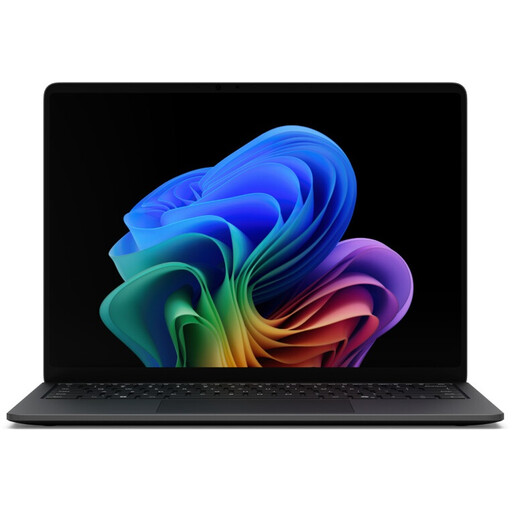
Microsoft Surface Laptop 8 Core Ultra 5, 16 GB RAM, 512 GB, Black
A portable Windows option for occasional HD projects. For Premiere with 4K media, its RAM falls below Adobe’s recommendation.
16 GB RAM and 512 GB storage; Windows 11 Pro.
View at Joybuy
 No image available
Microsoft Surface Laptop 7 Snapdragon X Plus, 16 GB RAM, 512 GB, Black
A portable Windows option for occasional editing. Check that it’s compatible with the software you use in your workflow.
Snapdragon X Plus, 16 GB RAM and 512 GB storage. For Premiere with 4K media, its RAM falls below Adobe’s recommendation.
View at Joybuy
 No image available
Microsoft Surface Laptop 8 Core Ultra 5, 24 GB RAM, 512 GB, Platinum
A portable Windows option for occasional editing. For Premiere with 4K media, its RAM falls below Adobe’s recommendation.
24 GB RAM and 512 GB storage; Windows 11 Pro.
View at Joybuy
 No image available
MSI Crosshair 16 Max HX E2WGXK-023
A Windows configuration to consider for regular 4K editing. For Premiere, its RAM falls below Adobe’s recommendation for 4K media.
Intel Core Ultra 9 275HX, NVIDIA GeForce RTX 5070 with 12 GB, 16 GB DDR5, 1 TB SSD and a 16-inch QHD+ OLED display with 165 Hz.
View at Joybuy
Frequently asked questions
Can I automatically synchronise video and separately recorded audio?
Yes. Suitable editing programmes have features for this. Adobe documents audio and video synchronisation, Apple Support explains synchronised clips in Final Cut Pro, and Blackmagic Design lists timecode or audio waveforms for DaVinci Resolve. Whether the recordings can be matched automatically depends on having suitable reference points in them.
Do I always need 32 GB of RAM for short costume videos?
No. For Premiere on Windows, Adobe recommends 16 GB of RAM for HD and 32 GB or more for 4K and higher resolutions. Don’t assume these figures apply to other editing programmes or projects without checking.
What should I set up before my first edit?
Choose your editing programme first, then test a representative video and audio clip to check they synchronise. Also allow storage space for your original files and, if you’re using Premiere, the cache on a fast SSD.
What are my rights when buying a laptop online?
Online purchases of this kind generally come with a 14-day right to cancel, starting from the day of delivery; exceptions and return costs should be checked separately. The European Union’s Your Europe website also explains that faulty goods are covered by a minimum two-year legal guarantee against the seller. A voluntary manufacturer’s warranty doesn’t replace these rights.
Can I publish my Carnival video if people and music are recognisable?
Not in every case. Section 22 of the German KunstUrhG generally requires consent to publish images of people; Section 23 includes an exception for images of processions, subject to the protection of legitimate interests. The rights you need for music also depend on how and where you use it. GEMA, for example, distinguishes between private and commercial use, so check the intended use before publishing.


