
Lieferung heute & morgen

Qualitätsgarantie

Willkommens-Angebote freischalten: KOSTENLOSE Lieferung | Bis zu 80 % RABATT | Kostenlose 30-Tage-JoyPlus-Testphase
App herunterladen
Retrofitting modern infotainment features into an older vehicle can be a challenge. For those who long for navigation, music streaming, and enhanced safety but want to avoid an expensive and complicated workshop installation, a CarPlay display with a dashcam is an attractive solution. These all-in-one devices promise to equip any car with a smart cockpit in an instant.
However, the market is crowded and full of products whose marketing promises often don't hold up in practice. Before you make a purchasing decision, it's crucial to know the common pitfalls that can lead to frustration and unnecessary expenses.
Common Pitfalls When Buying:
To make an informed decision, you should focus on a few critical technical features. These largely determine the functionality and longevity of your device.
A wireless CarPlay adapter or an integrated Android Auto display is only as good as its connection. For stable and fast wireless data transfer between your smartphone and the display, dual-band Wi-Fi (2.4 GHz and 5 GHz) is a crucial feature. The 5 GHz band, in particular, offers higher bandwidth and is less prone to interference, which is essential for the uninterrupted use of navigation and media. Also, look for a current Bluetooth version (at least 5.0) for reliable pairing and audio transmission.
A high-quality 4K dashcam with a rear camera is distinguished not just by its resolution, but primarily by the image sensor it uses. Sensors from reputable manufacturers like Sony (e.g., from the STARVIS series) are known for their excellent light sensitivity. This ensures clear and detailed recordings even at night or in poor lighting conditions. High resolution is important for both the front and rear cameras to reliably capture licence plates and street signs.
The type of mounting has a major impact on vehicle integration and daily handling.
Based on these objective criteria, we have identified a few models that represent a suitable solution for different user profiles.

Why this model is a good fit: Ideal for users looking for a cost-effective and ready-to-use all-in-one solution. It combines a large display with Wireless CarPlay/Android Auto, a 4K front camera, and a rear camera in one package.
The device comes with a 64 GB memory card, avoiding the pitfall of hidden costs. Dual-band Wi-Fi ensures a stable connection.
Comprehensive all-in-one package including cameras and a memory card. The large 10.26-inch display provides a clear overview for navigation and media.
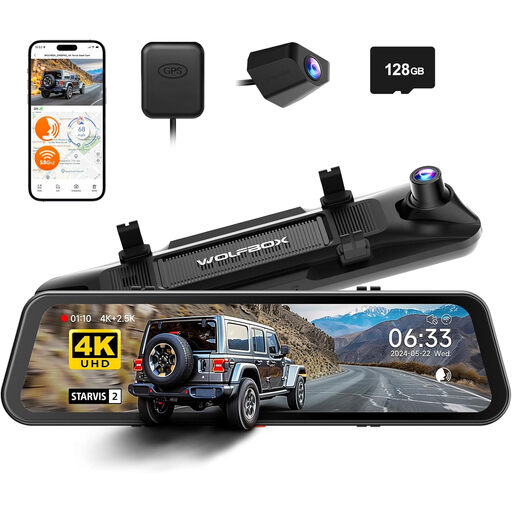
Why this model is a good fit: For users who don't want to compromise on video quality. The combination of a high-quality sensor and true 4K+2.5K resolution sets the standard for evidential recording.
This model addresses the pitfall of misleading '4K' claims by using a verifiable Sony STARVIS IMX678 sensor that delivers native 4K resolution.
Outstanding video quality on the front (4K) and rear (2.5K) cameras. A large 128 GB memory card is already included in the package.
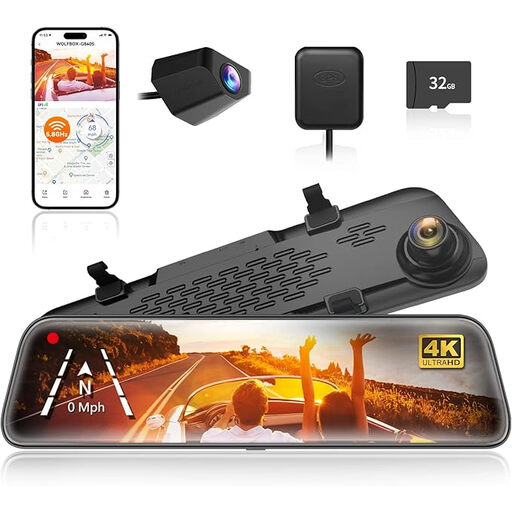
Why this model is a good fit: Perfect for drivers who prefer a discreet solution that looks seamlessly integrated. The display replaces the rearview mirror, avoiding visible cables or mounts on the dashboard.
This mirror display solves the problem of a cluttered cockpit. The installation is clean, and the device blends seamlessly into the interior without obstructing the view.
Discreet and elegant integration into the vehicle's interior. The large 12-inch touchscreen display offers an excellent rear view and intuitive operation.
We have compiled a complete, up-to-date list of products that fully meet these strict selection criteria and safety standards.
Most portable displays are powered via your vehicle's 12V socket (cigarette lighter). The installation is typically very simple and requires no technical expertise. You attach the mount to the dashboard, plug in the power cable, and connect your smartphone. The rear camera may require more involved cable routing to the back of the vehicle.
Yes, there are usually several ways to do this. The most common methods are:
A pure wireless CarPlay adapter is designed to make an existing, factory-installed infotainment system that only supports wired CarPlay become wireless. It does not have its own screen. A CarPlay display with a dashcam, on the other hand, is a standalone device with its own screen, operating system, and integrated camera function. It is an all-in-one solution to completely upgrade a vehicle that lacks a modern infotainment system.