
Lieferung heute & morgen

Qualitätsgarantie

Willkommens-Angebote freischalten: KOSTENLOSE Lieferung | Bis zu 80 % RABATT | Kostenlose 30-Tage-JoyPlus-Testphase
App herunterladen
Published on August 28, 2026 by Joybuy Product Recommendation Officer
Many drivers appreciate the reliability of their older vehicle but miss modern infotainment features. Retrofitting a permanently installed system is often costly and not permitted in leased vehicles. A portable CarPlay Display with Dashcam appears to be a flexible solution. However, the market is overwhelming and presents several pitfalls that can lead to poor purchasing decisions. This guide highlights the crucial technical features and shows you how to find a device that truly meets your needs.
Before making a purchase, you should be aware of the common problems that can arise with low-quality devices. These often lead to frustration and make the product unusable in daily life.
To avoid the problems mentioned above, you should focus on three core areas when making your choice. These objective criteria will help you realistically assess a device's performance.
A stable wireless connection is the fundamental requirement for smooth operation. Look for devices that explicitly support Dual-Band Wi-Fi (2.4 GHz and 5 GHz). The 5 GHz band is less congested and offers a higher data rate, which is essential for the fluid transmission of navigation data and media. Additionally, a modern Bluetooth standard (Version 5.0 or higher) ensures a stable hands-free function and higher-quality audio transmission to the car radio. Such a setup is the basis for being able to retrofit CarPlay without compromising on stability.
A CarPlay Display with Dashcam is a 2-in-1 solution where the quality of both components must be right.
The way you mount the screen in your vehicle is crucial for safety and ease of use. A portable navigation with CarPlay is usually attached to the windshield with a suction cup or to the dashboard with an adhesive mount. The mount should be sturdy and allow for flexible positioning of the display without obstructing the driver's field of view. When it comes to screen size, the available space is decisive. An ESSGOO 10.26-inch display offers an excellent overview but can seem oversized in smaller vehicles. A 7-inch display is often the better alternative here.
Based on the criteria above, we have identified several products suitable for different user profiles and vehicles.

Why This Fits Their Persona: Ideal for users looking for a ready-to-use, all-in-one solution. This set integrates all necessary components and requires no additional purchases for the core functions of navigation and drive recording.
It sidesteps the pitfall of hidden costs. The 4K front camera, 1080p rear-view camera, and a 64 GB memory card are already included in the package.
Integrated 4K Dashcam: Provides high-resolution recordings for maximum security. Dual-Band Wi-Fi: Ensures a stable and fast connection to your smartphone.
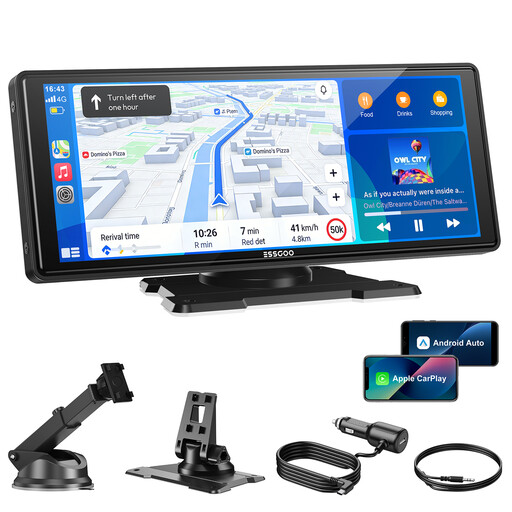
Why This Fits Their Persona: A solid foundation for those who primarily want a large display for navigation and media playback. It offers the option to add a rear-view camera later without having to invest in a complete package from the start.
Solves the problem of unstable connections by using dual-band Wi-Fi and Bluetooth 5.3. This ensures the core functionality—wirelessly mirroring your smartphone—is reliably delivered.
Large 10.26-inch HD Display: Offers an excellent overview for maps and menus. Four Audio Options: Provides flexibility for sound output via the built-in speaker, Bluetooth, FM transmitter, or AUX cable.
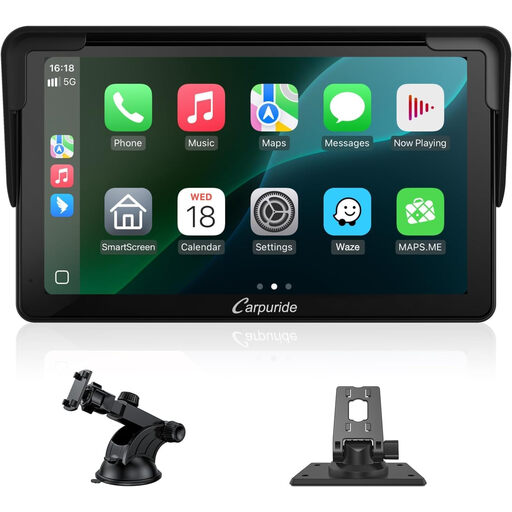
Why This Fits Their Persona: Perfect for drivers of small cars or sports cars where a large 10-inch display would obstruct the view or simply look oversized. It offers full functionality in a more discreet format.
Addresses the problem of display ergonomics. The compact size ensures that the display can be mounted securely without obstructing the view of the road, which is a risk with larger screens in small cockpits.
Compact 7-inch Format: Fits discreetly into any dashboard. 1080p Touchscreen: Offers a sharp and clear display despite the smaller diagonal.
We have compiled a complete, real-time updated list of products that fully meet these strict selection criteria and German safety regulations.
Yes, its use is generally permitted. The crucial factor is that the device must be securely mounted and not significantly obstruct the driver's field of view. According to § 23 of the German Road Traffic Act (StVO), operating the device must not impair attention to traffic. Using voice control is the recommended method for this.
Most portable displays offer several options for audio output:
Loop recording is a standard feature of modern dashcams. The camera continuously records in short segments (e.g., 1, 3, or 5 minutes). Once the memory card is full, the oldest, non-locked recording is automatically deleted to make space for a new one. This ensures that the entire drive is documented without needing to manually clear the memory card. Important events detected by the G-sensor are write-protected and thus not overwritten.