
Lieferung heute & morgen

Qualitätsgarantie

Willkommens-Angebote freischalten: KOSTENLOSE Lieferung | Bis zu 80 % RABATT | Kostenlose 30-Tage-JoyPlus-Testphase
App herunterladen
Upgrading an older vehicle with modern infotainment features like Apple CarPlay or Android Auto doesn't have to be complicated or overly expensive. A portable display offers a flexible solution without requiring permanent modifications to your vehicle. However, the market is confusing and filled with products of widely varying quality. Before you make a decision, it's crucial to understand the most common pitfalls that can lead to a bad purchase.
This guide will help you identify the key features and make an informed choice. We'll focus on the three most common problems with aftermarket displays and how to avoid them.
To avoid these problems, you should focus on a few core technical parameters that determine a device's longevity and user-friendliness.
The most important feature is a stable connection to your smartphone. Most modern devices offer the ability to retrofit Android Auto and use CarPlay.
An external car screen must be easy to read and securely mounted.
Integration with the vehicle's audio system is an often-overlooked but vital aspect.
Based on the criteria above, we have identified several products suitable for different user profiles and vehicles.
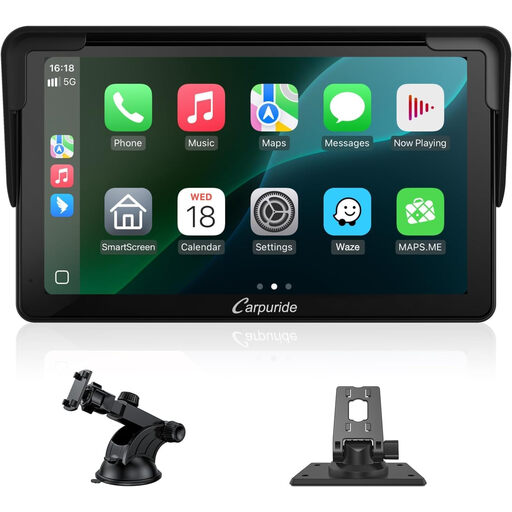
Why This Fits Their Persona: Ideal for drivers looking for a straightforward and cost-effective solution to get the core functions of CarPlay and Android Auto in their vehicle. The compact 7-inch format fits well in smaller cars without obstructing the view.
The device uses stable wireless modules for a reliable wireless connection (avoids Pitfall 1). The clear IPS display ensures good readability even with side light (avoids Pitfall 2).
Compact design that integrates discreetly into most car interiors. Offers both AUX and FM transmission for flexible audio options.
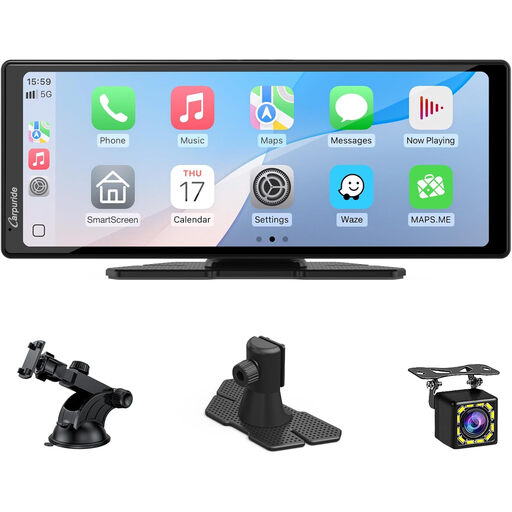
Why This Fits Their Persona: Perfect for commuters and families who value a clear overview and added safety. The large 10.26-inch screen makes navigation maps easy to read, while the included reversing camera simplifies parking in tight urban environments.
The wide display offers excellent visibility, avoiding the problems of small, unreadable screens (Pitfall 2). The camera is part of a coordinated system, which allows for a clean installation without cable clutter (Pitfall 3).
An integrated solution with a large display and reversing camera. The wide format allows for a split-screen view (e.g., navigation and music simultaneously).
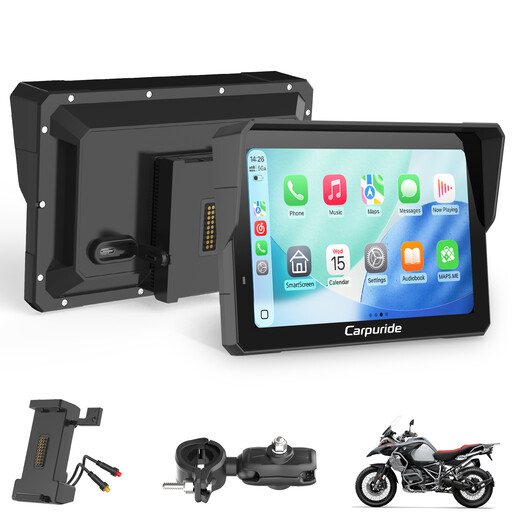
Why This Fits Their Persona: Designed for touring riders and all-weather commuters who need a reliable navigation and media solution for their motorcycle. It must be operable with gloves and completely weatherproof. This is a classic use case for **Motorcycle CarPlay**.
The housing is waterproof and dustproof to a high standard, qualifying it for outdoor use. The display is optimised for high brightness to remain readable even in direct sunlight (avoids Pitfall 2).
Robust, weatherproof design. Dual Bluetooth allows simultaneous connection to a smartphone and a helmet headset for navigation and calls.
We've compiled a complete, up-to-date list of products that fully meet these strict selection criteria and current regulations.
Yes, this is generally possible. The only requirement is a working 12V socket (cigarette lighter) for power. For audio output through the vehicle's speakers, you will need either a radio with FM reception or an AUX input. This makes it feasible to retrofit CarPlay for any car that meets these basic requirements.
There are three common methods:
No, the installation is designed to be simple. You attach the display to the dashboard or windscreen with the included mount, plug the power cable into the 12V socket, and connect your smartphone. For models with a reversing camera, routing the camera cable and connecting it to the reverse light's power supply requires a bit more effort but is usually manageable without a trip to a mechanic.