Anyone transferring tapes in a shared office
You monitor the recording as it happens and want to catch quiet sections of tape despite nearby conversations, without disturbing others with sound leaking from your headphones.


For monitoring as a transfer runs in a shared office, a well-fitting, closed-back wired pair of headphones is the obvious starting point: this design can help reduce outside noise and sound leakage, although fit and surroundings still matter. Check whether your monitoring device has a suitable headphone output. If you’ll mainly be doing post-production somewhere quiet and undisturbed, a semi-open model may also be suitable.
You monitor the recording as it happens and want to catch quiet sections of tape despite nearby conversations, without disturbing others with sound leaking from your headphones.
You switch between a cassette deck, interface and computer, so you need to choose the right headphone output, plug and monitoring route.
You mainly check the transfer after recording, in a quiet setting. A semi-open design may be an option if sound leakage won’t disturb anyone at your workspace.
Best if: you want to monitor the transfer in a shared office while keeping sound leakage to other workspaces to a minimum.
Things to consider: the fit, connection and cable route need to suit your monitoring device; the design won’t remove interference that has already been recorded.
Best if: you mainly check the transfer after recording in a quiet, undisturbed setting.
Things to consider: there’s no evidence that this design offers the same isolation as a closed-back model for monitoring a transfer in a shared office.
| Priority | What to look for when buying | Who this matters most to |
|---|---|---|
| Isolation and low sound leakage | Check for a closed-back design and a suitable fit; assess how well it works in your own workspace, too. | If conversations could drown out quiet sections of tape and you want to minimise disturbance to colleagues, reducing distractions is the priority. Around 33% of consumers focus on isolation. |
| Hearing problems during the transfer | Decide on your monitoring route, then listen to a section of the saved file after recording. | If you want to spot tape problems as they happen, it’s important to know which signal you’re listening to. Around 27% of consumers prioritise checking for problems during the transfer. |
| Connection and cable route | Check the headphone output, plug size, any adapters you may need and the required cable length. | If you switch between a cassette deck, interface and computer, the output on the device you’re monitoring from needs to be suitable. Around 20% of consumers focus on the connection and cable route. |
| Comfort during longer transfers | Check the fit over a typical listening session, including with glasses if you wear them. | If you monitor for longer periods, your headphones should feel comfortable; a model’s features can’t reliably predict how it will fit you personally. Around 13% of consumers prioritise comfort. |
| Maintenance and replacement parts | Check whether replacement ear pads and, where applicable, cables are available for the exact model name. | If you want to replace parts that wear out later, make sure suitable parts are available for your exact model version. Around 7% of consumers focus on ease of maintenance. |
When monitoring a transfer as it runs, conversations can drown out quiet sections of tape, while sound leaking from your headphones may disturb others. The AKG K240 Studio is explicitly semi-open.
Consider a semi-open model for post-production in a quiet setting instead. For a transfer in progress, start by checking closed-back models and how they fit.
The recording route and headphone monitoring route serve different purposes. The Audacity manual recommends connecting the source’s line out or tape out, if available, to a suitable line input.
Check the signal path from the cassette deck through the recording device to the headphone output, and make sure the sockets match.
Depending on the equipment you already have, you may also need a suitable line input or audio interface, as well as the necessary cable or an adapter.
The manufacturer lists a detachable mini-XLR cable for the DT 770 PRO X. The DT 770 PRO, 80 Ohm, on the other hand, is listed with a straight cable; these model versions are not interchangeable.
Check the full model name and replacement-part compatibility before buying.
The ATH-M40x is a closed-back, foldable wired option for recording and monitoring.
The HD 280 PRO is a closed-back, foldable monitoring option with a coiled cable.
The DT 770 PRO, 80 Ohm, is a closed-back monitoring option with a straight cable.
The K240 Studio is a semi-open alternative for mainly doing post-production somewhere quiet and undisturbed.
The MDR-7506 is another studio and broadcast option, but you’ll need to consider the cable length at your workspace.
The headphones below differ in design and connection, among other things. For cassette monitoring, check in particular that the monitoring route for each model suits your device.
 No image available
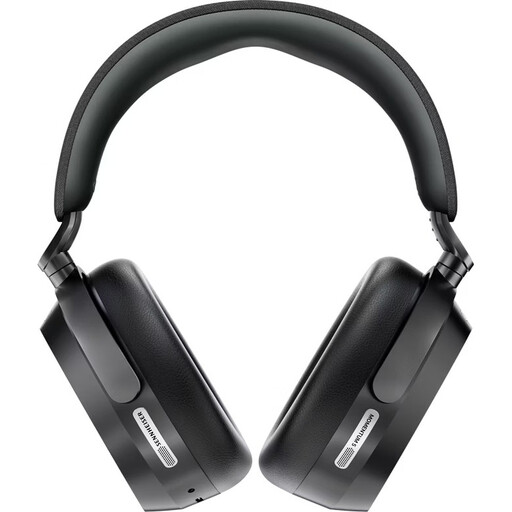
The closed-back, over-ear design is relevant for monitoring as a transfer runs in the office. Check whether you can use the wired monitoring route you want with your device and this version.
Listed in the product title: active noise cancellation, Bluetooth 5.4, up to 57 hours of battery life, replaceable battery, Dolby Atmos and 8 microphones.
 No image available
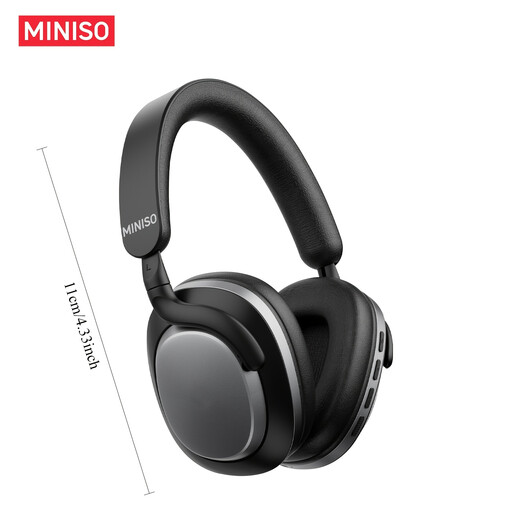
The product title describes this model as wireless over-ear headphones with noise cancellation. Check that the monitoring route you want works with your cassette deck or interface, and that the noise cancellation suits your office environment.
Listed in the product title: noise cancellation and 24 hours of battery life.
 No image available
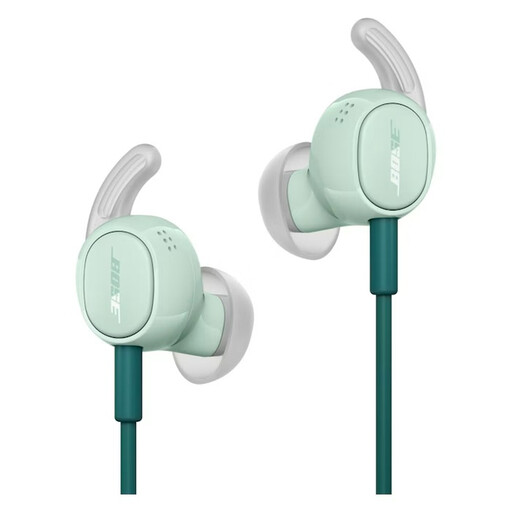
These wired in-ear headphones differ from the over-ear models. Check that the in-ear fit and specific connection work for longer listening sessions and with your monitoring device.
Listed in the product title: wired design and noise cancellation.
For monitoring, use a suitable headphone output on the cassette deck, amplifier or interface. For recording, the Audacity manual recommends connecting the source’s line out or tape out, if available, to a suitable line input. The recording route and headphone monitoring route should be treated separately.
With an interface that supports direct monitoring, the input signal is routed to the headphone output with virtually no latency. Focusrite describes this signal path for supported interfaces. To check the saved result, play back the recording afterwards.
Choose headphones that fit well, and don’t simply turn up the volume to drown out conversations. The World Health Organization recommends limiting time spent listening at high volumes and taking breaks; this doesn’t establish a fixed buying limit for all studio headphones.
First, check whether replacement parts are available for your exact model version. If the product is faulty, you have statutory rights against the seller; the Verbraucherzentrale distinguishes these from an additional voluntary guarantee, which is subject to its own terms.
Section 53(1) of the German Copyright Act (UrhG) allows individuals to make single copies for private use under certain conditions, provided they are not used directly or indirectly for commercial purposes and the source is not an obviously illegally produced or publicly available copy. The wording on Gesetze im Internet sets out these conditions. Whether a particular office transfer or commissioned transfer falls within them depends on its purpose and can’t be determined by location alone.