
Lieferung heute & morgen

Qualitätsgarantie

Willkommens-Angebote freischalten: KOSTENLOSE Lieferung | Bis zu 80 % RABATT | Kostenlose 30-Tage-JoyPlus-Testphase
App herunterladen
A faulty or slow charging cable is more than just an annoyance—it disrupts your digital life. But buying a replacement is often more complicated than it seems. The market is flooded with products whose marketing promises often obscure more than they clarify. Many consumers invest in cables that break after a few months, charge devices at a snail's pace, or aren't even compatible. This guide will help you identify the crucial features and make an informed choice.
Before we dive into the technical details, it's important to know the most common pitfalls that lead to frustration and unnecessary expenses.
To avoid these pitfalls, you should check three essential technical aspects before buying. These define the performance, compatibility, and longevity of any charging and data cable.
Charging speed is not determined by the cable alone, but by the interplay between the power adapter, cable, and device. The most important standard for modern fast charging is USB Power Delivery (PD). This allows for flexible and high power transfer of up to 240 watts.
Choosing the right connector is fundamental. The most common types are:
A 3-in-1 charging cable can be a practical solution if you own devices with different ports.
The longevity of a cable is directly related to its build quality.
Based on the criteria above, we have compiled a selection of cables that offer a suitable solution for specific user profiles.
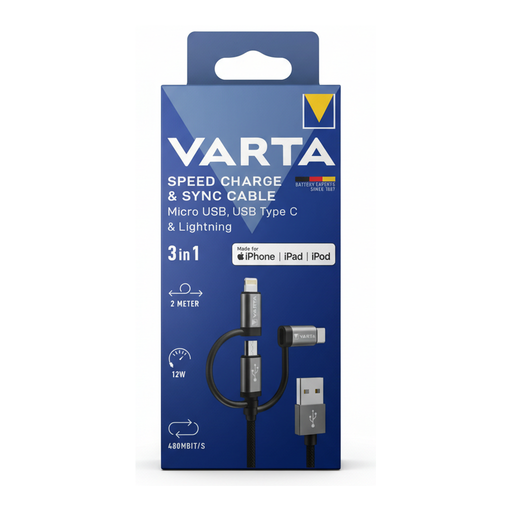
Why This Fits Their Persona: Ideal for households or travellers who use devices with Lightning, USB-C, and Micro-USB ports. This cable replaces three individual ones, reducing clutter in a bag or at the charging station.
The MFi certification for the Lightning adapter bypasses the compatibility and safety trap for Apple devices. The nylon sheath addresses the durability pitfall.
3-in-1 solution with interchangeable tips. The long charging cable (2m) and robust braided cable offer flexibility and longevity.
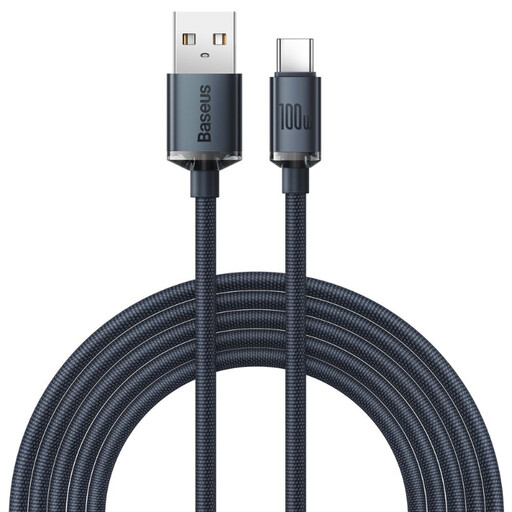
Why This Fits Their Persona: Perfect for users who charge power-hungry devices like laptops, tablets, and modern smartphones via USB-C. The high power output allows for fast charging of multiple device types with just one cable and a compatible power adapter.
This cable avoids the "fast charging" trap by clearly specifying a maximum power output of 100W Power Delivery. The zinc alloy connectors and fabric sheath counter the low-durability pitfall.
Supports extremely fast charging up to 100W. The 2-meter length offers great convenience. It also functions as a reliable data cable with speeds of 480 Mbps.
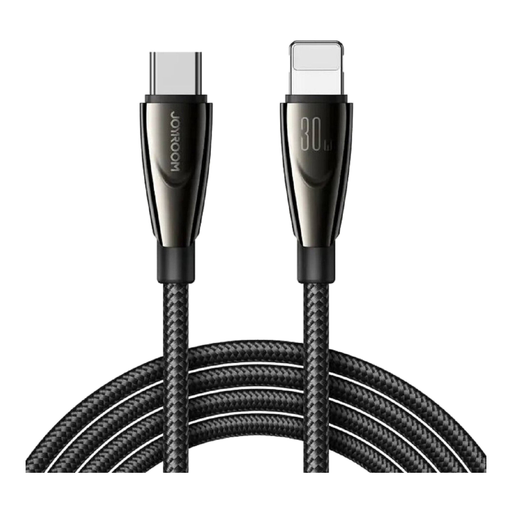
Why This Fits Their Persona: A solid and cost-effective alternative for owners of newer iPhones who want to use a USB-C power adapter for fast charging. It provides the necessary power without breaking the bank.
Instead of vague promises, this cable provides a clear power rating of 30W, which is relevant for fast-charging iPhones. Its solid construction aims to be more durable than basic standard cables.
Supports fast charging for compatible Apple devices via the USB-C to Lightning connection. Offers great value for everyday use.
We have compiled a complete, up-to-date list of products that fully meet these strict selection criteria and safety regulations.
1. How can I identify a good fast-charging cable? Look for specific details on the maximum charging power in watts (W) and support for charging standards like Power Delivery (PD). A good cable will list these specifications. To achieve maximum speed, ensure that your power adapter and device also support the same standard.
2. Is a braided cable really more durable? Generally, yes. A braided cable with a sheath made of nylon or a similar fabric provides better mechanical protection against abrasion and sharp bends than a standard cable with a PVC jacket. However, for maximum longevity, a reinforced transition at the connector housing is also crucial.
3. Can the wrong charging cable damage my phone? Yes, it's possible. Inexpensive, uncertified cables, in particular, can pose safety risks. They can cause the battery to overheat or damage the device's charging electronics. For Apple devices, non-MFi-certified Lightning cables can limit functionality or lead to persistent warning messages. It is advisable to choose products that feature clear technical specifications and safety certifications.