
Lieferung heute & morgen

Qualitätsgarantie

Willkommens-Angebote freischalten: KOSTENLOSE Lieferung | Bis zu 80 % RABATT | Kostenlose 30-Tage-JoyPlus-Testphase
App herunterladen
A suitable charging cable may seem straightforward at first glance. In practice, however, incorrect connectors, exaggerated power ratings and poorly protected cables often lead to disappointing purchases. A cable may advertise “fast charging”, but the actual speed always also depends on the power adapter, the device and the supported charging standard.
This buying guide explains which technical specifications really matter when choosing a USB-C cable, Lightning cable, Micro-USB cable or traditional data cable.
USB-C initially describes the shape of the connector. This does not automatically tell you how quickly the cable can charge or transfer data. For example, a USB-C to USB-C cable may support USB 2.0 at up to 480 Mbps, while other cables offer considerably higher data rates.
A USB-A to USB-C cable is not automatically suitable for every fast-charging function either. The key specifications are current, voltage, USB version and supported protocols.
A 100W charging cable or 240W USB-C cable can only be used accordingly if the power adapter and device support the same output. A smartphone does not simply draw the maximum advertised power. The actual charging power is negotiated between the components.
With a PD charging cable, you should therefore check whether Power Delivery is explicitly stated and whether an E-Marker chip is required. For older devices, Quick Charge cables or other manufacturer-specific standards may instead be relevant.
The areas where the cable meets the connector are particularly exposed to stress during everyday coiling and uncoiling. Sharp bends, pulling on the cable and winding it too tightly can damage the internal conductors. Visible cracks, exposed wires, oxidised contacts or unusual heat are clear reasons to stop using a charging cable.
First, identify the two connectors you need:
An iPhone charging cable should not merely fit mechanically. For Lightning accessories, check the manufacturer’s compatibility and certification details.
Charging power is determined by voltage and current. A cable rated at 3 A is not automatically a 100W cable. 100W requires suitable voltage and current values, as well as a compatible charger. When comparing products, look at specific values such as 5 V/3 A, 9 V/2.22 A, 20 V/5 A or a stated maximum output.
Examples from the selection:
These figures only apply when suitable devices and power adapters are used. A cable cannot replace a powerful charger.
If you also need a cable as a data cable for backups, synchronisation or file transfers, check the data rate explicitly. Several models in the selection support USB 2.0 at up to 480 Mbps. This speed is sufficient for many documents and photos, but should not be confused with faster USB standards.
The ideal length depends on where you use it:
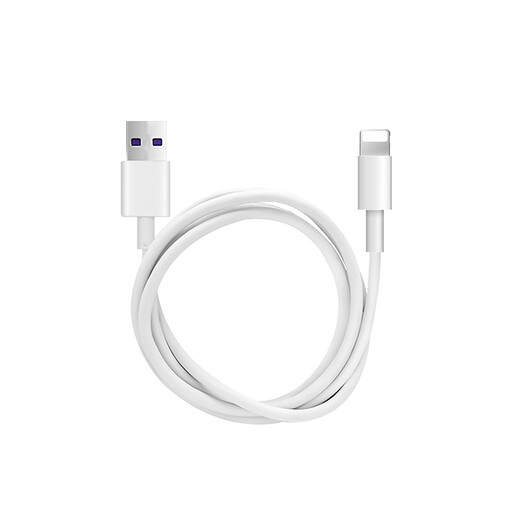
Why this product suits this profile: According to the product details, this 1 m Apple charging cable is designed for Lightning devices and USB-A power adapters, making it suitable for straightforward charging and synchronisation tasks at home or in the office.
The USB-A-to-Lightning connector combination is clearly stated. The specifications also list 5 V/2.4 A, along with charging and data transfer.
TPE sheath, tinned copper core and 1 m length according to the product details.
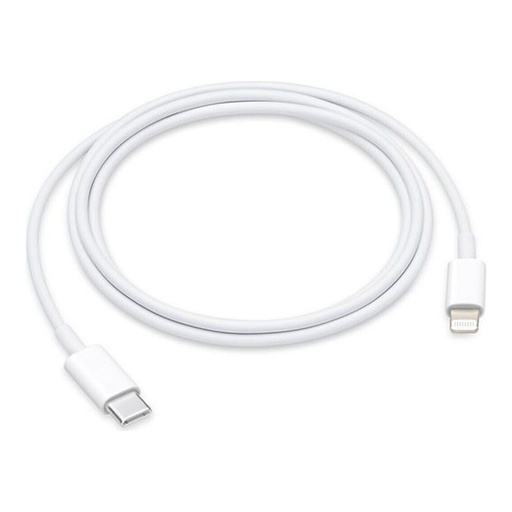
Why this product suits this profile: The official Apple charging cable connects Lightning devices to USB-C or Thunderbolt 3 ports and is designed for charging and data synchronisation.
The product details specify the intended use, connectors and compatibility, rather than simply advertising a generic fast-charging designation.
1 m length, plus support for charging and data synchronisation according to the product description.
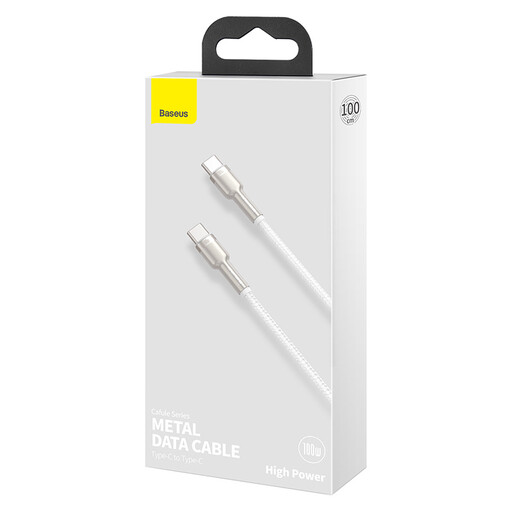
Why this product suits this profile: This USB-C to USB-C cable is aimed at users who need a single cable for compatible smartphones, tablets and laptops requiring higher charging power.
The specifications state 100 W, 20 V/5 A and a data rate of up to 480 Mbps. This makes it possible to assess charging and data performance separately.
Braided nylon sheath, metal construction and available lengths of 1 m or 2 m according to the product details.
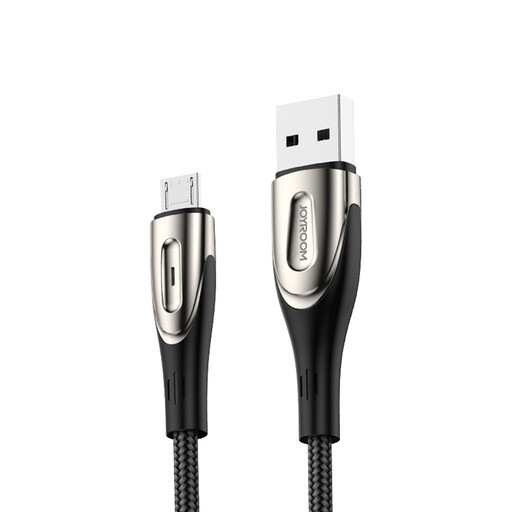
Why this product suits this profile: This Micro-USB cable is suitable for older devices, controllers and accessories that do not yet have a USB-C connection.
The Micro-USB connector is clearly identified. Specifications for 3 A and USB 2.0 data transfer help you assess its capabilities realistically.
1.2 m length, up to 480 Mbps and nylon and zinc-alloy components according to the product description.
For a longer service life:
If the cable becomes unusually hot, stop charging immediately and check the combination of power adapter, cable and device.
We have put together a complete, regularly updated list of products that fully meet these strict selection criteria and the safety regulations applicable in the EU.
It depends on the iPhone’s connector. Models with USB-C generally require a USB-C to USB-C cable. Devices with a Lightning connector use either a USB-C to Lightning cable or a USB-A to Lightning cable, depending on the power adapter available.
There is no reliable way to specify a fixed service life. It depends on bending, pulling, storage, frequency of use and materials. Braided sheaths or reinforced connectors can reduce mechanical stress, but they do not replace careful handling.
Not necessarily. Smartphones often require a lower power rating. A 100W charging cable or 240W USB-C cable is mainly useful if you have a compatible laptop, dock or other USB-C device, as well as a suitable PD power adapter. The interaction between all the components is always what matters.