School office staff who regularly identify cables
If charging cables are moved around frequently, it’s important to use tape designed for cables. Brother Germany and Brady Germany describe suitable materials for cable labels.


For individual charging cables that change hands, a handheld label maker with a keyboard is an obvious place to start if you don’t have a separate input device. For batches of labels you need to produce regularly, an app- or PC-based option may fit your workflow better. The key is to choose tape specifically designed for cables and compatible with your device, then decide between a wrap-around label and a flag label. An organisational label does not replace any electrical testing that may be required.
If charging cables are moved around frequently, it’s important to use tape designed for cables. Brother Germany and Brady Germany describe suitable materials for cable labels.
If you want to create individual labels at your workstation, consider models with a built-in QWERTZ keyboard. Brother Germany and DYMO Germany both offer suitable devices.
For labels you use repeatedly, entering text on a mobile device or computer may fit your workflow. Brother Germany lists this option for the P-touch CUBE Plus PT-P710BT; Brady Germany describes the M210 for labelling different types of cable.
Best for: labelling individual or frequently changing charging cables on the spot, without a smartphone or PC.
Things to consider: entering text on the device may be less convenient for larger batches of labels you need to produce regularly. The tape and model must be compatible.
Best for: preparing labels on a smartphone, tablet or computer. Brother lists Bluetooth and USB connectivity for the PT-P710BT.
Things to consider: you’ll need a connected device to enter text. You’ll also need to check that the specific tape is suitable for cables.
Best for: regularly labelling other wires or connections as well as charging cables. DYMO lists wrap-around cable labels for the Rhino 4200; Brady describes cable labels and flag labels for the M210.
Things to consider: make sure the material system and the specific cassette you need are suited to the range of labelling tasks.
| Priority | What to check when buying | Who it matters most to |
|---|---|---|
| Adhesion and readability | Choose tape designed for cables; check whether a wrap-around or flag label is better suited to the cable and available space. | If a charging cable is moved around frequently, I want to be able to attach a clearly readable label. Around 33% of consumers with this as their main priority pay particular attention to adhesion and readability. Brother Germany lists wrap-around and flag applications for TZe-FX231; Brady Germany describes a transparent protective overlaminate for the M21-11-427. |
| Individual labels on the spot | Check whether the specific model has a QWERTZ keyboard and supports cable or flag labels. | If I need to mark a cable at short notice, I want to enter the text without an additional input device. Around 27% of consumers prioritise entering text directly on the label maker. Brother Germany lists a QWERTZ keyboard for the PT-E110; DYMO Germany describes a keyboard and cable-wrap function for the Rhino 4200. |
| Preparing labels in advance | Check whether entering text on a smartphone, tablet or computer works for your school office. | If I use the same labels repeatedly, I want to be able to prepare them on a suitable device. Around 20% of consumers prioritise creating batches of labels in advance. Brother Germany lists Bluetooth and USB connectivity for the PT-P710BT; the cable tape must still be compatible with the device. |
| Refill supplies | Compare the model, compatible cassette, tape length and number of labels together. | If I regularly buy more supplies, I want to find a compatible cassette in the right format. Around 20% of consumers prioritise buying replacement supplies and being able to plan for them. Brother Germany lists TZe-FX231 as 12 mm wide and 8 m long; Brady Germany lists the M21-11-427 as pre-sized labels for the M210 and M211. |
A label designed for flat objects is not automatically suitable for wrapping around a cable or making a flag label.
Before buying, check the specific cable tape and make sure it’s compatible with your label maker. Try your chosen application method on one cable before labelling several.
Tape lengths and pre-sized labels are measured in different ways, so you can’t compare them directly just by looking at the packaging.
Check the number of labels or tape length you need, along with cassette compatibility for your specific model.
A cable name shows which cable is which, but it does not prove that equipment is safe to use or that it has been inspected.
Keep equipment labelling separate from workplace inspection processes. Under Section 14(2) of the German Ordinance on Industrial Safety and Health (BetrSichV), work equipment exposed to harmful influences that could endanger employees must be inspected regularly by a competent person.
Brother offers different ways to use its P-touch range: the PT-E110 has a keyboard, while the PT-P710BT is operated using a connected device. Compatible TZe Flexi tapes are available for cables.
According to DYMO Germany, the DYMO Rhino 4200 is a standalone label maker with a QWERTZ keyboard, a cable-wrap function and the Rhino IND materials system.
Brady describes the M210 as suitable for labelling wires and cables, with compatible self-laminating labels.
The Joybuy products below are general-purpose label and thermal printers. Before using them to label charging cables, check that the specific label material is designed for this purpose and compatible with the printer.
 No image available
This model is described as a portable label printer and may be worth considering for labels you use regularly. Check that the label material is suitable for charging cables.
 No image available
The product listing describes this as a thermal printer for labels. Check that the paper it uses is suitable for cable labelling before choosing it.
 No image available
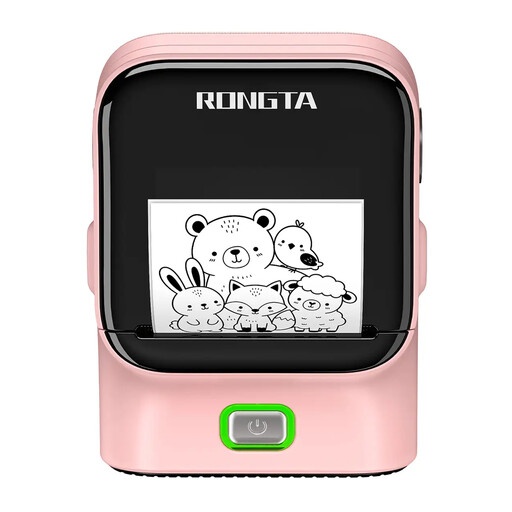
This model may be worth considering for label-printing tasks. For charging cables, the key factors are whether the material is suitable and whether it’s compatible with the printer.
 No image available
The product listing describes a label printer with Bluetooth and USB connectivity. Before using it for cables, check whether suitable materials are available.
Listed in the product name: 203 DPI and 50 mm/s.
 No image available
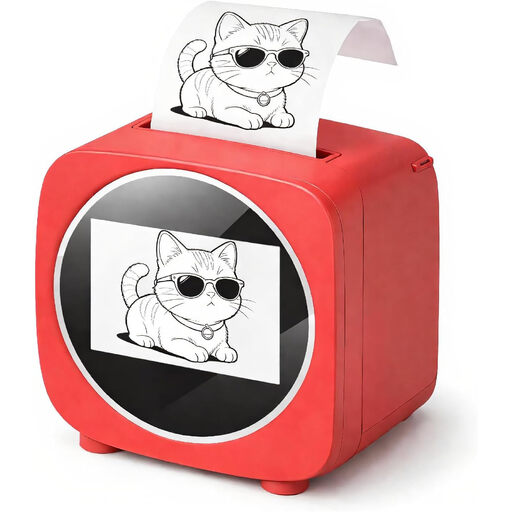
This product is described as a portable photo and label printer. For charging cables, check separately that the label material and printer are compatible with your chosen application method.
Choose tape specifically designed for cables, then check whether a wrap-around label remains readable on your cable or a flag label would work better. Brother Germany lists both application methods for TZe-FX231. This is a product feature, not a guarantee that it will suit every cable diameter.
No, not for every model. Brother Germany lists a QWERTZ keyboard for the PT-E110, while DYMO Germany lists a keyboard for the Rhino 4200. According to Brother, the PT-P710BT is operated using a smartphone, tablet or computer.
Make a note of the device and cassette names, as well as the tape width and quantity. Brother Germany lists TZe-FX231 as 12 mm wide and 8 m long; Brady Germany describes the M21-11-427 as pre-sized labels for the M210 and M211. This gives you a consistent basis for comparing compatible supplies.
No. A name label helps you identify equipment; it is not an inspection. Under Section 14(2) of the German Ordinance on Industrial Safety and Health (BetrSichV), work equipment exposed to harmful influences that could endanger employees must be inspected regularly by a competent person. The relevant workplace assessment determines what applies to the equipment used in each school.