First, choose a label format and a material suitable for the diameter of the cable in question. Then pick a device that can handle that material. For occasional, one-off labels, consider a handheld printer with its own keyboard; for prepared text, an app- or PC-controlled model may be a better fit. Also consider how easy it is to use and whether the right consumables are available. Brother and Brady offer both devices for entering text directly and solutions controlled via an app or PC.
Which device is right for you?
Shops with a wide range of charging cables
If you have cables of different diameters and need to label them in different places, start by checking which label format and material will work. For example, Brother offers both tapes for wrapping around cables or making flag labels, as well as self-laminating tape for specific object diameters.
Teams making occasional, one-off labels
If you label different cables at your workstation and don’t want to use an additional mobile device, a printer with its own keyboard may be a good option. Brother lists a QWERTZ keyboard for the PT-E110, while Brady describes the M210 as a standalone device.
Shops with recurring label requirements
If you prepare similar labels regularly, entering text on a smartphone or computer may suit your workflow better. Brother says the PT-P710BT can be used with a mobile device or computer, while Brady says labels for the M211 can be created using a smartphone and app.
What should you look for when buying?
| Priority |
What to check before buying |
Who is it important for? |
| Fit and readability |
Check that the cable diameter, available space and required format – such as wrap-around tape, a flag label or self-laminating tape – are suitable for the specific tape. Brother describes the TZe-FX231 as 12 mm tape for wrapping around cables or making flag labels; for the TZe-SL661, Brother specifies object diameters of 3,0 to 10,4 mm. |
When cables have different diameters, I want to choose a format that will sit neatly and remain readable in the intended position. Around 36% of consumers put fit and readability first. |
| Entering text at the workstation |
Check whether you want a keyboard on the device and whether the model supports suitable cable or flag-label formats. Brother lists a QWERTZ keyboard for the PT-E110; Brady describes the M210 as allowing standalone input and offering automatic cable and flag-label formats. |
When labelling individual cables as needed in the shop, I want to enter text without using a smartphone. That’s why around 29% of consumers prioritise being able to use the device at their workstation as needed. |
| Prepared text |
Check which mobile device or computer you need, and how the connection and text entry work. Brother lists Bluetooth and USB for the PT-P710BT; Brady says labels for the M211 can be created using a smartphone and app. |
When the same labels are used repeatedly, I’d rather prepare them on a smartphone or computer. Around 21% of consumers say prepared text is their top priority. |
| Ongoing material costs |
For the same label format, compare cassette prices, usable length and device compatibility. Take the expected usage in your shop into account. |
When labelling regularly, I keep an eye on the cost of compatible cassettes without losing sight of the need to identify cables correctly. Around 14% of consumers put ongoing material costs first. |
Common buying mistakes
-
Assuming standard tape is suitable for cables just because it is the right width
The right width alone doesn’t mean a tape is suitable for the label format you need or the diameter of the cable. For example, Brother distinguishes between Flexi-Tapes for wrapping around cables or making flag labels, and self-laminating cable labels.
Check the exact cassette name, compatibility with your device and the stated cable or object diameter.
-
Expecting an app-based printer to work like a device with its own keyboard
Some models need a connected mobile device or computer for text entry. Brother says the PT-P710BT is used with connected devices; Brady specifies a smartphone and app for the M211.
If you need to create labels without an additional device, look for a model with its own keyboard.
-
Confusing an organisational cable label with mandatory product labelling
A self-printed organisational label does not replace any product labelling that may be required. Your Europe explains that CE marking applies only to products covered by the relevant harmonised EU rules. Work equipment must also meet the requirements of the German Ordinance on Industrial Safety and Health.
Keep internal labels separate from any product requirements, and check what applies to the specific product and how it is used.
Brands and product ranges to consider
Brother
The product ranges mentioned include devices with keyboard input, as well as models for entering text via a mobile device or computer.
- Brother describes the PT-E110 as having a QWERTZ keyboard and the PT-P710BT as suitable for use with a mobile device or computer. The TZe-FX231 is described as tape for wrapping around cables or making flag labels.
- Suitability depends on the specific combination of device, tape and cable. Information about the TZe-FX231 does not automatically apply to all TZe tapes.
Brady
The M210 is described as a standalone device for identifying wires and cables; labels for the M211 are created using a smartphone and app.
- Brady lists automatic cable and flag-label formats for the M210, along with material widths from 6 to 19 mm.
- The M211 requires a smartphone for the input method described. Check the material properties and suitability of the specific cassette.
Phoenix Contact
The THERMOMARK GO.K is described as an industrial handheld device for labelling cables, conductors, equipment and systems.
- Phoenix Contact says it can process continuous material up to 24 mm wide.
- Its wider range of uses may be more than a shop needs if it only labels a few charging cables. Compare the material system, what’s included and the overall cost separately.
DYMO
The Rhino 4200 offers another technical option, with cable wrap and flag-label formats.
- DYMO describes these features for a Rhino 4200 kit.
- The information relates to a US kit with a QWERTY keyboard and doesn’t confirm the specification or availability of a German version.
Joybuy products
This Joybuy selection includes app-controlled label printers for prepared text. Before using one to label charging cables, check that the specific device and material support the cable label format you need.
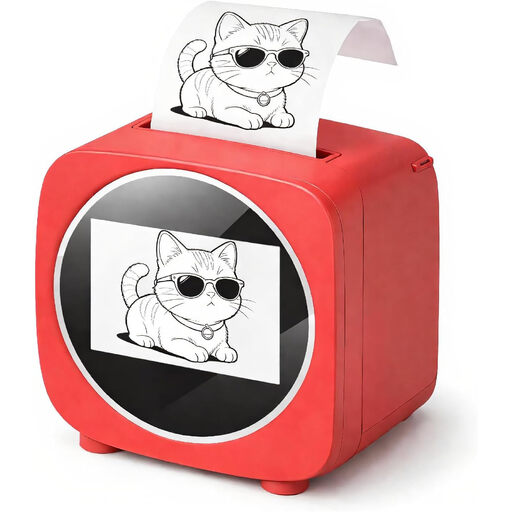 No image available
Bluetooth label printer with AI, Wi-Fi and 2.4-inch colour display
If you want to prepare text using an app, this device could be an option for entering it. Check that the specific material is suitable for cables.
The product title lists Bluetooth, Wi-Fi, thermal printing and a 2.4-inch colour display.
Joybuy
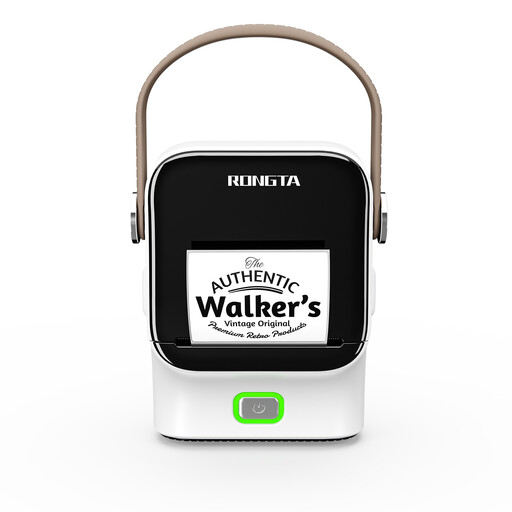 No image available
Rongta R22 Bluetooth label printer
If you want to prepare labels using an app, this model offers that option. Check which cable material you need before buying.
The product title lists thermal printing, NFC, a 1500 mAh battery and app control.
Joybuy
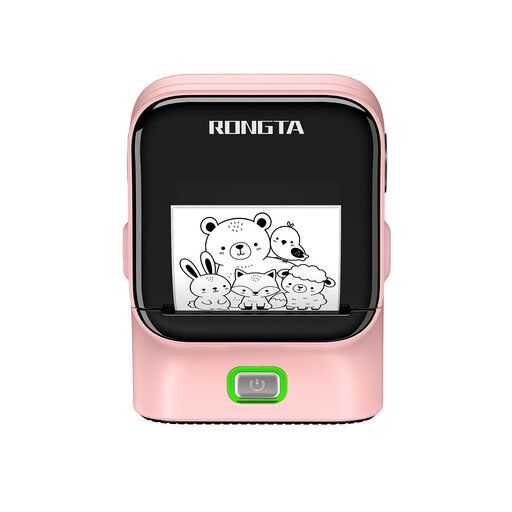 No image available
Rongta R22B label printer with Bluetooth and USB
If you want to prepare text on a mobile device, this model could be an option for entering it. Check that the specific device and material are suitable for the cable labels you need.
The product title lists Bluetooth, USB, NFC and thermal transfer printing.
Joybuy
Frequently asked questions
Should I choose the device or the tape first?
Start with the cable diameter and the label format you need, then check which devices can handle that specific tape. Brother explicitly states that the TZe-SL661 is for object diameters of 3,0 to 10,4 mm; this is not a general limit for cable labels.
Can I attach labels directly to a cable?
Brother describes the TZe-FX231 as suitable both for wrapping around cables and for making flag labels. Check that there’s a suitable clear area on the cable and that the label will be readable where you place it. Heat-shrink tubing is a different material and method.
What ongoing costs and effort should I allow for?
Allow for compatible replacement cassettes and the power supply needed for the device. To compare the cost per finished label, use the same format, expected usage and potential wastage.
Does a self-printed cable label replace required CE marking or workplace inspections?
No. Your Europe explains that CE marking applies to products covered by the relevant harmonised EU rules; the manufacturer is responsible for meeting the applicable requirements. If employees use cables as work equipment, the German Ordinance on Industrial Safety and Health governs their safe use and, in the circumstances set out in § 14, inspections as well. An organisational cable label is not proof of compliance. The requirements for a particular cable depend on the product and how it is used.


