Testers at a dedicated shared workstation
You test repeatedly on the same computer and want to use the mouse without pairing it. The available USB ports and the desk layout will affect your choice.


For a dedicated test station with a suitable USB port, a wired mouse is a straightforward choice. If you use different computers, Bluetooth or a USB receiver may be suitable, provided that connection type is allowed. Also check the click noise and whether the mouse fits the hands that will be using it. Testing with a mouse does not replace keyboard testing: the W3C Web Accessibility Initiative treats keyboard accessibility as a separate requirement.
You test repeatedly on the same computer and want to use the mouse without pairing it. The available USB ports and the desk layout will affect your choice.
If you often click while sitting near other people, quiet main buttons may be important. Also check that the required connection works with the test computer.
If you use several test devices, the connection and, where relevant, the switching process need to work with each computer. Check which connection types are permitted.
First, check which ports and connection types are available and permitted on the test computer. Then consider click noise and whether the mouse suits everyone who will be sharing it.
| Requirement | What to check before buying | Who is this important to? |
|---|---|---|
| Connection to the test computer | USB ports, Bluetooth availability and workplace policies; for wireless models, check whether the required receiver is available too. | If I want to start testing without connection problems, I first check which ports I can use at the workstation. Around 33% of consumers prioritise connectivity. |
| Quiet clicks | Check whether the main buttons are described as quiet, as well as the connection type you need. Manufacturer claims are not a measurement of noise in your own room. | When clicking repeatedly near other people, I want to keep noise to a minimum without choosing a mouse with an unsuitable connection. Around 27% of consumers prioritise this. |
| A fit for everyone using it | Consider hand size, left- or right-handed use and how long the mouse will be used for. For longer tests, take the overall workstation layout into account too. | If several people share a mouse, I want its shape and size to suit the hands that will be using it. Around 20% of consumers focus mainly on fit. |
| Switching between computers | Check the number of test devices, available connection types and how switching works for the specific product version. | If I regularly switch between test computers, the mouse needs to work with each one and make it easy to switch between them. Around 20% of consumers prioritise this. |
Bluetooth and a USB receiver have different requirements. Depending on which you choose, you’ll need Bluetooth to be permitted or a compatible free USB port.
Before buying, check the ports and connection policies at every test station. Also consider whether pairing or handling a receiver is practical in your workplace.
Size and handedness vary between versions, so a particular shape may not suit everyone at the desk.
Consider the hands that will be using it and how long each test will last. If lots of people will share the mouse, look at symmetrical shapes too.
A successful test with a mouse does not show whether you can complete the same checkout steps using a keyboard. The W3C Web Accessibility Initiative treats keyboard accessibility as a separate requirement.
Go through the checkout steps without a mouse as well.
You’ll need a separate keyboard test for this additional check.
Versions can differ in size, handedness or multi-device functionality. A similar model name alone doesn’t mean they’re the same version.
Check the full model name and the version you want on the product page.
The M240 Silent is designed to connect directly via Bluetooth, while the Signature M650 comes in versions for different hand sizes and for left-handed users.
The MC 1000 is a symmetrical wired office mouse, while the MW 2310 2.0 uses a USB receiver.
The Pro Fit Ergo is available as a wired version with quiet clicks, as well as in wireless and specifically left-handed versions.
The Yvi+ Silent is a compact wireless mouse, while the multi-device version is a separate model for switching between computers.
This selection from Joybuy includes wired USB mice and wireless models with a USB receiver, Bluetooth and, in some cases, multi-device or left-handed versions. The right choice depends on the ports available and who will be using the mouse at the test station.
 No image available
This model could suit a test station with an available USB port if a wireless connection via receiver works for you.
The product name lists 2.4G and several DPI settings. It uses a USB receiver for its wireless connection and is specified as taking one AA battery.
 No image available
If you switch between several test computers, this model could be suitable, provided the available connection types work with each one.
The description lists Bluetooth and 2.4 GHz, with switching between up to three devices. The 2.4 GHz mode uses a USB receiver, and the mouse is specified as taking one AA battery.
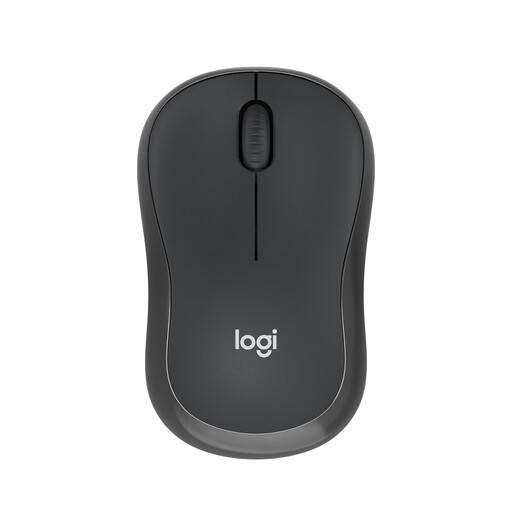 No image available
This model is an option for a test computer with Bluetooth if you don’t want to use a USB receiver.
The product description lists a direct Bluetooth connection without a receiver. Bluetooth must be available on the computer, and you’ll need to pair the mouse to connect it.
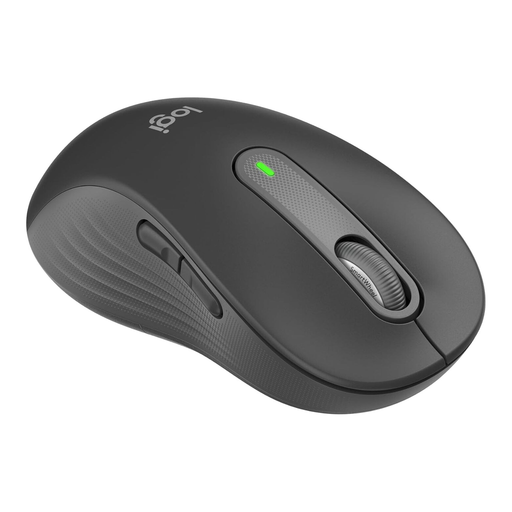 No image available
This version could be suitable if you need a mouse for a large left hand.
The product description lists Bluetooth or a Logi Bolt USB receiver as connection options. This specific version is designed for large left hands.
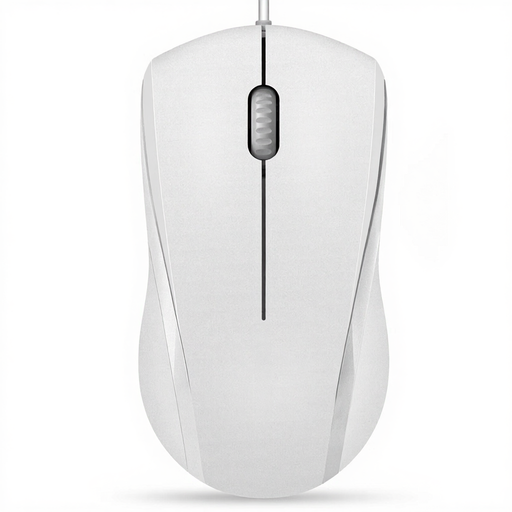 No image available
This wired version could be a good option for a dedicated test station with an available USB port.
The product name lists 1000 DPI, three buttons and a 5ft cable. The left and right mouse buttons are described as quiet; according to the product information, the middle button is not.
No. Testing with a mouse does not show whether the features are also accessible using a keyboard. The W3C Web Accessibility Initiative treats keyboard accessibility as a separate requirement, so test the checkout steps without a mouse as well.
Check whether Bluetooth is available on the test computer or whether there’s a suitable USB port for the receiver. According to Logitech, the M240 Silent connects without a receiver; the CHERRY MW 2310 2.0 needs its nano USB receiver.
Battery-powered models may need replacement batteries, but you can’t infer how often they’ll need changing. Logitech specifies one AA battery for the M240 Silent, while CHERRY specifies two AA batteries for the MW 2310 2.0.
Check whether the shape and size suit the hands that will be using it. A specialist shape chosen for one person may not suit everyone else; for longer tests, the layout of the whole workstation matters too.
Electrical waste must not go in household rubbish. The German Environment Agency lists recycling centres and retailer take-back schemes, among other options. Where possible, remove detachable batteries and dispose of them separately at a battery collection point.