Checkout testers with limited mouse space
You check forms and buttons at a cramped workstation, weighing up a compact mouse against a stationary trackball.


For checkout testing on a cramped desk, a compact mouse is an obvious choice, as long as there’s enough room to move it beside the keyboard. If space is limited, a stationary trackball could be a better fit. Also consider how it feels in your hand and how it scrolls, rather than focusing only on the size of the casing or a high maximum DPI. If you’re testing on several devices, check that the connection options are suitable and that switching between devices is straightforward. You should test the checkout page’s keyboard accessibility separately.
You check forms and buttons at a cramped workstation, weighing up a compact mouse against a stationary trackball.
You repeat checkout flows on several computers or devices, so you need a suitable connection and a straightforward way to switch between them.
You use websites for extended periods, so you consider hand size, handedness and grip comfort rather than focusing only on finding the smallest casing.
When space to move is limited, first decide between a conventional moving mouse and a stationary trackball. Then check the fit, scrolling and connection options you’ll need for your tests.
A good fit if: You want to stick with the familiar way of using a mouse and still have room to move it beside the keyboard.
The trade-off: Even a small mouse needs room to move. A low-profile design should also suit your hand and the length of your sessions.
A good fit if: There’s hardly any room to move a conventional mouse.
The trade-off: A trackball works differently from a moving mouse. Check that you’re comfortable with how it handles and scrolls.
The considerations below are for consumers choosing a mouse for checkout testing at a small desk.
| Consideration | What to look for | Who it matters most to |
|---|---|---|
| Room to move | Measure the free space beside your keyboard and check the room needed to move the mouse, as well as the size of its casing. With a trackball, consider its footprint and, where relevant, cable routing. | If there’s hardly any room beside your keyboard, you’ll want to know whether you can still move a mouse or whether a stationary trackball would be a better fit. Around 36% of consumers prioritise limited desk space. |
| Clicks and scrolling | Check the scroll wheel or scroll ring, adjustable pointer speed and the position of any extra buttons with your usual grip. | If you’re clicking specific form fields and working through long checkout pages, controllable handling matters. Around 29% of consumers put clicking and scrolling first. |
| Switching between devices | For the specific version, check Bluetooth support, whether a receiver is included and how many devices you can switch between. | If you repeat the same flow on several compatible test devices, you’ll want to switch between them without the hassle of pairing again. Around 21% of consumers prioritise switching between devices. |
| Fit in your hand | Check the recommended hand size, whether it’s designed for right- or left-handed use, and how it feels to grip before using it for long periods. | For longer test sessions, choose a shape that suits your hand and handedness rather than simply picking the smallest casing. Around 14% of consumers prioritise fit in the hand. |
Even a compact mouse needs room to move. A trackball, on the other hand, stays in one place and offers a different way to control the cursor.
Measure the usable space beside your keyboard, then compare the room needed to move a compact mouse with the footprint of a trackball.
The Signature M650, M650 L and M650 L Left differ in size and handedness. According to Logitech, a compatible Logi Bolt receiver isn’t included with the Pebble Mouse 2 M350s.
Check the full model name, the right version for your handedness, what’s included and the connection options for the specific version.
If you need a Logi Bolt receiver for the Pebble Mouse 2 M350s, you’ll have to buy it separately.
According to the manufacturer, the CHERRY GENTIX 4K has ‘Forward’ and ‘Back’ buttons. Pressing one by accident could interrupt your test flow.
Check where the buttons sit in relation to your grip, and test the checkout page separately using the keyboard.
The product ranges mentioned here include everything from compact mice to size-specific and vertical models.
Orbit trackballs are an alternative when there isn’t much room to move a conventional mouse.
The wired GENTIX 4K is an option for a fixed USB setup, with adjustable pointer speed.
The M500 Silent is designed for users who want to switch between devices. According to the manufacturer, the MT560 is a full-size model.
The range includes various mouse designs, including wired, wireless, vertical and left-handed models.
Joybuy product options for compact mouse use, switching between test devices, different hand shapes and various scrolling habits.
 No image available
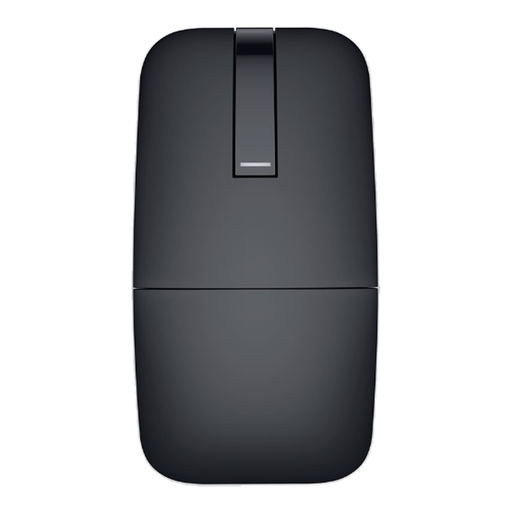
If you’re testing on several devices, the described option to switch between up to three devices is worth considering.
The product description lists five DPI settings, from 800 to 4,000, and compatibility with several systems.
 No image available
For switching between test devices, the product description lists Bluetooth pairing with up to three devices and switching at the touch of a button.
It’s also described as having a foldable, rotating design and touch scrolling.
 No image available
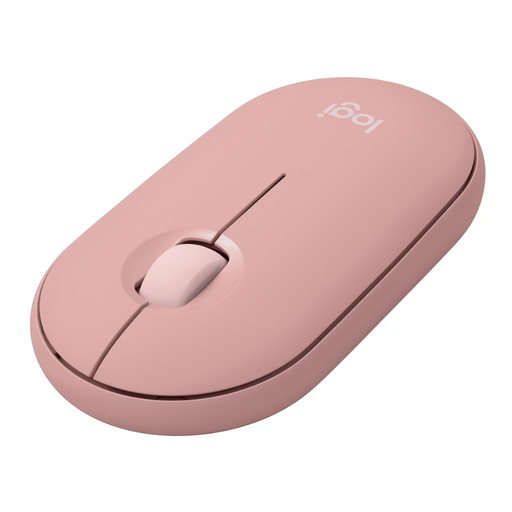
If you’re looking for a slim mouse with familiar movement-based control, its dimensions can help you plan your cramped workspace. You’ll still need room to move it.
Logitech lists dimensions of 10.67 × 5.87 × 2.66 cm and the option to switch between up to three devices. The compatible Logi Bolt receiver isn’t included.
 No image available
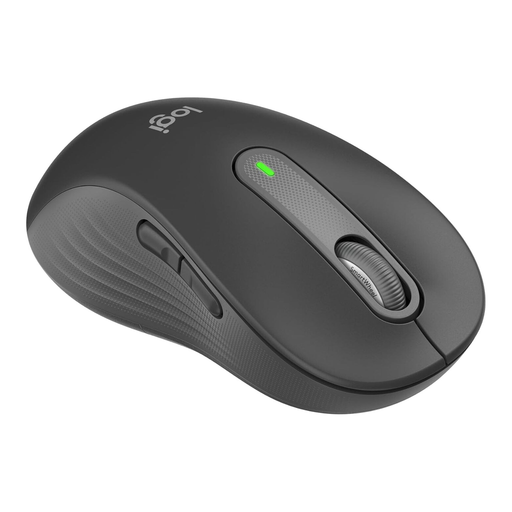
This version is designed for larger left hands. Check that it suits the hand size and handedness of the person using it.
The product description lists SmartWheel, as well as Bluetooth and Logi Bolt connection options.
 No image available
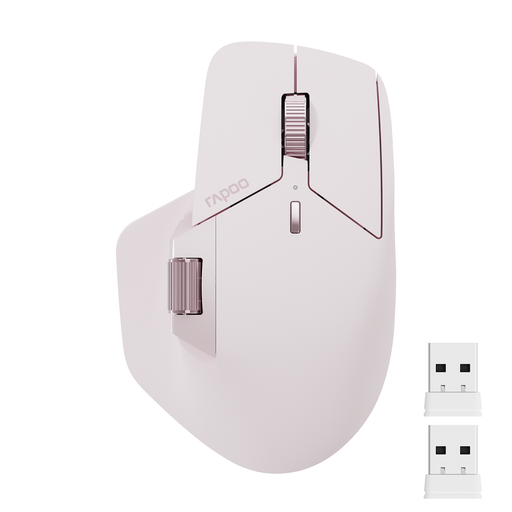
For repeated tests across multiple devices, the product description lists the option to switch between up to four devices.
The name specifies Bluetooth 5.0 and a 2.4 GHz connection. It’s also described as having a side-mounted and a middle scroll wheel, plus 11 programmable buttons.
If there’s still room to move a mouse beside your keyboard, a compact model lets you stick with the familiar way of working. If space is limited, consider a trackball: Kensington describes its wired Orbit as space-saving. Measure the available space and check whether you’re comfortable using a trackball.
No. You should also test keyboard accessibility without a mouse. In WCAG 2.2, success criterion 2.1.1, the W3C says that functionality should be operable through a keyboard interface. This doesn’t amount to a general statement about the legal requirements for any specific website.
First, check the surface and sensor for dirt, then check the receiver or USB cable connection. Hama also recommends restarting the computer and trying a different USB port.
Check whether any receiver you need is included. According to Logitech, the compatible Logi Bolt receiver isn’t included with the Pebble Mouse 2 M350s. When buying from a trader in the EU, you’re generally entitled to a minimum two-year legal guarantee from the date you receive the goods. For most online purchases, you generally have 14 days from delivery to cancel, subject to the relevant conditions and exceptions. Under the conditions described by the EU, you may have to pay the return costs.
For a specific listing, look for a valid CE mark and identifiable manufacturer details. The German Federal Network Agency includes these points in its market surveillance work; they aren’t an endorsement of any particular product listing.