
Lieferung heute & morgen

Qualitätsgarantie

Willkommens-Angebote freischalten: KOSTENLOSE Lieferung | Bis zu 80 % RABATT | Kostenlose 30-Tage-JoyPlus-Testphase
App herunterladen
A high-quality keyboard is the foundation for productive and comfortable work at your desk. CHERRY keyboards are renowned for their durability and precision, but choosing the right model can be challenging given the many options. Many users invest in a keyboard only to find that it doesn't hold up to the demands of daily work after just a few months. This guide will help you avoid common purchasing pitfalls and make an informed decision.
Before we dive into the technical details, let's highlight the typical issues that can lead to a poor purchase.
To avoid these pitfalls, you should focus on three core aspects that define a keyboard's quality and functionality.
The type of switches under the keys determines the volume, precision, and lifespan. While basic membrane keyboards often provide a mushy feel, the CHERRY SX scissor mechanism offers significantly higher quality. This technology ensures short, precise key travel and a very quiet keystroke. This makes it an excellent choice for a quiet keyboard suitable for open-plan offices and quiet work environments. Models with this technology are designed for a high number of keystrokes, which guarantees their longevity.
The choice of connection method depends entirely on your workspace and habits.
The size and design influence both ergonomics and functionality.
Based on these criteria, we have identified a few models that are particularly well-suited for specific user groups.
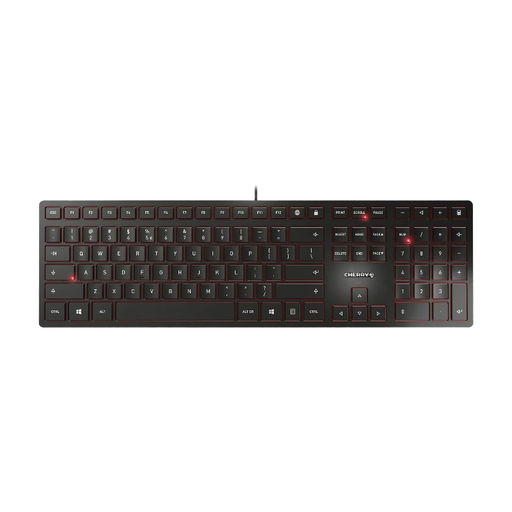
Why It's a Match: Perfect for a permanent workstation in the office or home office. The wired connection guarantees maximum reliability with no latency or dead batteries. The full-size layout with a number pad is ideal for all standard office applications.
The integrated metal plate prevents flexing and ensures high stability. Thanks to the CHERRY SX scissor mechanism, the typing noise is genuinely quiet and precise, thus avoiding the "false quiet promise" trap.
High durability with a lifespan of 10 million keystrokes and a simple plug-and-play setup.
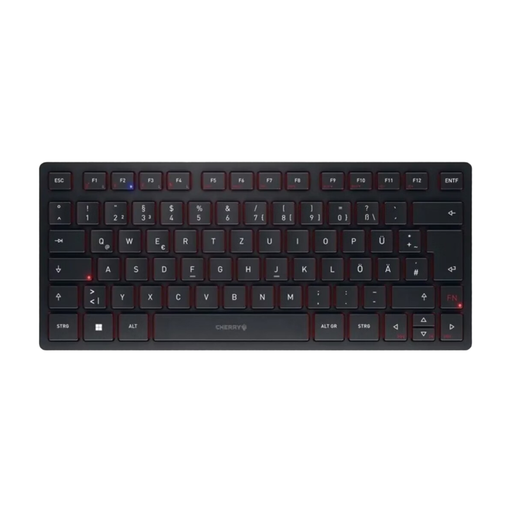
Why It's a Match: Designed for users who seamlessly switch between a PC, laptop, and tablet. The compact keyboard is ideal for mobile work and clutter-free desks. The rechargeable battery provides weeks of use.
Solves the "connectivity chaos" problem with four separate channels (2x Bluetooth keyboard, 1x RF wireless, 1x wired). Switching between devices is done at the touch of a button. The high-quality SX scissor mechanism also ensures quiet and precise typing.
Maximum connectivity for up to four devices combined with a portable design and an included protective sleeve.
We've compiled a complete, up-to-date list of products that meet these strict selection criteria.
The lifespan of a CHERRY keyboard is often specified by the number of keystrokes. Models with the CHERRY SX scissor mechanism, like those featured here, are designed for a lifespan of over 10 million keystrokes per key. With typical office use, this equates to many years of service. The robust build with internal metal reinforcement further contributes to its longevity.
Yes, this switch technology was specifically developed for a quiet yet precise keystroke. The short travel and gentle actuation significantly minimize noise. This makes it an excellent choice for environments where noise is a concern, such as in open-plan offices or during conference calls in a home office.
A multi-device keyboard like the CHERRY KW 9200 MINI can be paired with multiple devices at the same time (e.g., PC, tablet, laptop). However, you only type on one device at a time. Switching between the connected devices is seamless and quick via dedicated keys on the keyboard, without needing to re-pair through the device's menu.