
Lieferung heute & morgen

Qualitätsgarantie

Willkommens-Angebote freischalten: KOSTENLOSE Lieferung | Bis zu 80 % RABATT | Kostenlose 30-Tage-JoyPlus-Testphase
App herunterladen
A CHERRY wireless keyboard and mouse set can reduce cable clutter on your desk and ensure that your keyboard and mouse are technically matched. However, models differ significantly in layout, power supply, noise levels and design. If you only consider the price or stated wireless range, you may end up buying a set that does not suit your workspace in everyday use.
You will find different layouts among the available offers. In Germany, a QWERTZ keyboard is generally the most straightforward choice. A Belgian AZERTY or US layout may work technically, but its unfamiliar key arrangement can make writing German texts more difficult.
Before buying, check the following:
A Wireless Desktop Set can run on standard batteries, NiMH rechargeable batteries or lithium-ion rechargeable batteries. Battery-powered models involve ongoing costs and additional maintenance. With a USB-C rechargeable keyboard and mouse set, you no longer need to buy batteries regularly. However, the charging method should suit your existing workspace.
Also check whether the keyboard and mouse can still be used while charging. This feature should be verified explicitly in the relevant product details.
A quiet keyboard reduces noise, but it cannot replace a suitable sitting position or proper hand posture. Likewise, an ergonomic mouse will not suit every hand shape equally well. Symmetrical mice are often suitable for different grip styles and either hand, while right-handed designs are tailored more specifically to the hand’s position.
Many CHERRY sets use a 2.4 GHz wireless connection via a USB nano receiver. A shared receiver for the keyboard and mouse saves a USB port. If you are using a laptop, check whether it has a USB-A port or whether an adapter is required.
Models with additional Bluetooth are suitable for users who want to switch between a PC, laptop or tablet. For a fixed office workspace, a USB receiver is often sufficient. Specifications such as AES-128 encryption refer to the technical security of the wireless transmission, not to improved typing or mouse performance.
Scissor mechanisms such as CHERRY-SX technology have a short key travel and are described in product details as precise and quiet. An integrated metal plate or several rubber feet can improve stability. Nevertheless, compare the dimensions: a keyboard with a number pad takes up more space than a compact model.
The DPI specification describes the adjustable tracking sensitivity. Moderate values such as 1,000 to 1,600 DPI are generally sufficient for office work. Gaming mice often offer higher sensor resolutions and adjustable polling rates. However, these specifications are only relevant if they suit your screen resolution, game type and personal control preferences.
You should also consider the following when choosing:
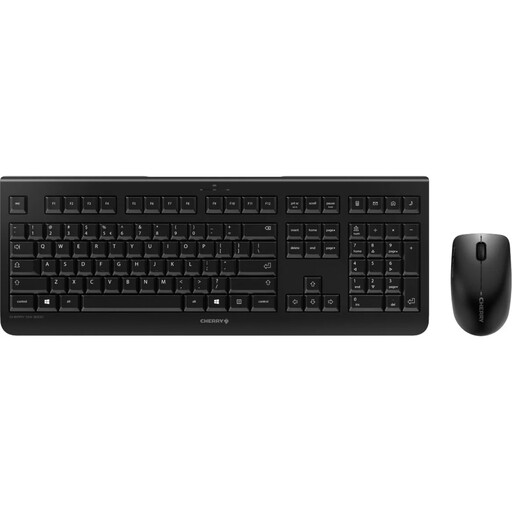
Why this product suits the profile: The EU layout with number pad is designed for typical office and home-working tasks. The symmetrical mouse and single 2.4 GHz receiver keep the setup simple.
The EU QWERTZ layout reduces the risk of an unfamiliar key arrangement. The keyboard has low-profile, quiet keys and a stated lifespan of up to 10 million keystrokes.
Full-size keyboard, 1200 DPI mouse and battery status indicators on both devices.

Why this product suits the profile: This set combines an SX scissor mechanism with rechargeable NiMH batteries and USB-C charging. It is designed for a permanently set up workspace with regular typing demands.
The charging function reduces the need for disposable batteries. The product details also specify a sturdy construction with a metal plate and eight non-slip feet.
USB-C charging, 6-button mouse, three DPI levels of 1,000, 1,600 and 2,400 DPI, plus ten office and multimedia keys.
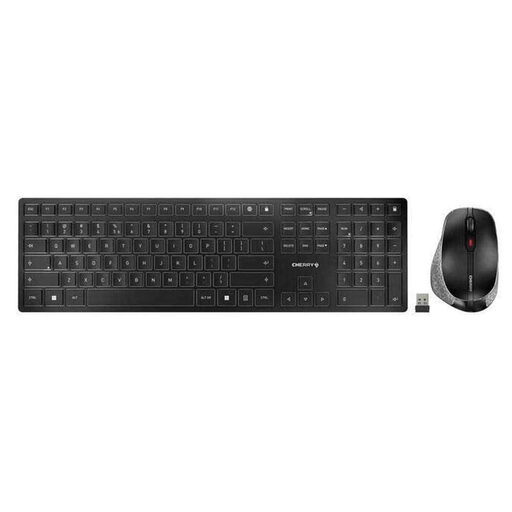
Why this product suits the profile: Bluetooth and 2.4 GHz wireless provide two connection options. This is practical for users who switch between a desktop PC, laptop and other compatible devices.
The connection is not limited to a single wireless standard. According to the product details, the rechargeable lithium-ion batteries can also be charged via USB while the devices are in use.
Low-profile SX keys, magnetic bar for adjusting the tilt angle and right-handed 6-button mouse with up to 3,000 DPI.
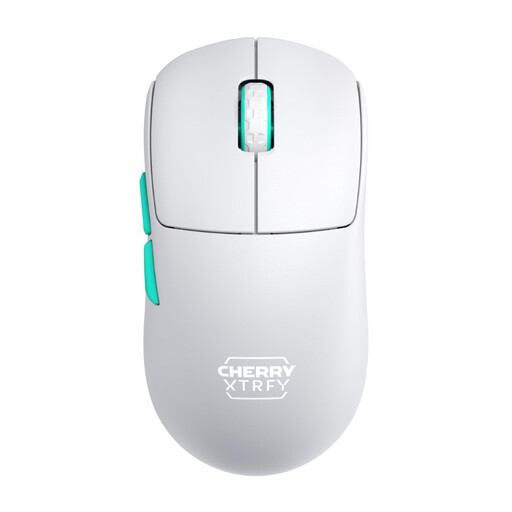
Why this product suits the profile: As a complement to a CHERRY keyboard and mouse combination, the M68 is aimed at players who prefer a symmetrical, lightweight wireless mouse for fast movements.
The 53-gram weight and 2.4 GHz connection are clearly stated specifications. This mouse is not a complete keyboard and mouse set, but a gaming accessory.
Symmetrical design, 53-gram weight, adjustable polling rate of up to 1,000 Hz and use while charging.
We have put together a complete, regularly updated list of products that fully meet these strict selection criteria and the safety regulations applicable in the EU.
Connect the USB receiver directly to your computer and avoid placing it behind large metal surfaces or in heavily occupied USB areas. With Bluetooth models, pairing takes place through the system settings. After inserting or charging the batteries, switch on the keyboard and mouse using their respective switches.
For a longer service life, we recommend:
With many sets, the USB nano receiver is connected to a USB-A port. The keyboard and mouse are then switched on and connect automatically. Models with Bluetooth can alternatively be paired through the device settings.
Battery life depends on the model, usage, lighting and battery type. Rechargeable sets usually indicate the charge level through status indicators. The CHERRY GENTIX DESKTOP is specified as offering up to three years of battery life. Such figures should be understood as product specifications based on particular usage conditions and may vary in everyday use.
For office work and occasional gaming, a standard set with a 2.4 GHz wireless connection is sufficient. For competitive gaming, the mouse’s weight, sensor, polling rate and shape are more important. A dedicated wireless gaming mouse such as the CHERRY XTRFY M68 or M64 can be selected more specifically for this purpose and combined with a separate keyboard.