If you want to use your own positions and game archives, a chess robot with a suitable import and synchronisation process is a good choice. According to its developer’s documentation, Chessnut Move can be used with PGN Master for automatic piece movement in study modes once synchronised. If you’d rather train with ready-made content, SenseRobot lists built-in endgame exercises and classic games for its Chess model. Before buying, check explicitly that your chosen process preserves the side to move, castling and en passant rights, as well as comments and variations when using your own files.
Who are chess robots for?
Revisit your own endgames
If you want to set up specific training or endgame positions on a real board and play on against an engine, look for position import and synchronisation between the app and board. Chessnut describes automatic position set-up, while PGN Master documents a synchronisation check.
Study games on the board
If you want to follow master games or your own records move by move and explore variations, you’ll need a documented process that moves the pieces on the board. The developer of PGN Master describes these study modes for Chessnut Move once it has been synchronised with the board.
Train with built-in exercises
If you want to get started straight away with ready-made exercises and games rather than your own collection of files, you can focus on a device’s built-in content. SenseRobot lists endgame exercises and classic games for its Chess model. Also check which features require an app or online access.
What should you look for when buying?
| What you need |
What to check before buying |
Who will find this most important? |
| Import your own positions |
Ask for a demonstration of importing both a single position and a complete game. Check the side to move, castling rights, en passant, and any comments and variations you need. |
If I want to use my own position archive on the board, the whole input process needs to work with my collection. Around 31% of consumers put importing their own positions first. |
| Repeat training positions |
Try setting up and synchronising one of your own training positions, returning to the starting position and synchronising again. |
If I practise the same endgame position several times, I want to be able to spot and correct differences between the app and the board. Around 25% of consumers prioritise a repeatable process they can check. |
| Replay games |
Check whether you can use your own PGN files, built-in games or video positions, and what features the accompanying software offers. |
If I want to study games move by move on the board, I need a suitable replay and variation process. Around 25% of consumers prioritise studying games. |
| Train easily and keep ongoing costs in check |
Check which features are available locally, including the engine, exercise library, file import, saving and sharing, and cloud functions. Find out whether each step requires an app, an internet connection or payment. |
If I want to train without unnecessary set-up, ready-to-use content and clearly defined extra features matter. Around 19% of consumers put ease of use and control over ongoing costs first. |
Common buying misconceptions
-
Assuming a stated recognition resolution guarantees error-free set-up
Chessnut lists a recognition resolution of 1 mm for Move. This is a manufacturer’s claim, not proof that every unusual position will be recognised correctly every time it is set up. PGN Master also displays synchronised and mismatched board positions.
Try the complete process with one of your own training positions: set it up, play a few moves, return to the starting position and synchronise again.
Synchronising and correcting mismatched squares may require extra preparation time.
-
Assuming a built-in engine means you can study games without an app
Chessnut describes Move as having a built-in engine. The documented study process with PGN Master is separate; the app developer also says that saving and sharing games requires a Pro upgrade.
Make a note of the steps you need, from importing to saving, and check which app and upgrade are required for each one.
You’ll need to set up an external app, and saving and sharing in PGN Master may require a paid upgrade.
-
Assuming built-in games mean you can import your own archive
SenseRobot lists a selection of classic games for its Chess model. A ready-made library is not the same as support for importing your own files.
Before buying, decide whether the built-in content will be enough or whether you need to use your own games and positions.
-
Overlooking charging and the space needed for moving pieces
For Chessnut Move, the manufacturer describes separate charging options for the board and pieces. The device also needs a clear, level and clean space for automatic movement.
Set aside a dedicated space for training and factor in charging the board and pieces as part of your preparation.
Before longer training sessions, charge the board and pieces and clear the area around the robot.
Key brands at a glance
Chessnut
According to the manufacturer, Chessnut Move combines self-moving pieces with automatic position set-up. The product page also lists a built-in Stockfish engine; the wooden and plastic versions are said to offer the same core robotic features.
- The Chessnut API documents automatic piece movement to match a board position that has been sent to it. The developer of PGN Master describes study modes that can be used after synchronisation.
- The API documentation does not automatically confirm full import of every position detail from every file. Check your specific import process and remember that the pieces need to be charged separately.
SenseRobot
According to the manufacturer, SenseRobot Chess is designed for people who want to work through endgame exercises and classic games with a robotic arm.
- The product page lists 145 endgame exercises, 1,200 exercises and 100 classic games, and says that German is a supported language.
- These figures describe the content listed by the manufacturer, not the results you can expect from training. SenseRobot notes that optional language-model-powered commentary may cost extra. Also check whether your own files are supported.
Particula
According to the manufacturer, Particula’s GoChess range combines self-moving pieces with app-based coaching and a connection to iOS and Android devices.
- The manufacturer’s description mentions its robotic approach and app connectivity.
- App connectivity alone doesn’t tell you whether you can use your own endgame positions or game archives as you’d like. Check the import and training features for the specific model.
Chess robots at Joybuy
The Joybuy products below are chess robots that move physical pieces. Check the features for training content, imports and apps for each specific model.
 No image available
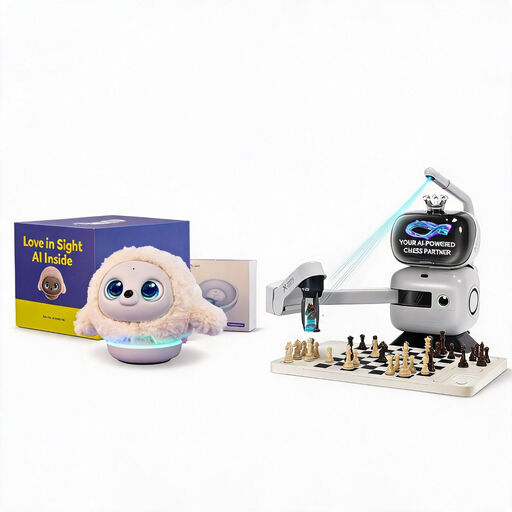
SenseRobot AI Chess Robot with 25 AI levels, over 1,200 exercises and Ropet AI Pet Robot (Professional Edition)
For buyers who want to work on endgame training and classic games with a chess robot.
The listing title mentions 25 AI levels, over 1,200 exercises, endgame training and playback of classic games. The bundle also includes a Ropet AI Pet Robot (Professional Edition). Keep hands, clothing and hair away from the moving arm, and place the device on a stable, level surface. Small parts are not suitable for children under 3 years old.
View at Joybuy
 No image available
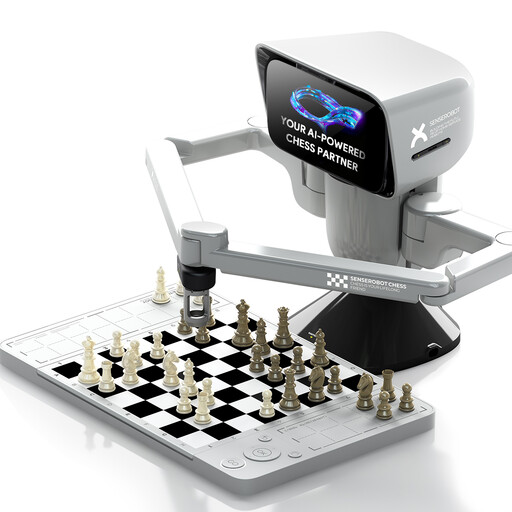
SenseRobot mini AI Chess Robot with app connectivity and support for 3D-printed DIY pieces
An option for buyers looking for a chess robot with moving pieces and app connectivity.
The product title mentions a portable travel format and support for 3D-printed DIY pieces. Check which exercises and import features are available in the specific app version for the training you have in mind.
View at Joybuy
 No image available
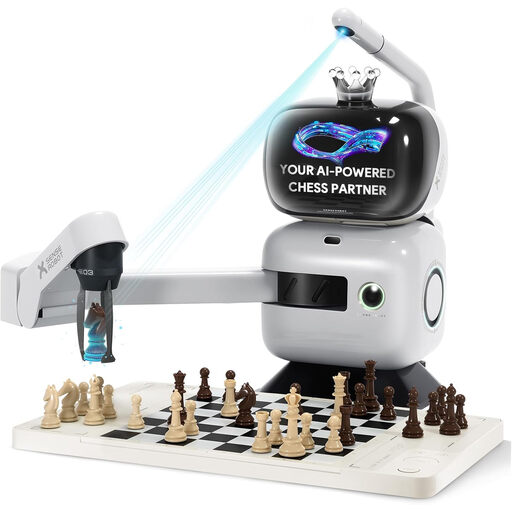
SenseRobot AI Board Robot with 25 AI levels, over 1,200 exercises and Lichess integration
For buyers who want to practise endgame exercises and play classic games on a chess robot.
The product description lists 145 endgame exercises, 100 classic games, over 1,200 exercises, voice guidance, Lichess integration and app synchronisation. According to the description, once Wi-Fi has been set up, the robot can be used without a phone or tablet. Keep fingers and objects away from the moving arm, place the robot on a stable, level surface and use the supplied power adapter. Small parts are not suitable for children under 3 years old; children aged 3 to 6 must be supervised.
View at Joybuy
Frequently asked questions about chess robots
Does an interface signal labelled FEN mean you can import a complete position?
No, you can’t assume that it supports a complete position import. The Chessnut API describes FEN as an encoded piece layout and a movement command. Ask for a demonstration that also covers the side to move, castling rights and en passant, as well as any comments and variations you need.
Can Chessnut Move replay a game on the board with PGN Master?
Yes. The developer of PGN Master documents automatic piece movement in Autoplay, Guess-the-move and when playing against the engine. The app and board must be synchronised beforehand.
Which Chessnut Move training features can you use without an external app?
Chessnut says you can play directly against the built-in Stockfish engine on Move without any external devices. This doesn’t mean that file imports, video imports and in-depth game study also work without an app; check each process separately.
Does SenseRobot Chess require a subscription?
According to SenseRobot, the core features of the Chess model don’t require a subscription. Optional language-model-powered conversation or commentary features may require a separate plan. This information about the pricing model doesn’t automatically confirm that all features are available offline.
How do you prepare Chessnut Move for longer training sessions?
Chessnut says the board charges via USB-C, while the pieces use a shared charging mat. The manufacturer recommends a level, dust-free surface with a clear area around the robot. Don’t force the pieces to move while the robot is operating automatically.


