What should you look for when buying?
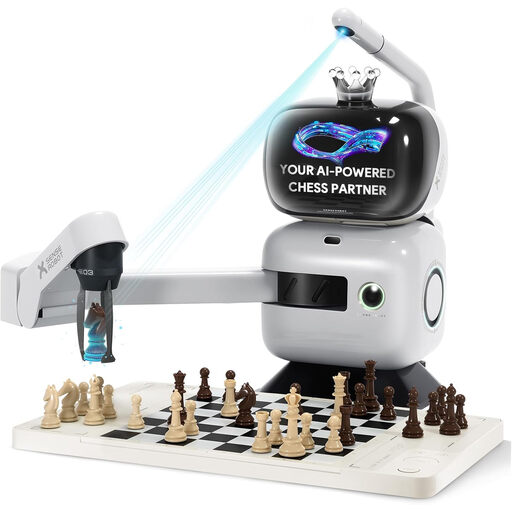
Robotic arm with integrated AI
Right for you if: You want to see a physical opponent pick up and move the pieces itself.
Consider: The arm takes time to move. One SenseRobot owner reported that captures took longer on their device. This is an individual observation, not a guarantee for every version.
Self-moving chessboard
Right for you if: You want moves to happen automatically on a traditional board, but don’t need a visible robotic arm.
Consider: Square Off describes the Grand Kingdom Set as app-integrated. Automatic movement alone doesn’t prove that you can play against the AI without an app or an internet connection.
Sensor board with manual moves
Right for you if: You want to play against an engine on a physical board and make the computer’s moves yourself.
Consider: DGT describes the Centaur as having touch sensors and LED move indicators; Millennium documents RFID piece recognition for the M820. These features aren’t the same.
First, decide whether automatic opponent moves, offline games or a suitable playing strength matters most to you.
| What matters to you |
What to check before buying |
Who this matters most to |
| Automatic moves |
See how the specific version handles a standard move, a capture, castling and pawn promotion. |
I want to play against an opponent that moves its own pieces on the board, rather than making the moves myself. Around 26% of consumers put automatic opponent moves first. |
| Offline features |
Test a game against the AI without Wi-Fi or an app; check online play and update requirements separately. |
I want to be able to start a local game at home without being online for every move. Around 21% of consumers prioritise not needing a constant internet connection. |
| Difficulty levels |
Compare fixed levels with adaptive modes and try the playing strengths that matter to you. |
I’m looking for a challenge that suits my practice, not just the highest advertised rating. Around 21% of consumers pay particular attention to finding the right level of difficulty. |
| Recognition and pace |
Check how the system handles freely set-up positions and special moves, as well as how long the pieces take to move during a full game. |
I want the board to keep track of my moves without the movement process interrupting the game unnecessarily. Around 16% of consumers prioritise reliable recognition and smooth move execution. |
| Maintenance and software |
Check update tools, compatible devices, replacement pieces and available support; distinguish extra features from basic operation. |
I want to know how to maintain and update the device, and which features have additional requirements. Around 16% of consumers prioritise long-term usability and manageable ongoing costs. |
Joybuy products for home practice
This product selection mainly features SenseRobot chess robots with robotic arms and integrated training, plus a Millennium chessboard with pressure sensors as a comparison option.
 No image available
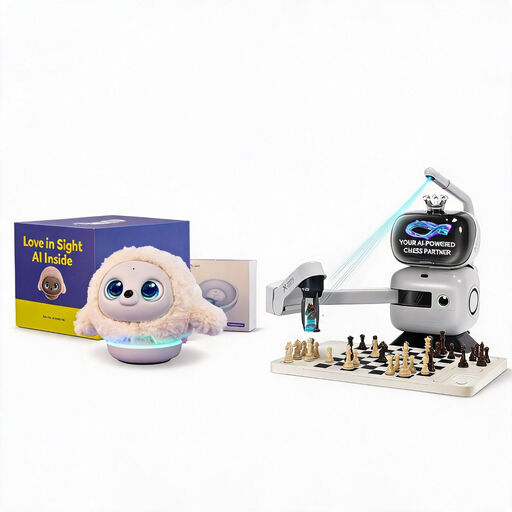
Ropet AI Pet Robot (Professional Edition) + SenseRobot AI Chess Robot
This bundle pairs the Ropet AI Pet Robot with a SenseRobot chess device for practice and casual games on a physical board.
The chess robot’s product title lists a robotic arm, 25 AI levels, over 1,200 exercises, endgame training and playback of classic games.
View at Joybuy
 No image available
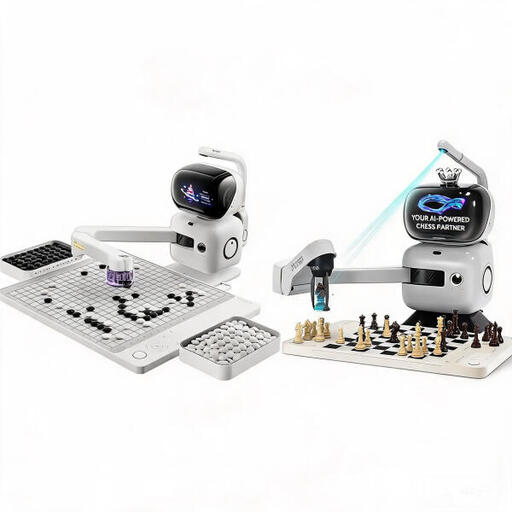
SenseRobot AI Chess and Go Set
This set is designed for practice and casual games on a physical chessboard; the product description says the chess component uses a robotic arm.
Chess training features include several AI levels, exercises and endgame training.
View at Joybuy
 No image available
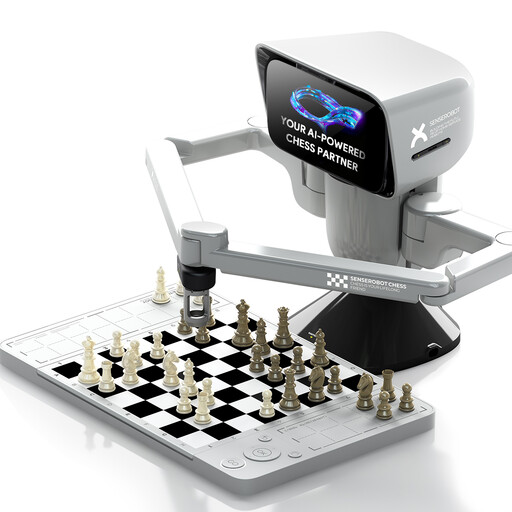
SenseRobot mini AI chess robot
According to the product description, the robotic arm moves the pieces. The product is presented as suitable for chess games and playing on the go.
The description lists several AI difficulty levels and app connectivity. Check which features require a connection for the version you want.
View at Joybuy
 No image available
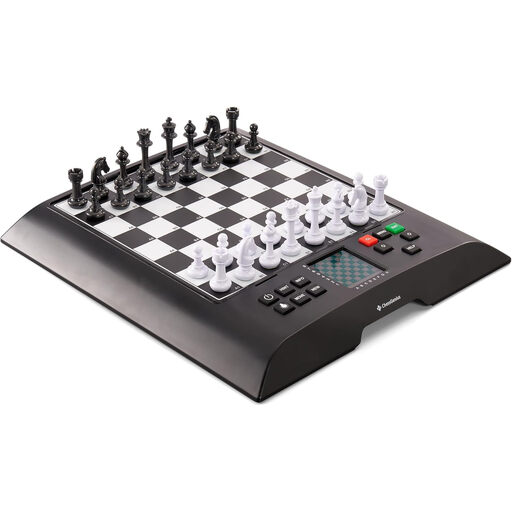
Millennium ChessGenius M810 Version 2024
This chess computer set is an alternative to consider if you want to make the computer’s moves yourself on a physical board.
The description lists ChessGenius software, pressure sensors to detect moves, magnetic pieces, a backlit display and extra queens.
View at Joybuy
 No image available
SenseRobot AI Board Robot with robotic arm
According to the listing, the robotic arm moves the pieces; the product title lists 25 AI difficulty levels.
The description lists exercises, endgame training and voice guidance. It says you can play without a screen after a one-off Wi-Fi set-up, and mentions app and Lichess features for online play.
View at Joybuy
Frequently asked questions
Are move detection and piece recognition the same thing?
No. Sensors that detect moves don’t necessarily identify the type and colour of a piece in any position on the board. Millennium documents RFID piece recognition for the M820; DGT describes the Centaur as having touch sensors.
What can I check if my SenseRobot won’t start a game?
Check the connection between the board and robot, and make sure the USB connection cable is plugged in. These steps are listed in the SenseRobot campaign FAQ; also follow the instructions for your specific version.
How do I install software updates?
It depends on the model. The SenseRobot campaign FAQ describes downloading an update through the update feature, then restarting the device. Millennium publishes separate CGX tools for the M820; according to its download page, the Mac tool is compatible only up to and including macOS Catalina.
Does a one-year manufacturer’s warranty replace your statutory rights?
No. For a qualifying consumer purchase in the EU, you generally have a minimum two-year legal guarantee against the seller from the date you receive the goods. A voluntary manufacturer’s warranty is separate; the European Union explains these consumer rights.
Does a promise of updates mean unlimited new features?
No. For relevant consumer contracts covering goods with digital elements, § 475b BGB concerns agreed updates and updates needed to keep the goods in conformity with the contract. It doesn’t amount to a blanket promise of new training features for life.
What documents are relevant for a Wi-Fi or Bluetooth chess device for private users in Germany?
For relevant radio equipment, § 19 FuAG requires CE marking. For radio equipment intended for non-commercial use, § 20 FuAG requires German-language instructions and safety information, as well as a copy of the EU declaration of conformity or the simplified declaration. Check whether these rules apply to the specific device and which documents should be supplied. German-language menus are no substitute for the documentation.


