When watching choir concert recordings together in daylight, first check how the specific display handles direct reflections from windows. High brightness alone will not eliminate reflections, as RTINGS.com explains. Then check that your video and audio files are compatible with the exact model, and consider seating distances and your planned audio setup.
Who is this guide for?
Choir directors watching recordings in daylight
If you watch concert recordings during the day, tall windows may cause direct reflections on the screen. RTINGS.com recommends paying particular attention to how a specific TV handles reflections if you have large windows.
Teams with their own video files
If you switch between your own recordings, it’s important to check whether the exact model supports their video and audio formats. Sony Germany lists the USB file systems and codecs supported by the K-65XR90 model.
Groups checking picture and sound together
If several people will be watching and listening at once, seating distances, screen size and your planned audio setup all matter. The Verbraucherzentrale recommends measuring your usual viewing distance; Sony Germany lists the connections available on specific TV models.
What matters when buying?
Start by checking reflections and playback of your own files. Then consider seating distances, audio connections and the energy consumption figures for the specific model.
Bright LCD with anti-reflection coating
A good fit if: you regularly watch recordings in daylight and windows are directly opposite the screen.
Things to weigh up: Test results are no substitute for checking your window position and your own files.
Matte lifestyle LCD
A good fit if: direct reflections are distracting and a wall-hugging design is also important to you.
Things to weigh up: The independent test covers a US version; check playback of your files on the German model.
QD Mini LED
A good fit if: you want to compare this display technology and the specified version against the exact model.
Things to weigh up: TCL’s figures for the 65Q8C conflict on refresh rate; confirm the exact version before buying.
OLED
A good fit if: you can control the ambient light while watching and the model-specific OLED specifications matter to you.
Things to weigh up: Check reflections and energy consumption for your setup rather than choosing on the basis of the panel type alone.
| Priority |
What to check before buying |
Who is it most relevant to? |
| Viewing with windows nearby |
Check the window position and how the specific display handles reflections. |
If tall windows face the screen, I want to be able to spot reflections rather than relying on brightness figures alone. Around 31% of consumers are likely to consider reflections their top priority when choosing a TV for this kind of viewing. |
| Playing your own recordings |
Check video and audio codecs, as well as your planned playback method. |
If I play my own concert files, I want to avoid format issues before watching together. Around 25% of consumers are likely to prioritise file compatibility above all else. |
| Assessing concert sound |
Test the recording through your planned playback setup and audio system; check for suitable audio outputs. |
When checking vocals and accompaniment, what matters to me is the sound I can actually hear through the connection I intend to use. Around 19% of consumers are likely to rank sound as their top buying priority. |
| Viewing from several seats |
Measure seating distances and side-on seating positions; check the TV’s dimensions and viewing angles. |
If several people are watching together, the picture needs to be clear from each seat. Around 13% of consumers are likely to put shared viewing first when choosing a TV. |
| Ongoing energy consumption |
Compare the energy consumption figures for the specific models and screen sizes you’re considering. |
If the TV will be used often, I want to take the energy consumption of the exact model into account. Around 12% of consumers are likely to see ongoing energy consumption as their top priority. |
Common misconceptions when buying a TV
-
Focusing only on high peak HDR brightness
Reflections from windows and visibility in ambient light are two separate things to check. A manufacturer’s peak HDR brightness figure alone won’t tell you how well you’ll be able to watch recordings in your room.
Compare reflection handling and brightness on the exact model, and take into account where the windows are in relation to the screen.
-
Assuming a USB port means every file will play
Support for video and audio codecs varies by model. Having a USB port does not, by itself, confirm that the TV will play your concert recording.
Test one of your own files, including its audio, or plan to use a compatible HDMI device you already own. If direct playback isn’t suitable, you may need an additional device.
-
Overlooking conflicting specifications for the same model name
TCL lists the 65Q8C as having a native refresh rate of 144 Hz, while a Joybuy product description lists 120 Hz. This discrepancy has not been resolved.
Before deciding, ask for confirmation of the exact version and the definitive specification.
-
Choosing screen size without considering seating and energy consumption
A larger screen may work well for a group, but it needs to suit your viewing distance and setup.
Measure the seating distances and compare the energy consumption figures for the sizes you’re actually considering.
Brands to consider
Sony
The BRAVIA 9 II is a useful comparison for viewing in bright rooms; specifications for the K-65XR90 model should be considered separately.
- In a test, RTINGS.com rates the BRAVIA 9 II as suitable for bright rooms; your exact window position still matters.
- Sony Germany’s codec information for the K-65XR90 cannot be applied to the BRAVIA 9 II.
Samsung
The Frame Pro LS03HW is worth considering if you want to weigh up a matte finish alongside a wall-hugging design.
- Samsung describes the German GQ65LS03HWUXZG model as Glare Free.
- The independent RTINGS.com test covers the US version and notes limitations with certain audio and HDR formats. Check file playback on the German model.
TCL
The 65Q8C is a German QD Mini LED option with a CrystGlow WHVA panel and audio from Bang & Olufsen, according to TCL.
- TCL lists a native refresh rate of 144 Hz among the specifications for this model.
- A Joybuy product description lists 120 Hz for the 65Q8C. Confirm the exact version and definitive specification before buying.
LG
The OLED65G59LS is an OLED option to compare if you can control the ambient light while watching.
- LG lists OLED evo and Dolby Vision for this model.
- The product specifications don’t show how much tall windows will reflect in your particular room. Compare the setup and energy consumption with the LCD options.
Compare Joybuy TVs for group viewing
This selection ranges from a compact 24-inch model to large QLED and Mini LED TVs. Check reflection handling, file playback and viewing distance for each specific model.
 No image available
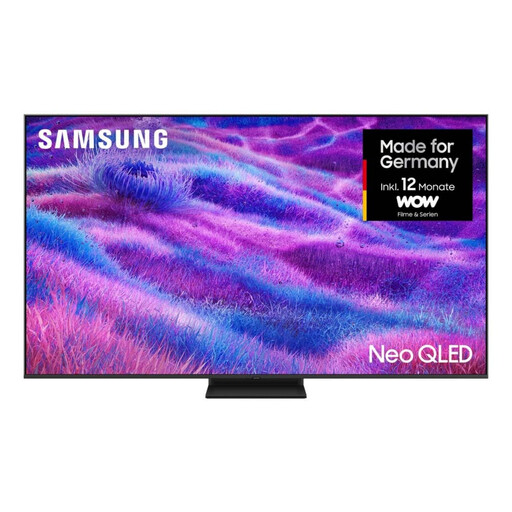
Samsung Neo QLED 4K QN80F, 85-inch TV
Worth comparing as a large-screen option for group viewing; whether the screen size and setup suit your seating depends on the room.
85 inches; 4K; Neo QLED Mini LED; energy class F.
View at Joybuy
 No image available
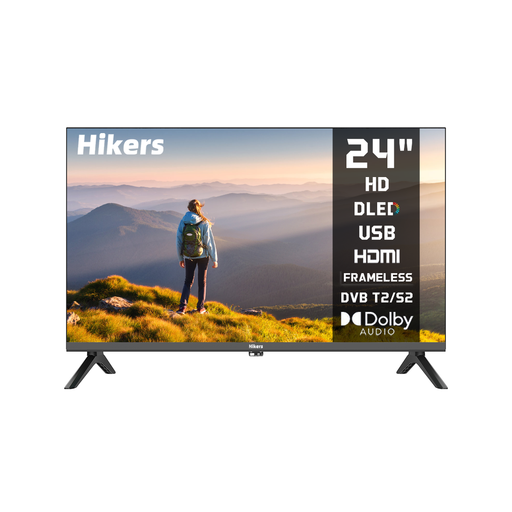
Hikers HD 24-inch TV
Consider it as a compact playback option if space is limited; whether the screen is big enough for several viewers depends on the viewing distance.
24 inches (60 cm); non-smart; HDMI and USB; DVB-S2/T2/C; Dolby Audio; HDR.
View at Joybuy
 No image available
KOORUI K65N3UQ-T8, 65-inch TV
Worth comparing as a 65-inch option for group viewing; check that the screen size and viewing angles suit your seating.
4K UHD; QLED; Smart TV with Tizen OS; Dolby Audio.
View at Joybuy
 No image available
TCL 55Q7D PRO, 55-inch TV
The product name mentions anti-reflection; check how the exact model performs with the window position in your viewing room.
4K; SQD Mini LED; 480 Local Dimming Zones; 2,000 Nits HDR; 144 Hz; HDMI 2.1.
View at Joybuy
 No image available
TCL 75T8D, 75-inch TV
Worth comparing as a large-screen QD Mini LED option for group viewing; measure your seating distances and available space first.
QLED with QD Mini LED Dimming; 4K HDR Ultra HD; 144 Hz VRR; Dolby Vision, HDR10+ and Atmos; Onkyo 2.1 Sound.
View at Joybuy
Frequently asked questions
Is a USB port enough to play our concert recordings?
No. A USB port alone doesn’t confirm that your files are compatible. Sony Germany lists file systems and video and audio codecs separately for the specific K-65XR90 model. Check your recording against the specifications for the TV you’re actually considering, or try an HDMI device you already own.
What should I know about energy consumption and warranty rights?
Compare the energy consumption figures for the specific models and sizes. The Verbraucherzentrale distinguishes between your statutory rights against the seller and a voluntary guarantee.
Can recordings showing identifiable choir members simply be published?
Playing a recording on a TV does not, by itself, tell you anything about the rights to publish it. The Rhineland-Palatinate Data Protection and Freedom of Information Commissioner explains that, for photographs of people, consent or another legal basis is generally required to take and use them. Check the rights for the specific recording and intended use separately.
What happens when I replace my old TV?
The German Environment Agency explains that when you buy a new TV of the same type, you can return a large old TV free of charge, including with an online purchase delivered to your home. Check the return arrangements with the retailer.


