What should you look for when choosing?
First, work out how much storage you need and check that your files can be saved and opened on the devices you plan to use. Then weigh up write speed and, if needed, access protection according to your actual requirements.
| What to consider |
What to look for |
Who it matters most to |
| Capacity and recovery |
Add up file sizes, the number of rehearsals and any additional versions; open a copy on the device you intend to use. The Audacity Manual describes WAV as uncompressed PCM and FLAC as losslessly compressed. |
If I want to keep recordings over time, I need enough usable space and a copy that I can open again. Around 28% of consumers prioritise capacity and recovery. |
| Connection and file system |
Check for USB-A or USB-C and support for external storage on both devices. Apple Support lists exFAT as a formatting option for shared storage devices over 32 GB; you should check recording-device compatibility separately. |
If I switch between a recording device and a computer, I need compatible connections and files that can be read. Around 22% of consumers put compatibility across devices first. |
| Access protection |
If people are identifiable in the recordings, consider who should have access and establish the legal basis for processing. Check encryption and unlocking on the devices you will use for the specific model. The BfDI highlights the risks of transporting portable storage devices. |
If recordings make people identifiable, I want to restrict access if the drive is lost or passed on. Around 22% of consumers prioritise access protection. |
| Write time |
Compare write speeds for the exact model and the USB connection on the target device; don’t confuse maximum read speeds with write speeds. |
When I make lots of recordings regularly, I care about how long it takes to write them. Around 17% of consumers prioritise shorter copying times. |
| Getting the basics right |
Decide on capacity, device compatibility and, if necessary, access protection first. Consider extra features only if they suit your planned backup process. |
If I need a simple local backup, I want to avoid the extra effort of unnecessary features. Around 11% of consumers prioritise getting the basics right. |
USB flash drives for local choir rehearsal backups
The following Joybuy options include USB-A/USB-C dual-interface drives and USB-A models for local copies. Before choosing, check your devices’ connections and how much space your recordings need.
 No image available
Kexin 2-in-1 USB flash drives, 2 × 32 GB, USB-A/USB-C, pack of 2
For local transfers between compatible devices with USB-A and USB-C.
The product name specifies USB 2.0 and a 360° swivel design. If you’re using a mobile device, check that it supports external USB storage.
Joybuy
 No image available
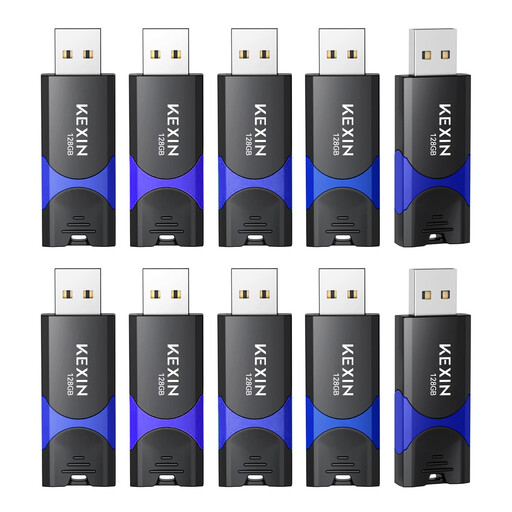
Kexin USB flash drives, 128 GB, USB 2.0, pack of 10
A local storage option if you need several USB flash drives for your planned backup process.
The product name specifies 128 GB and a pack of 10; check what the capacity refers to for this version before choosing.
Joybuy
 No image available
SanDisk Cruzer Blade, 32 GB, USB 2.0
For a local copy on a device with a compatible USB-A connection.
The product details specify 32 GB and USB 2.0. Compare the usable capacity with the size of the files you want to keep.
Joybuy
 No image available
SanDisk Cruzer Blade, 64 GB
For a local copy on devices that support the stated USB-A connection.
The product details specify 64 GB and USB 2.0. Check in advance that the capacity and connection are suitable for your recording and recovery devices.
Joybuy
 No image available
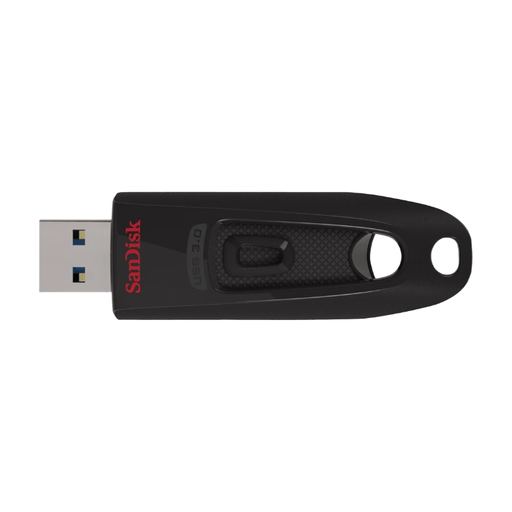
SanDisk Ultra, 64 GB, USB 3.0
For local storage if 64 GB and the right USB connection suit your backup process.
The product description specifies a retractable connector and support for Windows and Mac OS. Also check that your recording device supports the drive and its file system.
Joybuy
Frequently asked questions
How much storage do my rehearsal recordings need?
Add up the size of your existing files and allow for the number of future rehearsals and versions you want to keep. Uncompressed stereo PCM at 44,100 samples per second and 16 bits works out at around 635 MB per hour; this calculation reflects the properties of WAV as described in the Audacity Manual. Other settings, channel counts and formats will change the amount of space you need. Compare it with the usable capacity, not just the capacity printed on the drive.
Which file system is suitable for large recording files?
According to Kingston, FAT32 can’t store a single file of 4 GB or more; exFAT may be an alternative if all the devices you need to use support it. Apple Support lists exFAT as a formatting option for shared storage devices over 32 GB. Back up any existing files before formatting, as formatting will delete them.
Is one copy on the flash drive enough as a backup?
Treat the drive as an additional copy, store it separately and check that you can open the recordings again. The BSI includes both creating and restoring backups in its data backup guidance; having a flash drive alone doesn’t prove that you can restore your files.
Does a USB flash drive for choir recordings need to be encrypted?
There’s no blanket requirement for every choir recording. The BfDI highlights encryption as an important safeguard for portable storage devices, including when they’re being transported. If recordings make people identifiable, assess the protection needed for the specific processing; encryption alone won’t protect a device that’s already unlocked.
Can a choir in Germany record rehearsals and save them to USB?
The storage medium alone doesn’t answer this question. If people can be identified from the recordings and data protection law applies, the processing needs a legal basis under Article 6 of the GDPR. The BfDI lists consent as one possible basis; those responsible should clarify the purpose, people involved, access and retention arrangements for their particular choir. Choosing a USB backup instead of the cloud doesn’t remove the need to make these checks.


