Players with specific games in mind
If you have a particular game in mind, first check that it’s available for your chosen console and edition. Nintendo’s Zelda range shows that the specific version of a game can also affect your choice of platform.


Start by choosing based on the games you want to play, then check whether your headphones can connect to the console you’re considering. PS5 and Xbox are TV-based consoles with different disc-drive options; the Switch 2 is worth considering if you want to play without a TV, too. For wireless headphones, the connection method supported and any limitations matter – Bluetooth alone doesn’t tell you whether they’re compatible.
If you have a particular game in mind, first check that it’s available for your chosen console and edition. Nintendo’s Zelda range shows that the specific version of a game can also affect your choice of platform.
If you want to keep using your headset, check its connection and features against the console’s specifications. Sony describes a USB adapter for supported PlayStation wireless headsets, while a compatible Xbox Wireless Controller has a 3.5 mm jack.
If you want to play with or without a TV, switching between play modes is an important factor in your choice. Nintendo describes Handheld, Tabletop and TV modes for the Switch 2.
A good fit if: The games you want are available on PS5 and you mainly play on a TV.
Trade-off: The Digital Edition has no built-in disc drive, so check whether downloads will suit you.
A good fit if: The games you want are available on Xbox and you’d like to choose between a Series X with a disc drive and an all-digital Series S.
Trade-off: Microsoft lists 4K for the Series X with a disc drive and 1440p for the Series S in this comparison. These console specifications don’t guarantee the resolution or frame rate of every game.
A good fit if: You want to switch between Handheld, Tabletop and TV modes and play games that are compatible with Switch 2.
Trade-off: Nintendo warns that Bluetooth audio may have a delay; Bluetooth microphones aren’t supported.
| What matters | What to check before buying | Who is this important to? |
|---|---|---|
| Availability of the games you want | Check the platform and edition for the specific game you want; if you already own the game, an upgrade may also be relevant. | If I want to play a particular quest, I first check that the exact version of the game runs on the console. Around 36 % of consumers say having access to the games they want is their main priority. |
| Headphones and voice chat | Compare your specific headset’s connection with the console and headset instructions. Check whether you need a microphone as well as game audio. | If I want to use the headset I already own, I need to know how it connects and whether its microphone works before choosing a console. Around 29 % of consumers say headset compatibility is their main priority. |
| Where you play and what screen you use | Consider whether you want to play without a TV, too. Switch 2’s 4K output in TV mode requires a supported game and a compatible screen. | If I want to continue my quests on the go or without a TV, being able to switch play modes matters to me. Around 21 % of consumers say mobile gaming is their main priority. |
| Discs, downloads and storage | Match the disc-drive option to the games you already own, and check the required memory card standard for Switch 2. | If I want to keep my existing game discs or plan to buy more, the format needs to work with the console. Around 14 % of consumers put game format and potential extra purchases first. |
Connection methods vary depending on the console and headset. With Switch 2, Bluetooth headphones may have audio delay, and Bluetooth microphones aren’t supported.
Check the exact headphone model and whether you need game audio only or voice chat, too.
Depending on your headset, you may need a different compatible pair of headphones or a suitable connection method.
The PS5 Digital Edition and the digital Series S models described here have no built-in disc drive. You can’t use your existing discs with them as you would with a console that has a disc drive.
Check the exact model before buying and make sure your games are available as downloads. A compatible disc drive is sold separately for the PS5 Digital models described here.
Nintendo lists microSD Express as the compatible memory card standard for Switch 2.
Check the standard and how much storage you actually need before choosing an expansion card.
If you want to expand your storage, you may need a microSD Express card.
PS5 consoles for TV gamers, including disc and digital models as well as the PS5 Pro.
Xbox Series X and Series S consoles for playing Xbox games on a screen; the models differ in several ways, including whether they have a disc drive.
Switch 2 for players who want to switch between TV and handheld modes.
The Joybuy models below include Nintendo Switch and Switch 2 consoles, as well as PS5 Slim models with and without a disc drive. Before choosing, check that the game you want is available on the platform and that you can connect your headset.
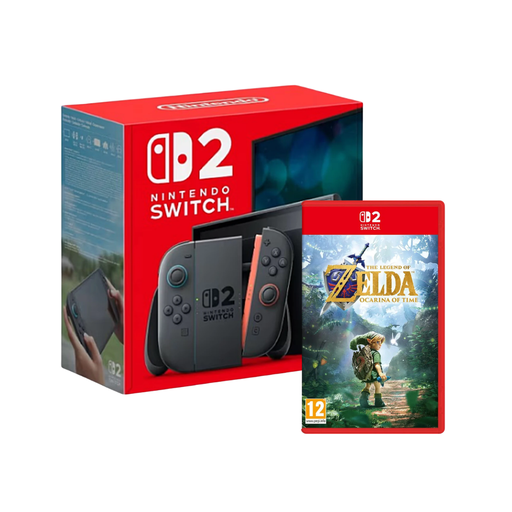 No image available
This bundle is a good choice if you’re looking for a Switch 2 console with the Zelda game named in the product title.
Nintendo warns that Bluetooth audio may be delayed and Bluetooth microphones aren’t supported.
 No image available
An option if you want to play Switch 2 games in Handheld, Tabletop or TV mode.
Nintendo warns that Bluetooth audio may be delayed and Bluetooth microphones aren’t supported.
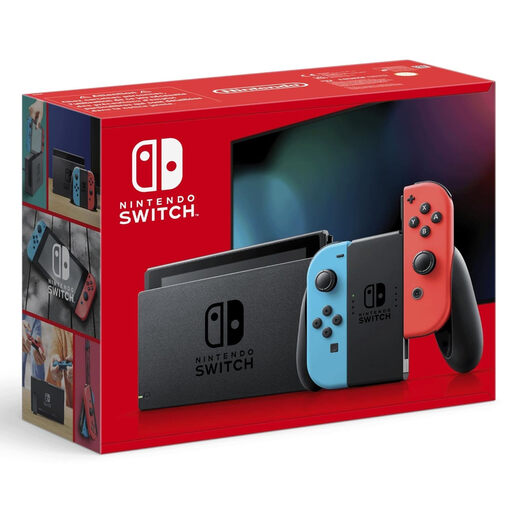 No image available
This Nintendo Switch model is worth considering if the game you want is available for Nintendo Switch and you’d like to switch between TV, Tabletop and Handheld modes.
Check the exact game version before comparing it with a Switch 2 title or edition.
 No image available
The Disc Edition is a good fit if you want to play PS5 games on disc and mainly play on a TV.
Check how your specific headset connects; Sony describes pairing supported PlayStation wireless headsets via a USB adapter.
 No image available
This model is a good choice if you want to buy PS5 games digitally and don’t need a built-in disc drive.
Check how your specific headset connects; Sony describes a USB adapter as the connection method for supported PlayStation wireless headsets.
Yes. Nintendo explains how to pair them in the system settings under Bluetooth Audio. Depending on the headphones, there may be a delay; Bluetooth microphones aren’t supported.
Sony says to charge the headset, connect its USB adapter to the PS5 and then switch it on. If you have a different model, check its compatibility information.
A subscription isn’t automatically required for solo games; it depends on the terms for the specific game. PlayStation lists PlayStation Plus for online multiplayer, while Microsoft offers Game Pass Ultimate as a separate membership.
For an ordinary new item, statutory claims against the seller for defects generally expire two years after delivery (§ 438 BGB); this is separate from a manufacturer’s warranty. For distance sales, you generally have the right to cancel; § 355 BGB usually provides a 14-day period. Statutory exceptions apply. This information comes from the Federal Ministry of Justice and the Federal Office of Justice.
No. In Germany, retailers must comply with age-rating restrictions on sales. For example, a game rated 12+ must not be sold to a ten-year-old. The Entertainment Software Self-Regulation Body notes that an age rating isn’t an assessment of a game’s educational suitability or quality.