What to look for when buying
Microsoft Support explains how to adjust pointer speed in Windows, while Razer says the Basilisk V3 35K has an adjustable scroll wheel. Try the controls with your specific game and mouse.
| What matters |
What to check before buying |
Who it matters most to |
| Pointer control and navigation |
Check the adjustable pointer speed and how the scroll wheel behaves in your game. |
If I want to navigate across a large screen while still clicking on building locations precisely, I adjust the pointer speed. Around 36% of consumers put pointer control first. |
| Comfort during long sessions |
Try the main buttons, scroll wheel and thumb buttons using your usual grip. |
During long building sessions, I want to reach the buttons without straining; around 29% of consumers put comfort first. |
| Programmable buttons |
Check that the mouse supports the game commands you need, and look at the button positions and customisation options for the exact model. |
If I want to assign frequently used game commands to mouse buttons, I first check that the game and software support this. Around 21% of consumers prioritise button customisation. |
| Connection and power supply |
Check the available ports, supported wireless modes and power supply for the specific version. |
At a fixed desk, I want to weigh up whether a cable will work or whether going wireless is worth the extra charging or battery upkeep; around 14% of consumers put connection and power supply first. |
Joybuy mice for pointer control and navigation
Here you’ll find Joybuy mice that, depending on the model, may suit pointer control, navigation or programmable buttons.
 No image available
Razer DeathAdder V3 Pro Wireless, 64 g, Focus Pro 30K sensor
For wireless use with a right-handed shape; check that it suits your hand before buying.
Weight: 64 g. Sensor: Focus Pro 30K.
View at Joybuy
 No image available
Razer Basilisk V3 35K, wired gaming mouse, 35,000 DPI, 11 programmable buttons
For right-handed users looking for a wired mouse with programmable buttons; you’ll need to manage the cable at your desk.
35,000 DPI; 11 programmable buttons; right-handed design.
View at Joybuy
 No image available
Logitech G PRO X2 SUPERSTRIKE LIGHTSPEED Wireless Gaming Mouse
A wireless gaming mouse; check that the wireless connection and power supply suit your setup.
Wireless design.
View at Joybuy
 No image available
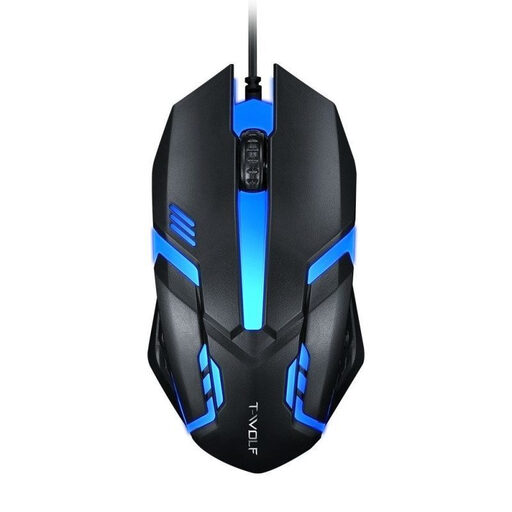
Wired optical USB mouse for desktop PCs and laptops
For basic pointer control and scrolling if a wired mouse suits your workspace.
Optical sensor; USB connection.
View at Joybuy
 No image available
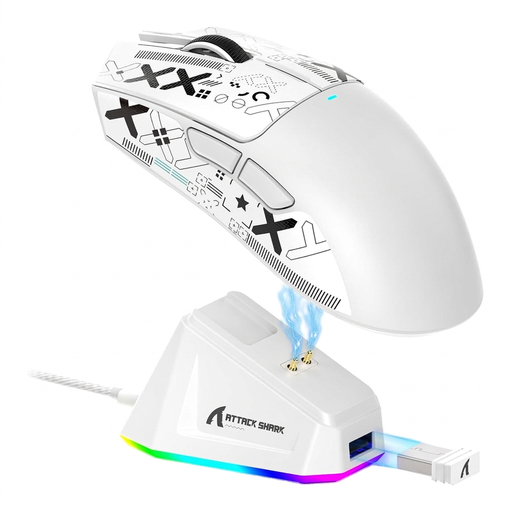
ATTACK SHARK X11, PAW3311, 22,000 DPI, tri-mode, 5 programmable buttons, 62 g
For wireless use with programmable buttons; check that you can reach the buttons with your grip and that your game supports the assignments.
PAW3311 sensor; 22,000 DPI; tri-mode; 5 programmable buttons; weight: 62 g.
View at Joybuy
Frequently asked questions
Do I automatically need a mouse with an especially high maximum DPI for a large screen?
No. You can’t determine a minimum DPI setting from screen size alone. Check your display’s resolution and adjust the pointer speed on your computer and, if available, on the mouse to suit the tasks you need to carry out.
How should I set up my mouse and scroll wheel for a city-building game?
In Windows, you can change the pointer speed in the mouse settings. Only assign extra mouse buttons to actions supported by your specific game, and check whether you’ll need configuration software.
What should I bear in mind about power supply and disposal when choosing a wireless mouse?
Before buying, check which connection types are supported and whether the specific version uses a rechargeable battery or replaceable batteries. Germany’s Federal Environment Agency advises against disposing of old electrical devices in household waste and recommends removing and recycling batteries separately where possible.
What are my rights regarding returns and faulty goods when shopping online in Germany?
When you buy online from a business, you generally have a 14-day right to cancel, starting from delivery. Check for any exceptions and possible return costs before placing your order. Your Europe, the European Union’s consumer portal, explains these rules. The seller’s legal responsibility for faulty goods is separate from any additional manufacturer’s warranty.
What should I check on a wireless mouse to make sure it complies with German regulations?
As part of its market surveillance, Germany’s Federal Network Agency checks matters including CE marking, manufacturer details, instructions in German and the declaration of conformity. Check the details for the specific mouse on offer; don’t assume it complies based on the brand name or a search listing alone.


