What should you look for when buying?
First decide whether you need a few small pictures or a visual aid that the whole class can see. Then compare the consumables you’ll need for your planned print volume, and check that the connections and available space are suitable for your classroom.
| What matters |
What to check |
Who is it important to? |
| Visible picture size |
Check the picture size you need and the paper formats supported. For larger pictures, also check whether borderless printing is available. |
If I want to show animal pictures to pupils around the classroom, the format needs to be large enough for everyone to see. Around 33% of consumers focus primarily on pictures that are easy to see. |
| Costs for batches of pictures |
Compare the ink or ribbon-and-paper sets and paper needed for the same planned quantity and format. |
For picture cards I make regularly, I want to know which consumables I’ll need for the formats I actually plan to use. Around 27% of consumers prioritise costs for regular batches of pictures. |
| Small pictures for projects |
Check the print format, what’s included in the paper-and-ribbon set and the power supply needed. |
If I only need small animal pictures occasionally, I don’t want to choose a larger device than those prints require. Around 20% of consumers prioritise small, occasional prints like these. |
| Using the printer in the classroom |
Check compatibility with the device you plan to use, approval from the school’s IT team and the space available. |
When equipment is shared, I want to make sure the printer can be used in its intended location and with an approved connection. Around 20% of consumers focus primarily on shared use in the classroom. |
Printers for animal pictures at Joybuy
This selection includes all-in-one inkjet printers for colour classroom prints, as well as compact photo printers for small pictures. For compact models, check the supported format before planning to use them for visual aids.
 No image available
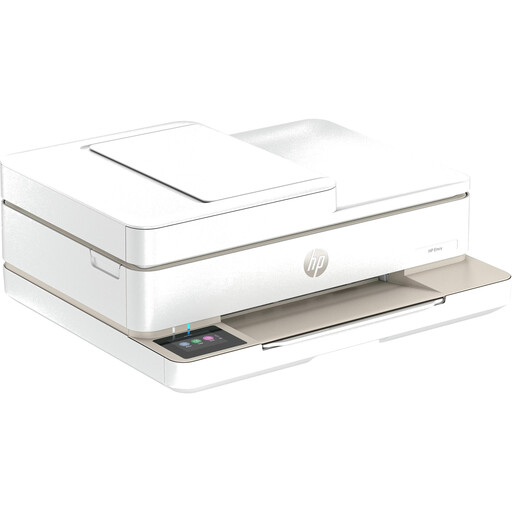
HP Envy 6520 wireless all-in-one inkjet printer
If you want to print classroom handouts as well as animal pictures, this model is listed as offering printing, copying and scanning, plus an automatic document feeder.
Listed connections include Wi-Fi, Bluetooth and USB.
Joybuy
 No image available
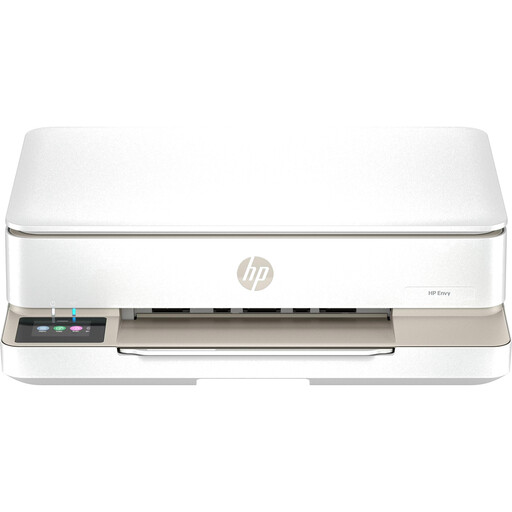
HP Envy 6120 wireless all-in-one inkjet printer
This model is listed with the features you need if you want one device for both colour prints and copying and scanning classroom handouts.
Listed features include Wi-Fi, USB, automatic double-sided printing and a colour touchscreen.
Joybuy
 No image available
Portable mini thermal printer for smartphone photos
The product title describes a portable thermal printer for smartphone photos. Before buying, check that the paper format it supports suits the pictures you plan to print.
Bluetooth is listed as a connection option.
Joybuy
 No image available
Portable Bluetooth mini thermal printer for smartphone photos
This portable thermal printer with Bluetooth is described as suitable for small smartphone prints. The product title specifies black-and-white printing, so it isn’t suitable for colour animal pictures.
The stated battery capacity is 1200 mAh.
Joybuy
 No image available
Xiaomi Portable Photo Printer 1S
For small pictures to hand out or stick up, the printer supports self-adhesive Zink photo paper in 2 × 3-inch (50 × 76 mm) format.
Bluetooth and the Xiaomi Home app are listed for printing from a smartphone.
Joybuy
Frequently asked questions
Is a small photo printer suitable for animal pictures in lessons?
A compact photo printer may be enough for small pictures to hand out. If you need a print that pupils can see from around the classroom, choose the format accordingly: the Canon SELPHY CP1500 supports formats including 100 × 148 mm, while the inkjet models mentioned support A4 or larger formats.
What should I set up before the first lesson?
Check how the specific model connects, load the right paper and print a test page in the format you plan to use. If the printer is shared school equipment, also check which connections the school’s IT team allows.
What ongoing costs and service terms should I compare?
Compare the paper and compatible ink or ribbon-and-paper sets for the formats and quantities you plan to use. For a compatible HP device with Instant Ink, HP counts the number of pages printed, including full-page colour photos. The statutory guarantee from the seller is separate from a voluntary manufacturer’s warranty.
Can I print animal photos I find for my class?
You can’t necessarily use every photo you find online without permission. Under certain conditions, § 60a UrhG allows material to be used to illustrate teaching at educational institutions for non-commercial purposes; under paragraph 2, images may be used in full. Check the specific purpose and any applicable licences, particularly if you plan to use the images outside the relevant teaching group.
How should I dispose of an old printer?
In Germany, electrical and electronic waste must not go in household rubbish. The Federal Environment Agency lists recycling centres and retailer take-back schemes among the available disposal options.


