What to consider when choosing
Compact dye-sublimation printing
A good fit if: you need individual prints during lessons. Canon Germany lists a 100 × 148 mm format for the SELPHY CP1500 and a print time of around 41 seconds per photo.
Bear in mind: paper and ribbon are used together, and this model can’t print A4 worksheets.
Photo inkjet printing with tanks
A good fit if: you regularly print batches of photos or larger picture boards. Canon Germany and Epson Germany list photo printing up to A4 for the models mentioned.
Bear in mind: greater format flexibility means you’ll need space for the printer and should allow for ink, photo paper and potential maintenance.
Portable sticker and small-format printing
A good fit if: small pictures or stickers are all you need for worksheets and projects. Canon Germany describes the SELPHY QX20 as having a built-in rechargeable battery.
Bear in mind: the media are smaller than A4, so check in advance that the chosen format is suitable for the classroom task.
Canon Germany lists a 100 × 148 mm format for the SELPHY CP1500, photo printing up to A4 for the PIXMA G650, and smaller sticker formats for the QX20. For the EcoTank ET-8500, Epson Germany lists borderless A4 photo printing and separate feeds for documents and photo paper.
| What you’re looking for |
What to check before buying |
Who it matters most to |
| The right photo format |
Check the image size you need and the print media designed for the specific model. |
If I want to show or hand out individual images straight away, the format needs to suit the task; around 40% of consumers put the right image size first. |
| Supplies for photo runs |
Factor in the right paper and ribbon, or the ink required for the number of prints you plan to make. |
For regular photo runs, I want to know which consumables I’ll need repeatedly; around 30% of consumers prioritise this. |
| A4 and other features |
Check whether the model supports A4 photo printing and whether you need document printing, scanning or copying. |
If I need larger picture boards or documents as well, a range of formats and functions matters to me; around 20% of consumers put this first. |
| Printing in different locations |
Check the battery, connection to the sending device and suitable print media. |
For projects in different locations, I don’t want to rely on a plug socket; around 10% of consumers prioritise portability. |
Related products at Joybuy
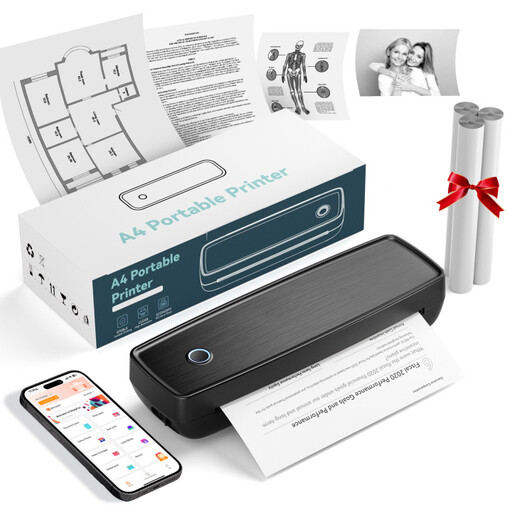
The Joybuy products below are portable small-format and photo printers. Before buying one for food photos, check that its printing method, output format and colour reproduction suit your classroom needs; according to its product description, one model is limited to black-and-white output.
 No image available
Portable mini thermal printer for smartphones
A portable option for printing from your smartphone. Check in advance that the image format and colour reproduction are right for your food photos.
Bluetooth connection; the product description says it can print photos from a smartphone.
View at Joybuy
 No image available
Portable thermal printer with Bluetooth and USB-C
For simple portable image prints, provided it connects to your chosen device. Before buying, check that the output and paper meet your photo-printing needs.
Bluetooth and USB-C are listed; the description mentions roll paper or folded paper.
View at Joybuy
 No image available
Portable mini thermal printer for photos and labels
For small portable photos and project images, if thermal-paper prints are suitable for the task.
Bluetooth; according to the product description, compatible thermal paper is required.
View at Joybuy
 No image available
Mini Bluetooth thermal printer with 10 rolls of thermal paper
For small black-and-white prints, not colour food photos.
The product description lists Bluetooth, an app and 10 rolls of thermal paper. It also warns that the print may turn black if rubbed.
View at Joybuy
 No image available
Xiaomi Portable Photo Printer 1S
An option for small self-adhesive photo prints. Check that the format is big enough for your classroom materials.
Specifications include 50 × 76 mm Zink photo paper, Bluetooth and the Xiaomi Home app. The listed weight is 180 g.
View at Joybuy
Frequently asked questions
Which format should I choose first for food photos?
Choose based on how you’ll use the photos: Canon Germany lists 100 × 148 mm among the formats for the SELPHY CP1500, photo printing up to A4 for the PIXMA G650, and smaller sticker formats for the QX20. Then check which paper or media set is compatible with the format you want.
What should I check if prints are streaky or faded?
For these issues with the affected EcoTank and Expression printers, Epson recommends running a nozzle check and, if necessary, cleaning the print head using the maintenance function. Follow the manual for your specific model and check the ink levels first.
How should I plan supplies for a batch of photos?
Plan for paper and the matching ribbon or ink based on the number and size of photos you expect to print. Manufacturers’ yield figures are no guarantee of how many prints you’ll get from your own images; also check which consumables are compatible with your specific model.
Can I simply share classroom photos showing identifiable people?
According to guidance from the State Commissioner for Data Protection and Freedom of Information of Rhineland-Palatinate, identifiable people in photos are personal data. Whether a particular photo can be taken or shared depends on the image and how it will be used; check the relevant legal basis.
How should I dispose of an old photo printer?
According to the German Environment Agency, electrical waste must not be put in household rubbish. Find a suitable take-back option or local collection point, and remove batteries for separate disposal where possible.


