Teacher who prints regularly
Needs to print study sheets repeatedly, so should consider print size, consumables and maintenance requirements.


A compact photo printer could be a good choice for occasional small prints that are easy to put away. For regular A4 studies, a photo printer with refillable ink tanks may be more suitable. Canon and Epson list photo printing up to A4 for certain models, while the Canon SELPHY CP1500 is designed for smaller formats. For comparing colours, the paper and print settings matter just as much as the printer.
Needs to print study sheets repeatedly, so should consider print size, consumables and maintenance requirements.
Wants to print individual small image references in the classroom and put the printer away afterwards; A4 may not be a priority.
Uses still-life prints to discuss colours and tonal values. The screen, paper and print settings should therefore be considered together.
The key is to decide which need matters most in your teaching situation.
| Priority | What to check before buying | Who is this most relevant to? |
|---|---|---|
| Format and image area | Required paper size and supported photo papers | If I want to discuss still lifes together on A4, the print format needs to match the image area. Around 40% of consumers are likely to prioritise A4 study sheets. |
| Consumables and maintenance | Paper, ink or paper-and-ribbon sets, and any replacement maintenance parts | For regular print runs, I want to factor in consumables and maintenance. Around 30% of consumers are likely to prioritise recurring print runs. |
| Colours and tonal values | How the paper and print settings work with the screen | If colour and tonal values are part of the learning objectives, I want to coordinate the screen, paper and print settings. Around 20% of consumers are expected to prioritise colour comparison. |
| Space and image transfer | Available space and connection to the teaching devices you already use | If I need to put the printer away after class, its footprint and the right way to transfer images matter. Around 10% of consumers are likely to prioritise being able to print in different locations. |
The Canon SELPHY CP1500 is designed for smaller formats, while the Canon PIXMA G650 and Epson EcoTank ET-8500 support photo printing up to A4. You may otherwise need another printing solution for larger study sheets.
Use a typical still life to work out what paper size you need for class discussions.
If you need larger study sheets, you may also need a second device or a different printing solution.
Canon and Epson base their stated photo yields on their own specific conditions, so the figures are not directly comparable.
Compare consumables for the same format and intended workload, rather than comparing the yields directly.
For recurring print runs, remember to budget for photo paper and any maintenance parts, as well as ink or paper-and-ribbon sets.
For classroom colour comparisons, it is not enough to consider just one printer feature. Canon describes colour management as part of a coordinated workflow.
If colour tones are part of the lesson, coordinate the screen, paper and print settings.
You may need extra test prints and paper to get everything in sync.
The SELPHY CP1500 and PIXMA G650 models cater for different print formats and ways of working.
The EcoTank ET-8500 is an A4 photo-printing option with refillable ink tanks.
The Sprocket Select is designed for small, smartphone-based ZINK prints.
The Joybuy products below are mobile photo and thermal printers. They are not necessarily suitable for A4 colour comparisons, so check the print format and colour output of the specific model.
 No image available
For printing smartphone photos and notes on the go; check whether the format and colour output are suitable for the still lifes you have in mind.
 No image available
For black-and-white printing on the go; its stated black-and-white output is not suitable for still-life exercises that involve comparing colours.
The product title specifies Bluetooth, thermal printing and a 1200 mAh battery.
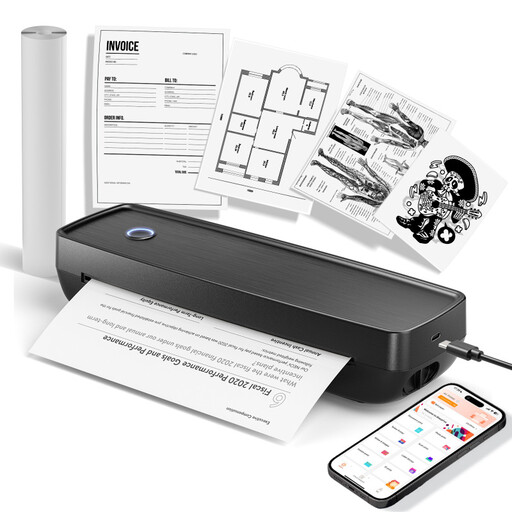 No image available
For mobile printing in the listed document formats; check first that the colour output and paper size are suitable for still-life studies.
Listed as compatible with iOS, Android and laptops; the product title specifies US Letter and Legal.
 No image available
For printing from a smartphone on the go; check whether the print size is large enough for discussing still lifes together.
The product title specifies Bluetooth and iOS and Android smartphones. The description says special thermal paper is required.
 No image available
For very small photo prints on the go; check whether the available image area is large enough for discussing still lifes.
It depends on the specific model and operating system. Canon lists USB and Wi-Fi connectivity for computers for the SELPHY CP1500; HP describes Bluetooth printing via the Sprocket app for the Sprocket Select, which is not compatible with macOS. Check that your classroom device is supported.
For affected EcoTank or Expression printers, Epson recommends checking the nozzles and, if necessary, cleaning the print head using the maintenance functions. Follow your model's manual for the exact steps.
Allow for photo paper that is compatible with your printer, as well as ink or paper-and-ribbon sets. The Canon PIXMA G650 also has a maintenance cartridge that users can replace. According to Your Europe, for purchases made by consumers in the EU, the seller must repair or replace faulty goods free of charge under the statutory guarantee. This is separate from a voluntary manufacturer's guarantee. If a school is making the purchase, check whether consumer rules apply.
No. The German Environment Agency advises that old electrical equipment must be disposed of separately, for example at a recycling centre or a retailer that is required to take it back. Check the return options in your area.