Teachers who need portraits in a set size
If you need to print small portraits to a specified size and then crop them, look for an adjustable image size. Canon describes this option for the SELPHY CP1500.


For small portraits that need to be cropped to a specific size, a printer with an adjustable ID photo size is the better choice. Canon describes this feature for the SELPHY CP1500 when printing from a memory card or USB storage device, although you’ll need compatible paper and ink ribbon. A battery-powered device may be more convenient for occasional prints, while an A4 photo printer is better suited to other classroom printing needs. Paper passport photos have not been accepted for passport and ID card applications in Germany since 1 May 2025, according to the Federal Ministry of the Interior.
If you need to print small portraits to a specified size and then crop them, look for an adjustable image size. Canon describes this option for the SELPHY CP1500.
If you also need to print classroom photos and documents, consider the paper feeds, consumables and available space together. Epson says the EcoTank ET-8500 has separate feeds for photo and A4 paper.
For printing on the go between different desks, power supply and the process of sending a photo to print both matter. If the portraits clearly show pupils, you’ll also need to check your school’s rules on taking and processing photos.
First decide whether an exact image size, regular print volumes, mobile use or a school-approved photo-to-print process is your priority. The information on formats and devices is based in part on details from Canon and Epson; it does not confirm that a paper photo is officially suitable for identification documents.
| What matters | What to check before buying | Who will find this especially important? |
|---|---|---|
| Getting the right image size | Check the adjustable image size, input method and compatible paper cassette for the specific model. A test print will help you check the size and crop. | If I need to crop portraits to a specified size, I won’t rely on a small print medium alone. Around 36% of consumers put image size first. |
| Supplies for class sets | Compare your actual printing needs with the compatible paper and ink ribbon sets, or ink and photo paper. Epson says the ET-8500 has refillable tanks; the manufacturer’s stated yield is not a measured figure for classroom use. | If I’m planning lots of prints, I want to factor in consumables and possible misprints. Around 29% of consumers say print volume is their main concern. |
| Mobile use | Check whether the device has a built-in battery or needs a separately available accessory, and find out which print media it requires. Canon says the battery is not included with the CP1500; the QX20 is battery-powered. | If I want to print between desks, power and easy portability matter more than having a permanent place for the printer. Around 21% of consumers prioritise portability. |
| Photo-to-print process | Check which devices, apps and transfer methods your school allows for the specific project. A technical connection alone doesn’t determine whether processing the portraits is permitted. | If I want to print pupil portraits using the school’s existing devices, the process must comply with school rules. Around 14% of consumers say this workflow is their main concern. |
Paper passport photos have not been accepted for passport and ID card applications in Germany since 1 May 2025. The Federal Ministry of the Interior instead specifies a digital process through the relevant authorities.
Buy a printer for classroom photos or other suitable paper-printing needs. For an application in Germany, plan to use the digital process specified by the relevant authority.
For an application in Germany, you’ll need to plan for digital image capture separately from your printing project.
The backing paper and the printed image area are not the same thing. Fujifilm explicitly distinguishes between film size and image area for the instax mini Link 3, while Canon describes a dedicated feature for setting the ID photo size on the CP1500.
Before printing several images, check the image area, size controls and crop for the specific model by making a test print.
Misprints may mean using extra paper or other consumables.
The printers mentioned use different media. The battery is not included with the CP1500; other printing options require their own compatible paper or other consumables.
Compare the supplies needed for your actual print volume and chosen model, and check whether you’ll need to buy a battery separately.
Depending on the model, you may need to budget for compatible paper and ink ribbon, film or an additional battery.
The SELPHY CP1500 is worth considering for small portraits with an adjustable ID photo size. The battery-powered QX20 is an alternative for smaller card and square prints.
The EcoTank ET-8500 is worth considering if you need to print A4 documents and other classroom photos as well as small portraits.
The Mini 2 Retro P210R is described as a compact smartphone photo printer for occasional small prints.
The instax mini Link 3 is an option for classroom projects where an instant-photo look matters more than a precisely cropped portrait.
These products are for mobile photo and thermal printing. Before buying, check that the specific print size and printing method are suitable for your portraits; there’s no confirmation that they can produce passport photos to the required dimensions.
 No image available
This device is only worth considering for small prints if thermal printing and the output size you need are suitable for classroom use.
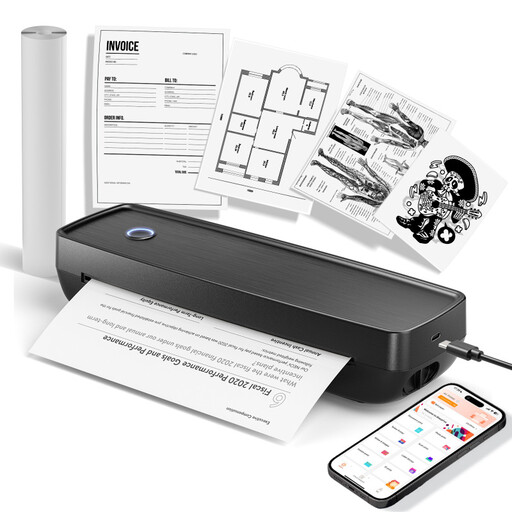
The product title mentions photos, notes and labels, as well as 10 rolls of thermal paper. The product description specifies black-and-white printing and warns that prints may turn black when rubbed.
 No image available
This model is only suitable for occasional small smartphone prints if its specific paper size works for the image you want to print.
The product title describes it as a portable thermal printer for photos and notes. Check the exact image size for portraits before buying.
 No image available
This device is better suited to a range of printing tasks if the paper formats listed in the title work for your classroom materials.
The product title lists US Letter and Legal formats, plus compatibility with iOS, Android and laptops. Check which paper size you need for your specific use.
 No image available
This model is an option for small mobile prints if thermal printing and the paper size you need are right for your intended use.
The product title mentions Bluetooth and printing from iOS and Android devices. The product information says it uses specialist thermal paper.
 No image available
This mobile photo printer may suit teachers working in different locations, as long as the school permits the smartphone and paper workflow it requires.
Before you buy, check the specific print size and the app and consumables needed for your project.
No. According to the Federal Ministry of the Interior, paper passport photos have not been accepted for applications for official identity documents in Germany since 1 May 2025. You must use the digital process specified by the relevant authority.
The Canon manual describes using ID Photo mode with images from a memory card or USB storage device. In “Custom” mode, you can set the long and short sides. Use compatible paper rather than the credit card-size paper cassette. Check the size and crop with a test print first.
The Canon SELPHY CP1500 uses paper and ink ribbon as a compatible set; Canon says the battery is not included. The QX20 uses specialist paper for card or square prints. Compare the supplies and any accessories you may need for your planned printing method.
Not just because the app makes printing technically possible. The data protection authority in Rhineland-Palatinate explains that photos showing identifiable people are personal data, and taking them requires consent or another legal basis. Check with the relevant school which devices, apps, storage and transfer methods are permitted for your project. Taking and publishing photos are separate uses.