Teachers printing text-based class sets
If you print several easy-to-read copies of the same summary, which is mostly text-based, consider paper capacity and consumables as well as the printing technology.


For summaries that are mostly text-based and still make sense without colour, consider a monochrome printer with suitable paper capacity and automatic double-sided printing. If colour graphics are important, compare colour printers based on your actual print volume and the cost of consumables. Scanning and copying are mainly relevant if you also work with paper originals. For a shared device, you should also consider where it will be placed and how printouts will be handled, particularly those containing personal data.
If you print several easy-to-read copies of the same summary, which is mostly text-based, consider paper capacity and consumables as well as the printing technology.
If your summaries include graphics or colour-coded details that need to retain their meaning in print, a monochrome printer won’t be suitable.
If you also want to digitise or copy loose source sheets or handwritten originals, you’ll need a suitable scanning or copying function as well as printing.
Base your comparison on what you actually print, how you work with paper originals and how the device will be used in the room.
| Buying priority | What to check | Who is it most relevant to? |
|---|---|---|
| Text-based class sets | Estimate your monthly text pages and copies per print run; compare the paper capacity, automatic double-sided printing and consumables for the specific model. | If I’m handing out several copies of a mostly text-based summary, readability, paper replenishment and predictable supplies matter. Around 36% of consumers put text-based class sets first. |
| Colour graphics | Check how a typical page looks in greyscale; if colour is essential, check the appropriate ink and the conditions behind the stated page yields. | If important differences in graphics or annotations would be lost in monochrome, I need colour printing. Around 29% of consumers prioritise clear colour reproduction. |
| Paper originals | Check whether the flatbed scanner or ADF is suitable for loose sheets; for double-sided originals, check specifically whether automatic duplex scanning is available. | If I regularly need to scan or copy paper sources, I want a device that can handle the originals in the right way. Around 21% of consumers put paper originals at the centre of their decision. |
| Shared use | Check with the school’s IT team whether LAN or Wi-Fi is suitable and how users will access the device; also consider where it will be placed and how printouts will be collected. | If several people need to access the device in a small classroom, I need a suitable connection and an orderly way to handle printouts. Around 14% of consumers prioritise shared use. |
Brother lists a 250-sheet paper tray and separate toner and drum units for both the HL-L2445DW and DCP-L2660DW. For the MAXIFY GX4050, Canon specifies automatic double-sided printing on plain A4 or Letter paper, subject to the stated paper conditions.
Consumables vary by model. A stated page yield doesn’t automatically tell you how much it will cost to print your summaries.
Compare monochrome and colour pages separately, and make sure yields and costs are assessed on the same basis.
Automatic double-sided printing and an automatic document feeder don’t, on their own, confirm that double-sided originals can be scanned automatically.
If double-sided originals are part of your workflow, check the scanning specifications for the exact model.
If duplex scanning isn’t specified, turning over double-sided originals may involve extra manual work.
Networked devices may store print and scan data, at least temporarily. Printouts containing personal data should therefore never be left unattended.
For this type of content, agree on access and collection arrangements with the school rather than assuming that network connectivity alone guarantees suitable handling.
These examples relate to the specific models listed and don’t apply to every device from each brand.
The HL-L2445DW and DCP-L2660DW models considered here are monochrome devices; the DCP-L2660DW adds scanning and copying to its printing functions.
The EcoTank ET-2950 is a colour inkjet multifunction printer with refillable tanks, scanning and copying.
The MAXIFY GX4050 combines colour printing with refillable tanks, an ADF, a flatbed scanner and LAN/Wi-Fi.
The Smart Tank 7605 is a colour tank-based multifunction printer with an ADF.
The following Joybuy options include mobile document printers and an A4 monochrome multifunction printer. Before choosing, check that the format and intended use are right for your classroom summaries.
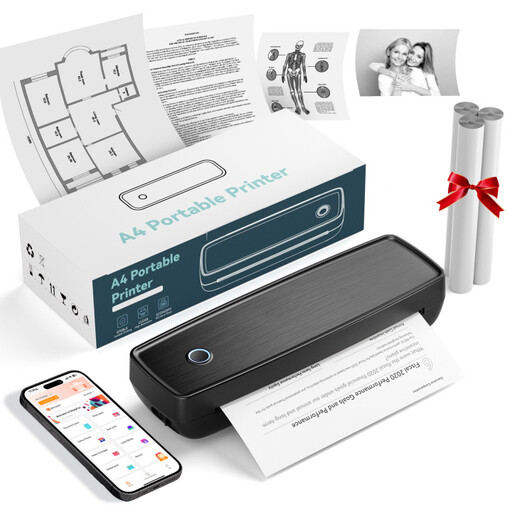 No image available
For printing documents on the go; the product title lists Bluetooth, USB-C and US Letter and Legal formats.
 No image available
For printing documents on the go; the product description lists Bluetooth and USB-C, as well as US Letter and Legal formats.
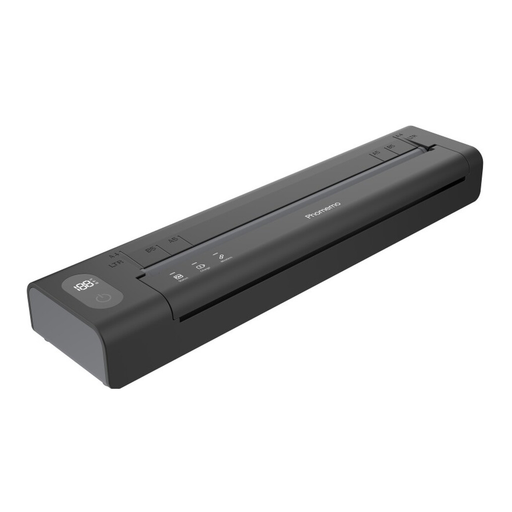 No image available
For printing documents on the go; according to the description, the device connects via Bluetooth using the Phomemo app.
 No image available
For A4 monochrome printing, with additional scanning and copying functions; the description says double-sided printing is manual.
The product title lists dual-band Wi-Fi and Ethernet.
Only if important differences are no longer clear in greyscale. Check a typical page before deciding; a monochrome printer can’t reproduce colour-coded details in colour.
No. Brother lists duplex printing and an ADF as separate features for the DCP-L2660DW. If you want to scan double-sided originals automatically, duplex scanning must be explicitly listed for the specific model.
Estimate monochrome and colour pages separately, and factor in the appropriate ink or toner, any drum or maintenance materials, and paper. Brother lists separate toner and drum units for the monochrome models mentioned; Canon says the GX4050 has a replaceable maintenance cartridge. Manufacturer-stated yields aren’t a guarantee for your documents.
If your summaries contain personal data, agree on the process with the school and its IT team. The Federal Commissioner for Data Protection and Freedom of Information describes the GDPR as a framework for protecting personal data; the Bremen State Commissioner for Data Protection and Freedom of Information notes that networked photocopiers can store print and scan data, at least temporarily. So discuss access, collection and any cloud features in use rather than assuming that network connectivity alone means the process is suitable.