Teachers printing text-based classroom sets
If you regularly hand out classroom sets of mainly black-and-white notes, compare the paper capacity, duplex printing and compatible consumables. Brother Germany lists these features for the HL-L2445DW.


For mainly text-based local studies worksheets, an A4 mono printer is a good choice if you don’t need colour, scanning or copying. A mono multifunction printer makes sense if you also want to scan paper originals. If your maps or illustrations rely on colour to convey information, consider a colour model. Also compare the right consumables and check that the connections, location and printing access suit your classroom.
If you regularly hand out classroom sets of mainly black-and-white notes, compare the paper capacity, duplex printing and compatible consumables. Brother Germany lists these features for the HL-L2445DW.
If maps or illustrations need colour to convey information, look at colour printers and how they handle ink. Epson Germany and Canon Germany list the ET-2950 and MAXIFY GX3050 among the options.
If you also want to scan or copy existing sheets, a multifunction printer could be a good fit. Brother Germany lists these functions for the DCP-L2620DW.
A good fit if: you mainly print text and don’t need to scan or copy paper originals. Brother Germany lists a 250-sheet cassette and automatic duplex printing for the HL-L2445DW.
Things to consider: This model doesn’t print in colour or offer scanning or copying; toner and drum are separate consumables.
A good fit if: you also want to copy or scan paper notes. The Brother DCP-L2620DW is a 3-in-1 model of this type.
Things to consider: It still doesn’t print in colour. Automatic duplex printing doesn’t tell you whether it can automatically scan double-sided originals.
A good fit if: your maps or illustrations regularly need colour and scanning or copying would be useful. Epson Germany and Canon Germany list the ET-2950 and MAXIFY GX3050 respectively.
Things to consider: Include the right ink and maintenance parts in your comparison; Canon lists a replaceable maintenance cartridge for the GX3050.
A good fit if: several people need scanning or faxing as well as printing. HP lists these functions for the LaserJet Pro MFP 3102fdw.
Things to consider: HP notes that the dynamic security feature on this model may block cartridges that don’t have a suitable HP chip.
| What matters | What to check before buying | Who is it important to? |
|---|---|---|
| Running costs | Compare page yield, the proportion of mono and colour pages, and compatible ink or toner and maintenance parts on the same usage basis. | If I regularly hand out classroom sets, ongoing costs matter more to me than a low printer price; around 36% of consumers prioritise running costs. |
| Colour maps and illustrations | Check sample files to see whether greyscale is enough; if colour is essential, compare the supplies used by the specific model. | If colour conveys information on my maps, I want that to come through in the print; around 29% of consumers put colour first. |
| Scanning and copying | Check the scanning and copying functions, document feeder and, if needed, duplex scanning separately. | If I need to capture or reproduce paper originals, I need suitable scanning and copying functions; around 21% of consumers prioritise this. |
| Shared use | Check connections and sharing options with your school’s IT team; consider where the printer will go and how to protect confidential printouts. | If several people print in a small classroom, the right connection and controlled access matter to me; around 14% of consumers put shared use first. |
Paper and compatible consumables also add up when you print classroom sets regularly. Depending on the model, you may also need separate drums or maintenance parts.
Compare the parts you’ll actually need over the same planned period of use and number of pages.
Automatic duplex printing means printing on both sides of the paper. It doesn’t confirm that the printer can automatically scan double-sided originals.
If you want to digitise double-sided documents, check specifically for duplex scanning and a document feeder on the model you’re considering.
Epson and Canon’s yield figures are based on each manufacturer’s own testing conditions. They don’t guarantee the same results for your text pages, maps or pictures.
Check the stated test conditions and include your estimated number of text and colour pages in your comparison.
HP says the dynamic security feature on the LaserJet Pro MFP 3102fdw may block cartridges without a suitable HP chip.
Check chip and model compatibility before choosing cartridges; don’t assume this restriction applies to other printers without checking.
For the models covered here, Brother Germany lists a dedicated A4 mono printer and a mono multifunction printer.
Epson Germany lists the EcoTank ET-2950 as a refillable colour multifunction printer for A4 printing.
Canon Germany lists the MAXIFY GX3050 as a colour ink-tank printer with scanning and copying functions.
HP describes the LaserJet Pro MFP 3102fdw as a mono multifunction printer for printing, scanning, copying and faxing.
The Joybuy products below include an A4 mono multifunction printer and mobile printers for notes and documents. For classroom sets, pay particular attention to the paper size, printing technology and duplex process.
 No image available
For A4 mono classroom sets when you also want to copy or scan.
The product name lists 22ppm, dual-band Wi-Fi and Ethernet. Double-sided printing is manual.
 No image available
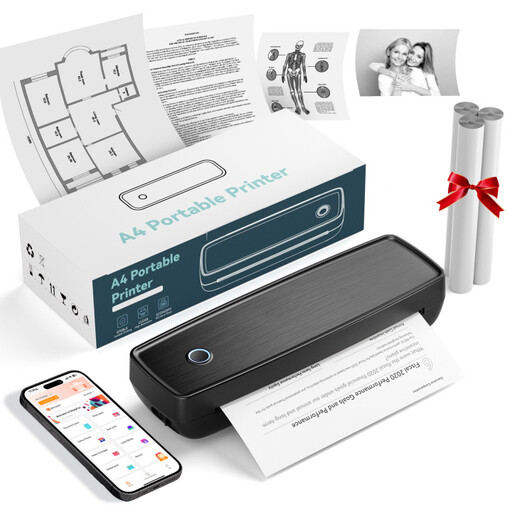
For mobile notes and documents; the product name lists thermal printing, Bluetooth and USB-C.
Before printing classroom sets, check that the paper size and printing process suit your documents.
 No image available
For printing documents on the go; the product name lists US Letter and Legal as the supported paper sizes.
If your documents are in A4 format, check that the paper size is compatible before buying.
 No image available
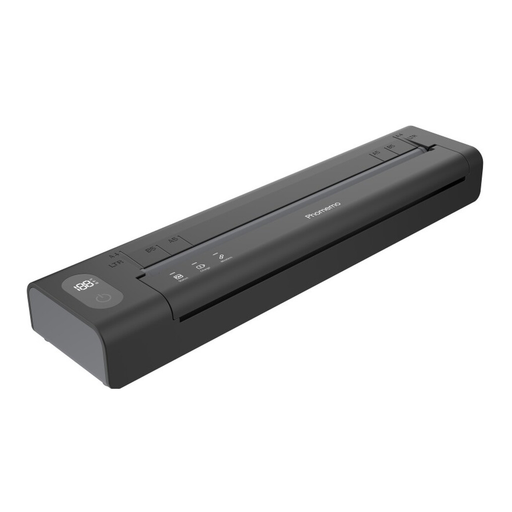
For mobile document tasks; before printing a classroom set, check that the paper size and printing process suit your documents.
The product name describes a portable printer for use on the go and at home.
 No image available
For study notes and stickers on the go; check that the paper size and printing process suit your teaching materials.
The product name describes it as a portable mini printer.
Not if greyscale reproduces all the important information in your documents. If maps or illustrations need colour to distinguish information, choose a colour model and factor in the compatible consumables.
Check the technical specifications specifically for duplex scanning and the type of document feeder. “Automatic duplex printing” only describes printing on both sides of the paper.
Check whether the specific model’s USB, LAN or Wi-Fi connection meets your school’s IT requirements. The Federal Office for Information Security treats shared printers as part of the IT infrastructure that needs protecting; the Federal Environment Agency recommends choosing a low-emission laser printer as a precaution.
Allow for paper and compatible ink or toner. You’ll also need to factor in the separate drum for the Brother HL-L2445DW and the replaceable maintenance cartridge for the Canon MAXIFY GX3050. Manufacturer yield figures don’t guarantee the actual number of notes you’ll be able to print.
It depends on the material and the usage rights. Under § 60a UrhG, up to 15 per cent of a published work may generally be reproduced for non-commercial teaching purposes, provided the legal requirements are met. Exceptions apply to certain illustrations and short works, while restrictions apply to certain teaching materials. The Federal Ministry of Justice and the Federal Office of Justice explain the rules; they do not set a blanket copying limit for notes you have written yourself.