What should you look for when buying?
First check the close-up distance and framing you need, then make sure you can position the camera securely on the table, and finally consider how you’ll manage picture and sound in a shared room.
| Consideration |
What to look for when buying |
Who will find this especially important? |
| Sharp close-up details |
Measure the distance between the lens and the figure, and check the focus range, angle of view and framing you want together. |
If I want to show small shapes and hand movements without cropping out my hands or parts of the work surface, I need a suitable close-up distance and framing. Around 36% of consumers would make sharp detail their top buying consideration. |
| A stable position in a small space |
Plan where to position the camera above or beside the table, and check the mount, screen visibility and ease of use in your actual set-up. |
If I want to put the camera away again after filming, its position at the table still needs to be secure and repeatable. Around 29% of consumers would put space requirements and mounting first. |
| Sound and privacy |
Check the microphone options and framing; agree with anyone affected what will be recorded and, where relevant, published. |
If I’m filming in a shared room, I want to avoid accidentally capturing conversations or private areas. Around 21% of consumers would prioritise control over sound and privacy. |
| Longer recordings |
Check the power supply, memory card and stated recording time for the mode you plan to use. |
If I want to record a longer work session with as few interruptions as possible, power or storage interruptions are crucial. Around 14% of consumers would make longer recording times their top buying consideration. |
Joybuy products for filming at your modelling desk
This selection includes webcams for filming on a PC or Mac, as well as standalone cameras. For close-ups at your modelling desk, the actual focus distance, framing and a secure camera position remain key.
 No image available
AOC 4K PRO Webcam with Sony IMX363 sensor
An option if you film on a PC and are looking for a webcam with a stated 75° field of view.
Features listed in the product name: 4K, PDAF autofocus, two microphones, lens cover, 75° field of view and USB-A/USB-C.
Joybuy
 No image available
Sony Alpha 6100 APS-C mirrorless camera with 16–50 mm power zoom lens
An option if you want to switch between different framings and are looking for an interchangeable-lens system.
Features listed in the product name: APS-C, 16–50 mm power zoom lens, 4K video and tilting screen. Check that the lens and shooting distance are right for your small subjects.
Joybuy
 No image available
DJI Osmo Pocket 3 Creator Kit
An option if you want to film moving perspectives as well as fixed shots at your table.
Features listed in the product name: gimbal camera with a 1-inch sensor and 4K/120fps. For a fixed overhead shot, you’ll need a mount that suits your set-up.
Joybuy
 No image available
Insta360 Link 2C Standard Bundle, Graphite Black
An option if you’re looking for a webcam for filming on a PC or Mac. Before you buy, check that you can set up the angle you want securely at your table.
Features listed in the product name: 4K, 1/2-inch sensor, HDR, automatic framing and a microphone with AI noise reduction.
Joybuy
 No image available
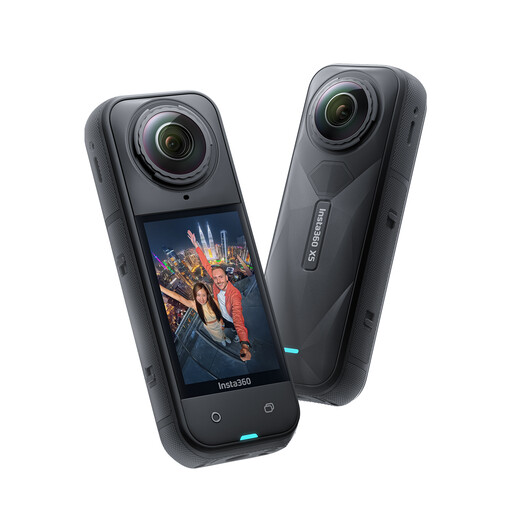
Insta360 X5 waterproof 8K 360° action camera
An option if you specifically want 360° footage; in a shared room, take extra care to check the area being captured.
Features listed in the product name: 8K 360° recording and a waterproof housing.
Joybuy
Frequently asked questions
How can I set up an overhead shot without constantly refocusing?
First, decide on your framing and working position, mount the camera securely, then check focus on the highest and lowest points of the figure. Depth of field is shallower at close range. Stopping down can increase it, but requires more light or adjusted exposure.
Is a small camera’s built-in stand enough for filming directly from above?
Not necessarily. Canon confirms that the PowerShot V10 has a built-in stand, but this doesn’t mean it will give you a suitable or secure overhead view of your work surface. Check the camera height, mounting and visible framing in your planned set-up.
What additional costs should I consider when buying?
Check which mount, memory card and power supply your set-up actually needs, and what’s included in your chosen kit. Canon specifically states that a PowerShot V10 kit doesn’t include a USB-C charger; this doesn’t automatically apply to other kits.
Who should I contact if a product develops a fault after an online purchase?
Statutory rights generally apply against the seller and are not the same as a voluntary guarantee. If a product is faulty, you may initially be entitled to have it repaired or replaced. For many online orders, you’ll also generally have a 14-day right to cancel from the day you receive the goods; check the terms of your specific purchase.
Can I publish a video that shows my housemate?
Under § 22 KunstUrhG, consent is generally required to distribute or publicly display an identifiable image of someone; § 23 provides for exceptions, which shouldn’t automatically be assumed to apply to a modelling video. If in doubt, film only your work area and discuss any planned publication with the person concerned. Whether a particular recording or further processing of audio is permitted depends on the circumstances.


