Organisers in a partially lit room
If you need to keep some lights on during the film, consider the planned image size and the brightness in the operating mode you’ll actually use.


Choose your projector based first on screen size, room lighting and the available projection distance – not just resolution or a high lumen rating. In a partially lit room, consider bright Full HD models; if you can darken the room well, you can give more weight to the setup and the look you want for your film. Also check the signal and audio connections, and make sure you have the necessary film and music rights before a public screening.
If you need to keep some lights on during the film, consider the planned image size and the brightness in the operating mode you’ll actually use.
If you need to position the projector between the audience, stage and screen, check the image width, projection distance and possible projector location before buying.
For anniversary films, plan both the connection to your laptop or player and an audio setup that’s suitable for the room.
For a screening with a number of club guests, the picture, setup, playback and sound should all suit the venue and your plans for the event.
| What matters when buying | What to check | Who will value this? |
|---|---|---|
| Picture visibility with the room lights on | Compare the room lighting and screen size with the brightness rating for the operating mode you plan to use. | If the lights need to stay on during the screening, I want the picture to be easy to see on the screen I’ve chosen. That’s why around 29% of consumers prioritise visibility with the room lights on. |
| Image size at the projector’s location | Measure the screen width and available distance; check the throw ratio and, where applicable, the model’s optical zoom. | If there’s little space between the screen, stage and seating, the projector needs to produce the desired image width from its planned location. Around 24% of consumers focus first on finding a suitable setup. |
| Playing film files | Test your film files and playback device in advance; check the native resolution and compatible connections. | If I’m showing my own anniversary films, I want to be sure the player or laptop can output the files through a suitable connection. Around 18% of consumers prioritise film playback. |
| Clear sound throughout the room | Check that the audio setup works with the equipment already available, and test the film’s sound from the planned seating area. | If several guests will be listening, I want the dialogue to be clear throughout the room. Around 18% of consumers prioritise sound for a group screening. |
| Cost and effort of future use | Compare how often you’ll use it, the light source, any accessories you’ll need and the terms of the specific service offer. | If the projector will be used at other club events, I want to factor in the ongoing effort and costs. Around 11% of consumers focus on running costs and maintenance. |
Manufacturer ratings can vary between Standard and ECO modes. Image size and ambient light also affect how clearly you can see the projection in the room.
Compare ratings for the mode you actually plan to use, and check the planned screen size in the conditions expected at your event.
The throw ratio limits the image width you can achieve from the available distance. Digital keystone correction is no substitute for the right distance and a secure setup.
Measure the screen and possible projection distance first, then check the specifications for the model you’re considering. Depending on the room, you may also need extra setup or mounting accessories.
Owning a projector or a film file doesn’t establish whether you’re allowed to screen the film publicly. Under Section 52(3) of the German Copyright Act (UrhG), public screenings of a film work require the rights holder’s consent.
Check the rights for your specific guest list, film and music separately from your equipment purchase. Depending on the event, you may also need to clarify additional rights and music fees.
Epson’s range includes Full HD lamp projectors such as the EB-FH52 and the Full HD laser projector EB-L260F. You can compare the models based on their setup and suitability for repeated use.
The MH560 is a Full HD presentation projector. Its brightness and connection specifications are relevant when comparing it with your planned film playback setup.
The H6532BDi is a Full HD option with documented brightness ratings you can also check for use in a partially lit room.
The HZ147X is a Full HD laser projector. Its manufacturer specifications help you weigh up the light source and brightness.
These Joybuy products are listed as suitable for playing Full HD films. Before choosing one, check that the image size, setup distance, room lighting, playback device and audio setup will work for your event.
 No image available
Could be worth considering if you’re looking for a portable projector for Full HD films and can check the image width against the distance at your venue.
The product description lists a 1.2:1 throw ratio, autofocus and keystone correction. The recommended image size is 60–100 inches, so make sure the distance is suitable.
 No image available
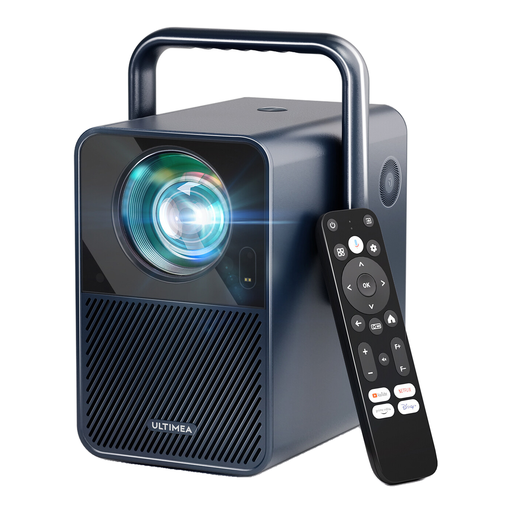
Could be a good fit if you want to factor native Full HD playback and two built-in speakers into your plans; check the sound in your particular room.
The product description lists native 1920 × 1080 pixels, 1,000 ANSI lumens and two 10 W speakers. It has a 1.23:1 throw ratio and a recommended image size of 80–120 inches.
 No image available
Could be an option for playing Full HD films if the planned projection distance works with your screen width.
The product description lists native 1920 × 1080 pixels, 1,200 ISO lumens, HDMI and two 5 W speakers. For its 1.2:1 throw ratio, the recommended image size is 60–100 inches.
 No image available
Could be suitable for native Full HD film playback if the short projection distance works for the planned location and image width.
The product description lists native 1080p, 900 ANSI lumens and a built-in 15 W speaker. With a stated 1:1 throw ratio, make sure the distance suits your desired image width.
 No image available
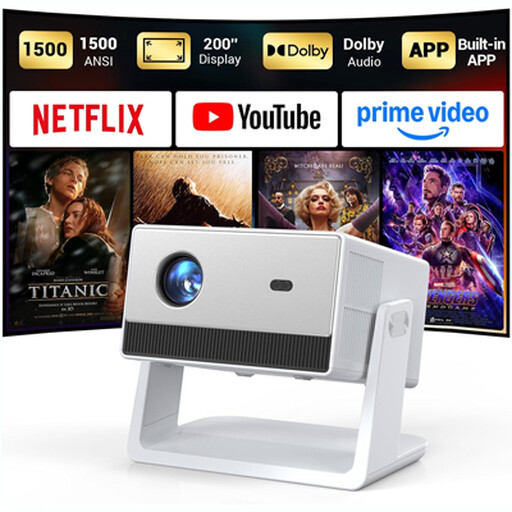
Could be worth considering if you can connect your playback and audio equipment using the right connections and position the projector with its adjustable stand.
The product description lists native 1080p, 1,500 ANSI lumens, HDMI, USB, a 3.5 mm connection and two 5 W speakers. Focus is adjusted manually.
Measure your desired image width and the available distance between the lens and the screen. Compare both with the throw ratio of the specific model; Acer’s German projection calculator can help with your planning.
You can’t tell from the wattage alone. Check the planned audio setup and listen to the film from the intended location; Acer lists a 3 W speaker and an audio output for the H6532BDi.
Compare the type of light source, the manufacturer’s stated lifespan and the terms of the specific service offer. Epson lists a laser light source life of up to 20,000 hours for the EB-L260F; this figure doesn’t calculate all running costs.
There’s no simple answer that applies in every case. Under Section 15 of the German Copyright Act (UrhG), a screening is public if it is intended for a group of members of the public; Section 52(3) of the UrhG requires the rights holder’s consent for public screenings of a film work. Additional rights and fees may apply to any music used; GEMA explains its tariff T for this purpose. The club must check what applies to its event based on the specific guest list and the rights for the film and music.