Archive users in a Wi-Fi dead spot
If you want to access the archive from a regular reading or working spot behind thick walls, check whether you can use a LAN connection there or whether a wireless node can still connect to the router.


If your internet connection is working and the Wi-Fi is weak only in the archive area, a wired access point is a sensible first option. It can extend your existing network to the archive without replacing the main router. F.A.Z. Kaufkompass describes a LAN connection between mesh stations as an alternative to a wireless backhaul; without a cable, an additional node still needs to be placed somewhere with a usable signal. Consider replacing the router mainly if it is not suitable for your connection type or the features you need. Plan access to the archive and data backups separately from Wi-Fi coverage.
If you want to access the archive from a regular reading or working spot behind thick walls, check whether you can use a LAN connection there or whether a wireless node can still connect to the router.
If members and guests use the club network, remember to plan separate access, permissions and data backups. The German Federal Office for Information Security describes guest Wi-Fi as a separate network.
As well as checking Wi-Fi coverage, make sure the new router is compatible with your existing internet connection and consider how you could extend the network later.
For access to a club archive, what matters is the connection where people will actually use it. So check the route between the router, any additional access point and the archive storage.
A good fit if: There is an Ethernet connection in or near the archive area and your current router is doing everything else you need.
The trade-off: You’ll need to plan for the cable route and power supply, but the connection back to the router won’t rely on Wi-Fi.
A good fit if: Running a cable isn’t possible, but there’s a spot between the router and the archive room with a usable Wi-Fi signal.
The trade-off: The additional node needs a usable wireless backhaul of its own; placing it in a dead spot won’t solve the problem.
A good fit if: Your current connection or the router features you need aren’t suitable for your planned setup.
The trade-off: A new main router alone won’t guarantee a signal through thick walls; you may still need a separate extension.
| What you need | What to check before buying | Who should pay particular attention |
|---|---|---|
| Connection in the archive area | Check whether there’s a LAN connection there or whether a potential wireless node can still receive a usable signal from the router. | If I work in the reading room behind thick walls, a usable connection at my desk matters most. Around 36% of consumers put coverage in the archive area first. |
| Secure access to the archive | Check for separate access for guests and archive users, as well as permissions and firmware updates. | If members and guests use the club network, I want to keep access to the archive separate from guest access. Around 29% of consumers prioritise secure access to club files. |
| Connection type and operating mode | Check whether you have DSL, cable or fibre broadband, and whether an additional device should work as a router or an access point. | When replacing a router or adding another device, it needs to suit my connection and the planned operating mode. Around 21% of consumers prioritise this compatibility. |
| File transfers and storage | Check the entire connection route to the archive storage, as well as its permissions and backup arrangements. | For larger or shared files, I want to consider the route all the way to the archive storage, not just the Wi-Fi. Around 14% of consumers focus on file transfer speeds and storage connectivity. |
A high advertised headline Wi-Fi speed doesn’t prove that the signal will reach the archive area. F.A.Z. Kaufkompass points out that the router’s position and the connection between mesh stations also matter.
Check the signal in the archive area and look at possible LAN routes before replacing the main router based on high Wi-Fi specifications alone.
You may still need an additional access point after replacing the router.
Without a cable, the additional node needs a usable wireless backhaul to the existing network.
Find a position where the node can still receive a signal and reach the area you want to cover. If there’s no suitable spot, plan a LAN connection.
Depending on where you place it, you may need another node or to install cabling later.
Guest Wi-Fi separates network access; it doesn’t replace suitable permissions for archive files or a way to back up and restore data. The German Federal Office for Information Security treats these as separate tasks.
Set permissions for archive users and a backup and recovery process you can check, independently of your Wi-Fi choice.
You may also need to plan a separate storage and backup solution for your archive files.
The FRITZ!Box 7690 is a router option for a compatible DSL connection or for use behind a suitable modem. FRITZ! also lists mesh and LAN support for additional access points.
The Deco BE25 and X50 ranges are options for Wi-Fi coverage across multiple locations. TP-Link describes a wired connection between units for both.
The RT-AX88U Pro can be used as a router or access point. ASUS also lists an AiMesh mode and a 2.5-Gbit/s WAN and LAN port.
NETGEAR describes the Orbi RBK763S as a mesh system comprising a router and two satellites.
This selection includes a mesh system for Wi-Fi coverage across multiple locations, as well as wired access points for extending your network over LAN. Before choosing, check that your existing router, cabling and power supply suit your planned setup.
 No image available
A mesh system with two units is an option if you want to set up Wi-Fi across several locations. The connection in the archive area will still depend on placement and backhaul.
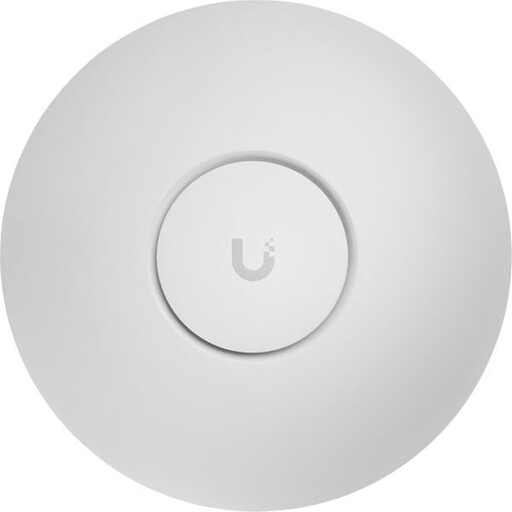
Wi-Fi 7, dual-band and Gigabit Ethernet are listed in the product name.
 No image available
This access point is an option for extending Wi-Fi over a wired connection if Ethernet is available at the planned location.
Tri-band, 2.5GbE and PoE+ are listed in the product name.
The product information specifies a PoE+ supply compliant with 802.3at. Remember to include a suitable switch or injector in your plans.
 No image available
This access point is an option for a planned wired extension if there’s a LAN connection at the intended location.
Dual-band, 2.5GbE and PoE+ are listed in the product name.
Plan for a suitable PoE+ supply through a compatible switch or injector.
 No image available
This access point is an option for a wired extension if Ethernet is available at the location you need.
Wi-Fi 6, dual-band, Gigabit Ethernet and PoE are listed in the product name.
The product information specifies PoE compliant with 802.3af. Remember to plan for a compatible power supply.
 No image available
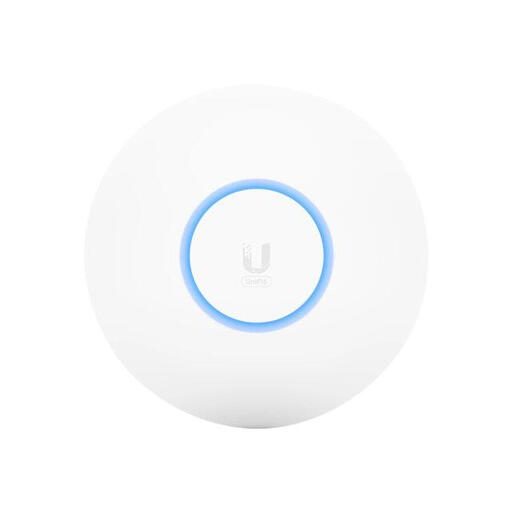
This PoE access point is an option for a wired extension if Ethernet and a suitable power supply are available at the planned location.
The product name lists 4800 Mbit/s, white and Power over Ethernet (PoE).
Remember to plan for a suitable PoE supply.
Place it somewhere it can still get a usable connection to your existing Wi-Fi and reach the area you want to cover. A spot without a wireless backhaul won’t help; a wired access point doesn’t need a wireless connection back to the router.
Not without suitable access rules. The German Federal Office for Information Security describes guest Wi-Fi as a separate network. Members who are authorised to access the archive need a separately planned connection to the archive data; how you set this up depends on your router and archive storage.
Remote access is different from getting Wi-Fi through walls. The German Federal Office for Information Security describes a VPN as an encrypted route to the local network. Plan permissions and the specific remote access method separately, and disable router remote access if you don’t need it.
Depending on your setup, allow for possible cable installation or additional Wi-Fi nodes, a separate data backup for the archive and regular firmware updates. If a service involves a subscription, check the terms for the specific product.
This may be possible if the device is technically compatible with the connection. On 22 January 2025, the German Federal Network Agency confirmed the right to choose your own end device at the network termination point, including on passive fibre-optic networks. Even so, check that the specific device is suitable for your connection.