Choose a wireless repeater only if it can still get a good signal from the router at a suitable midway location. If there’s already an Ethernet cable near the archive, you could use an access point in a specifically supported Access Point or LAN bridge mode. Without a cable, powerline with Wi-Fi may be an alternative, but you should test the connection using the actual sockets. Keep guest access separate from archive permissions, whatever connection method you use.
Who each option is for
Archive team with a Wi-Fi dead spot
If you can only access archive data unreliably where you need it, a repeater plugged in at a midway point with a usable router signal may be an option. Bitkom e. V. points out that the repeater itself needs good Wi-Fi reception where it’s installed.
Club with an Ethernet connection near the archive
If there’s already an Ethernet cable near the archive, you can provide Wi-Fi there using an access point or a repeater with a supported LAN bridge, rather than trying to extend the wireless connection through thick walls.
Club without a suitable wireless or cable connection
If there’s no suitable midway point for a wireless signal and no cable route, you could try powerline using the sockets in your club building. The connection depends on the local electrical installation. devolo also highlights compatibility limits between Magic and older dLAN or HomePlug AV adapters.
What to consider when choosing
First, work out which connection route to the archive will actually work on site. Compare individual devices only once you’ve settled on a route.
Wireless repeater
A good fit if: A socket between the router and the archive still gets a good signal from the router.
Trade-off: The wireless uplink still depends on signal strength and location. The stated data rates don’t guarantee a connection through the specific walls in your club building.
LAN access point or LAN bridge
A good fit if: An Ethernet cable reaches the archive or can be run there.
Trade-off: The cable route and set-up need to be right. An Ethernet port alone doesn’t tell you whether the device supports the operating mode you need.
Powerline with Wi-Fi
A good fit if: There’s no suitable midway point for a wireless signal and no usable Ethernet cable, but you can use sockets by the router and the archive.
Trade-off: Data transmission depends on the electrical installation and possible sources of interference. Certain VDSL connections may also experience interference.
| Priority |
What to check before buying |
Who this matters most to |
| Reception at the repeater |
Check the router signal at possible midway locations and the connection in the archive. |
If there’s hardly any Wi-Fi in the archive, I want to know whether a repeater can still get a good signal at a midway point. Around 33% of consumers have this priority. |
| Ethernet near the archive |
Check for an existing cable and confirm that the specific model explicitly supports AP or LAN bridge mode. |
If there’s an Ethernet cable near the archive, I want to provide Wi-Fi through it rather than trying to get a wireless signal through thick walls. Around 27% of consumers prioritise a wired connection. |
| Powerline connection |
Check what’s included in the kit, the sockets, any existing powerline technology and, if relevant, VDSL stability. |
Without a usable cable route or a good midway location, I’d check whether powerline works with the available sockets. Around 20% of consumers are primarily looking for this kind of alternative. |
| Secure archive access |
Check guest Wi-Fi, internal permissions and Wi-Fi encryption separately. |
It’s important to me that guests can’t access internal archive files, whatever connection method is used. Around 20% of consumers prioritise secure archive access. |
Common selection mistakes
-
Putting the repeater directly in the dead spot
A wireless repeater still needs a good signal from the router. So a location in the archive where the router’s Wi-Fi is already very weak won’t provide a reliable basis for the wireless connection.
First, check possible sockets between the router and the archive, then test the connection where you actually plan to install the repeater. If the signal isn’t usable there, look at a wired access point or powerline.
-
Assuming Mesh will work with every router
EasyMesh features require compatible routers and repeaters. Depending on your devices, a firmware update may also be needed.
Check that your router model, repeater model and supported Mesh feature are compatible before relying on them to work together as a Mesh network.
-
Ignoring the electrical installation when considering powerline
Electrical interference can affect data transmission. Magic adapters also can’t be connected to older dLAN or HomePlug AV adapters to form a shared powerline network.
Check what’s included in the kit and which adapters you already have, then test the connection using the sockets you plan to use. If you have a VDSL connection, keep an eye on its stability too.
-
Confusing better Wi-Fi coverage with secure archive access
A stronger Wi-Fi signal or greater range doesn’t control who can access internal club files.
Set up separate guest access and check permissions for archive files independently. The German Federal Office for Information Security recommends at least WPA2, or WPA3 where possible. Encryption doesn’t replace access controls.
Brands to consider
FRITZ!
Depending on your connection route, the FRITZ!Repeater 1200 AX and 3000 AX may suit a wireless connection or a LAN bridge. Check that your specific router is compatible with FRITZ!Mesh.
- FRITZ! lists a Gigabit LAN port for the 1200 AX, and three wireless units plus two Gigabit LAN ports for the 3000 AX.
- These model specifications don’t prove that a wireless connection will work through the walls of your club building at your chosen location.
TP-Link
The RE705X is worth considering as a wireless repeater or, if you have an Ethernet connection, as an access point. Check Mesh features against the devices you’ll be using.
- TP-Link documents a Gigabit port and AP mode for the RE705X.
- EasyMesh requires compatible routers and repeaters; a firmware update may be needed. The manufacturer’s wireless performance figures don’t show what kind of connection you’ll get in your club archive.
devolo
The WiFi 6 Repeater 5400 is worth considering if you have a suitable midway location for a wireless signal. Magic 2 WiFi 6 next offers a powerline Wi-Fi option if a wireless connection is difficult.
- devolo lists a four-level signal LED for the Repeater 5400 and powerline transmission for Magic.
- How well it works depends on the wireless signal at the chosen location or on the electrical installation. Magic and older dLAN or HomePlug AV adapters can’t form a shared powerline network.
Joybuy products for Wi-Fi in your archive
Joybuy product options for Wi-Fi in your archive, including wired access points and wireless extenders.
 No image available
Ubiquiti UniFi U6+ WiFi 6 Access Point
For an archive with an Ethernet cable at the intended location, provided PoE is available there too.
Wi-Fi 6; dual-band; Gigabit Ethernet; PoE according to 802.3af. Requires an Ethernet connection and PoE.
View at Joybuy
 No image available
TP-Link Deco M4 Mesh WiFi System AC1200 (3-Pack)
For clubs looking to place several units around the building. Check whether the access point mode described is right for your connection route.
AC1200; three units in the pack.
Set-up and management are handled through the Deco app.
View at Joybuy
 No image available
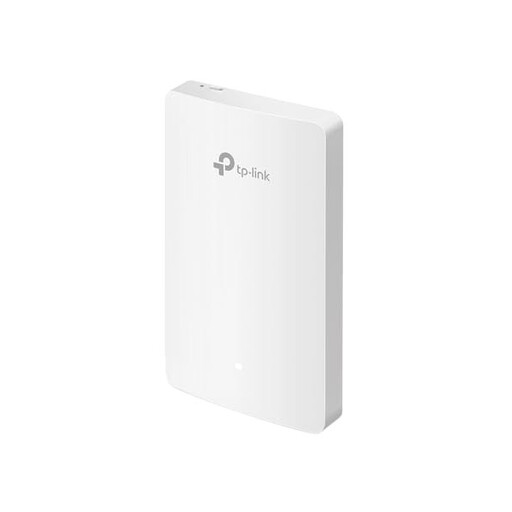
TP-Link EAP235-Wall Omada Wi-Fi 6 Wall Access Point
For Wi-Fi in the archive, provided there’s a usable Ethernet connection there.
Wi-Fi 6; four Gigabit ports; title states up to 1167 Mbps.
Access point mode requires an Ethernet connection at the installation location.
View at Joybuy
 No image available
MERCUSYS ME80X Wi-Fi 6 Range Extender
Suitable for wireless use only if the router’s Wi-Fi still reaches the midway location; AP mode may be useful if you have an Ethernet connection.
AX3000 dual-band; 574 Mbps at 2.4GHz and 2402 Mbps at 5GHz; Gigabit port; AP mode; signal strength indicator.
The instructions recommend placing it roughly halfway between the router and the area with a weak signal for wireless use.
View at Joybuy
 No image available
TP-LINK RE235BE BE3600 Dual-Band Wi-Fi 7 Range Extender
For a midway location where the router’s Wi-Fi signal is still available.
2.5G Multi-Gigabit port; MLO; Smart Roaming; EasyMesh compatible.
EasyMesh requires compatible routers and repeaters; a firmware update may be needed.
View at Joybuy
Frequently asked questions
Will a repeater help if the router’s Wi-Fi barely reaches the archive?
It can work if the repeater still gets a good signal from a socket between the router and the archive. Don’t place it in the dead spot itself; test the connection at the location where you plan to use it.
Can a repeater with an Ethernet port work as an access point in the archive?
That depends on the specific model. TP-Link documents AP mode for the RE705X, while a LAN bridge is documented for the FRITZ!Repeater 1200 AX. Check which operating modes your chosen device supports.
What should the club check after setting up archive access?
Check the connection at the archive workstation, as well as guest access, passwords and permissions for internal data. The German Federal Office for Information Security recommends at least WPA2, preferably WPA3, and describes how to set up a separate guest Wi-Fi network.
What additional devices or requirements might matter with powerline?
You may need additional compatible adapters for other rooms. Check in advance that the kit works with your existing installation and any powerline adapters already in use. Magic can’t be connected with dLAN or HomePlug AV products to form a shared powerline network.


