What should clubs look for when buying?
With thick internal walls, the first priority is a reliable connection back to the archive room. Then consider whether a cable, wireless mesh, Powerline or a new router is the right fit for your connection and planned access.
Wired access point
Best suited when: you can run a cable to the archive room or a suitable location and want to keep your existing router.
Things to consider: you’ll need to plan the cable route, network connection and, if necessary, power supply for the access point.
Wireless mesh
Best suited when: there’s no Ethernet cable route, but you can place a node where it has a decent wireless connection to the main router.
Things to consider: a node placed in an existing Wi-Fi dead spot may not provide a reliable connection back to the router. Also check that it’s compatible with your existing system.
Powerline with Wi-Fi
Best suited when: there’s no cable route or suitable location for a wireless mesh node, and you can test the sockets you plan to use.
Things to consider: performance depends on your electrical installation and sources of interference. Some VDSL connections may also be affected.
Replace your router
Best suited when: as well as improving Wi-Fi coverage in the archive, you need a device that’s compatible with your existing connection or offers specific network features.
Things to consider: replacing the router alone won’t give you a reliable signal through thick walls. Models with and without an integrated modem aren’t interchangeable.
| Requirement |
What to check before buying |
Who is this most important to? |
| Connection back to the archive room |
Existing Ethernet sockets or cable route; for wireless mesh, check reception at the planned node location. |
If I need to reach the archive room despite thick walls, I want to plan for an access point with a reliable connection back to the network. Around 36% of consumers put connectivity to the archive room first. |
| Secure file access |
Check the guest network, file storage location and intended access permissions separately. |
If guests shouldn’t see the same files as authorised members, I want to plan network separation and file sharing separately. Around 29% of consumers prioritise protecting access to the archive. |
| Internet connection and archive storage |
Check the connection type and existing modem; make sure the specific model supports your storage location and the file-sharing features you need. |
Before buying a router, I want to confirm that the device is compatible with my connection and know where the archive is stored. Around 21% of consumers put connection and file-sharing compatibility first. |
| Setup and additional devices |
Check whether you’ll need a cable, an additional access point and a power supply; test Powerline using the sockets you plan to use. |
If we want to make as few changes as possible to the existing setup, I want to know in advance what additional equipment and effort will be needed. Around 14% of consumers prioritise setup effort and extra devices. |
Joybuy products for Wi-Fi in your club archive
The devices below include wired Wi-Fi access points, as well as mesh and router options for a club site. Before buying, check that the connection type, cabling and power supply suit your setup.
 No image available
Ubiquiti UniFi U7 Lite WiFi 7 Access Point
This could be a suitable wired access point if you can run an Ethernet cable to a suitable location near the archive. The product name lists dual-band, 2.5GbE and PoE+; a compatible PoE power supply is required.
View on Joybuy
 No image available
TP-Link Deco M4, AC1200, 1-pack
This could work as part of a mesh setup if you have a suitable location for the node. The product name lists dual-band and Gigabit ports. This offer includes one unit; you’ll need another Deco node to extend your mesh network.
View on Joybuy
 No image available
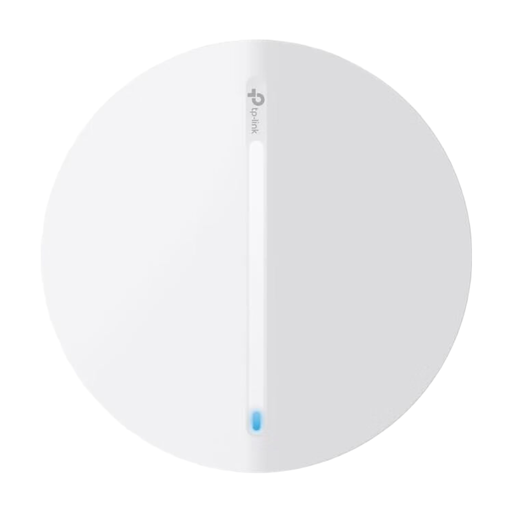
TP-Link Festa F61 Access Point
This model could be suitable as an additional access point if you want to provide Wi-Fi near the archive. Before buying, check that it has the network and power connections you need at your site.
View on Joybuy
 No image available
FRITZ!Box 7590 AX Wi-Fi 6 DSL Router
This could be a suitable option for a DSL connection if you’re also planning to replace your router. You may still need an additional access point for the archive room. The product name lists dual-band, VDSL Supervectoring 35b and FRITZ!Mesh. According to the product information, a separate modem is required for cable or fibre connections.
View on Joybuy
 No image available
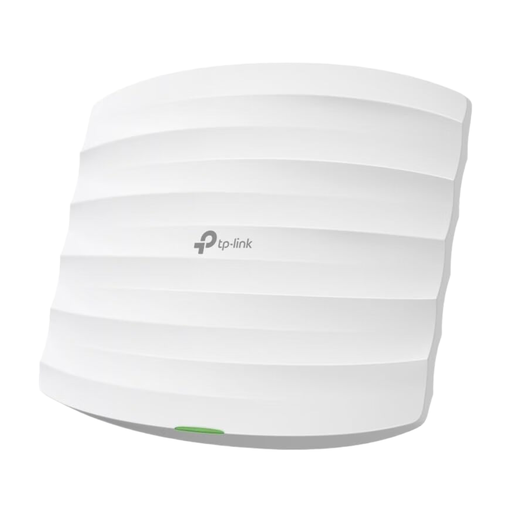
TP-Link Festa F52 Access Point AC1350
This could be a suitable option if you need a wired access point near the archive and want to keep guests separate from your internal network. The product name lists dual-band, 1× Gigabit port, 802.3af PoE or Passive PoE, Festa Mesh, guest network and VLAN. Make sure you plan for a suitable Ethernet connection. Guest network features don’t replace the need to decide who can access the archive.
View on Joybuy
Frequently asked questions
Do club archive files need to be online for members to access them over Wi-Fi in the building?
No. If the files are stored on the club’s local network, the connection between the device and the archive storage is what matters. Plan your internet connection and any permissions for access from outside the building separately. Before buying a router, check where the files are actually stored and how they’re shared.
Where should you place a wireless mesh node?
Place it somewhere it can still get a reliable signal from the main router while also covering the archive area. If there’s no reliable wireless backhaul in that location, consider a wired Ethernet backhaul or test Powerline on site.
Can guests use the same Wi-Fi network to access archive files?
That’s a decision for your club, not an inherent feature of guest access. The German Federal Office for Information Security recommends a separate guest Wi-Fi network to protect the internal network. People who are authorised to use the archive need the right access permissions on the appropriate network.
What should the club do regularly after setting everything up?
The German Federal Office for Information Security recommends keeping your router’s firmware up to date and using strong, separate passwords for router administration and Wi-Fi. Also check that only the intended people can access the archive files.
What should a club check to make sure a Wi-Fi device complies with German requirements?
The German Federal Network Agency lists criteria including correct CE marking, manufacturer details, German-language instructions and a declaration of conformity. A search result or frequency specification alone doesn’t confirm that a specific product meets these requirements.


