Club archivist using a laptop
If you have long conversations at your computer, you’ll need a suitable connection, a well-positioned microphone and a fit you can assess during a longer trial.


For long conversations at a computer, a wired headset with a microphone is a simple starting point, as long as its connection and fit suit your recording device and the person wearing it. The headset microphone won’t automatically capture the other person’s voice too, so plan a separate recording setup for them and test both voices before the interview. An analogue or broadcast headset may be an option if your recording device has the right connections.
If you have long conversations at your computer, you’ll need a suitable connection, a well-positioned microphone and a fit you can assess during a longer trial.
If you want to preserve club members’ memories, make sure you plan how to record the person telling their story. A headset microphone is positioned by the person wearing it.
If you already have a suitable audio interface or mixing desk, separate microphone and headphone connections may be an option. Check the exact connection layout for the headset version.
A good fit if: You’ll be speaking and listening on a computer, and you’ve made separate arrangements for recording the person telling their story.
Things to consider: Check you have the right USB version, that the fit is comfortable and that the recording works before the long conversation.
A good fit if: Your recording device has a suitable headset input and you want to monitor the conversation as it happens.
Things to consider: According to RØDE, the microphone on the RØDE NTH-100M requires the supplied TRRS cable. Test the connection with your device.
A good fit if: You already have a suitable audio interface or mixing desk for the microphone and headphones.
Things to consider: The Audio-Technica BPHS1 needs separate connections, so it won’t work like a USB headset plugged directly into a standard USB port.
| Priority | What to check before buying | Who is this most important to? |
|---|---|---|
| Recording both voices in the conversation | Plan a recording setup for each person speaking and test both voices together. | If I’m recording a club member’s memories, I need to capture their voice as well as my own. This is the top priority for around 36% of consumers. |
| Comfort during long takes | Check the design and try wearing the headset for a longer period before the interview. | If I’m asking questions and listening for a long time, I want to know whether the headset feels comfortable. Wearing comfort is the main priority for around 28% of consumers. |
| The right connection and controls | Check the plug against the socket on your device for the specific version, and test the microphone input and mute function. | If I want to record directly on my computer, I need a suitable connection that I’ve tested in advance. This is the most important buying factor for around 27% of consumers. |
| Compatibility with your existing setup | Check the microphone input, headphone output and plugs for the specific headset version. | If I already use an audio interface, I want to be able to connect the microphone and headphones correctly. This takes priority for around 9% of consumers. |
The microphone is positioned by the person wearing the headset, so there’s no guarantee it will clearly capture the other person’s voice.
Plan and test a separate recording setup for each person speaking before the conversation.
According to Audio-Technica, the cable connections differ between the BPHS1 and BPHS1-XF4. The Jabra Evolve2 30 is also available with either USB-A or USB-C, depending on the version.
Check the full model and connection details against your recording device.
An adjustable headband or mute button doesn’t mean you can skip checking whether the headset fits properly and is actually recording.
Try wearing it for a longer period, then listen to a short test recording from start to finish.
The PC 8 USB is a wired computer option for someone who wants to speak and listen at the same time.
The Evolve2 30 is a computer headset option if the USB and mono or stereo version suits your recording setup.
The NTH-100M combines an over-ear headset with a detachable microphone for analogue monitoring setups.
According to Audio-Technica, the BPHS1 is designed for interviews and broadcast work with suitable separate audio connections.
The H390 is a USB headset option for conversations on a computer.
The Joybuy products below are headsets with microphones for conversations on a computer. Check the connection for your chosen model and plan a separate recording setup for the person telling their story.
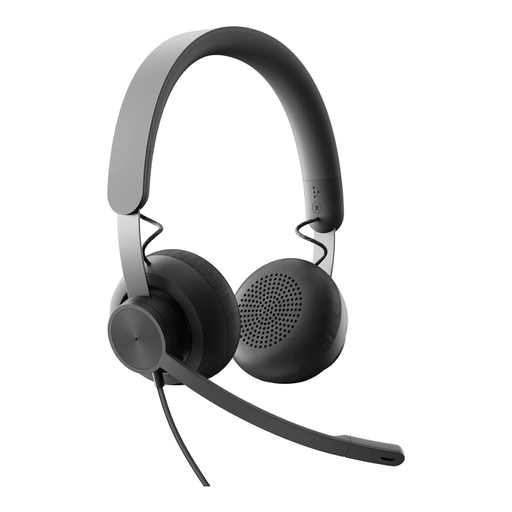 No image available
For wired conversations on a device with a suitable connection. Plan a separate recording setup for the person telling their story.
The product description lists a 3,5-mm connection, along with volume and push-button controls.
 No image available
If you want to speak and listen at your computer, check the USB connection and how you’ll record the second voice.
The product name specifies USB and compatibility with PC, Mac and laptop. The description lists an adjustable microphone, volume controls and a mute control.
 No image available
If you’re considering this model for recording on a computer, check that the connection on the specific version matches your recording device before you buy.
The product name describes it as a stereo headset with a microphone. Test the microphone track and connection before recording a long conversation.
 No image available
For conversations on a PC, test the specific connection and make sure your recording software recognises the microphone before the interview.
The product name specifies a wireless PC headset with charging stand and USB-C Bluetooth adapter.
 No image available
If you’re considering this model for conversations on a computer, test your chosen connection mode and microphone track before a longer recording session.
The product name lists wired and wireless 2,4-GHz modes; the description lists PC and Mac as compatible devices.
Not if you need a reliable way to capture both voices. Plan a separate recording setup for the person telling their story and test it in advance. The Oral History Association recommends external microphones and headphones for remote interviews at both ends, if both people are able to use them.
A USB headset is more suitable if you’re recording directly on a computer and the specific USB version works with your device and software. A broadcast headset such as the Audio-Technica BPHS1 requires suitable separate microphone and headphone connections.
Check that the headset is selected as the microphone input, mute is switched off and you can hear a short test recording. Also try wearing it for a longer period and make sure you record the other person’s voice too.
Not in every case: § 201 StGB covers the unauthorised recording of privately spoken words and certain uses of those recordings. Check in advance that you have permission to record and use the material as planned. Processing personal data also requires a legal basis under Art. 6 GDPR; the Federal Commissioner for Data Protection and Freedom of Information explains these requirements.