Poster designers focused on print
If you assess images and text on your own screen and have the finished anniversary poster printed, check the display and the print workflow separately.


Choose a laptop based on the design software you use and whether you assess colours on its built-in display or an existing external monitor. For image-heavy designs, check the RAM and SSD against your software’s requirements. In a shared workspace, you’ll also need suitable ports, separate user accounts and a clear system for storing project files.
If you assess images and text on your own screen and have the finished anniversary poster printed, check the display and the print workflow separately.
If you’re combining club photos, layers and other applications, check the RAM and available SSD storage against the requirements of the software you actually use.
If several club members use the same device, or you connect it to existing workplace equipment, suitable ports, separate user accounts and a shared project folder are important.
First decide where you’ll assess your designs, then match the specification to your design software. Finally, check the connections and organisation needed for a shared workspace. The percentages show the most important buying consideration for each use case.
| Consideration | What to check before buying | Who should pay particular attention? |
|---|---|---|
| Display and print assessment | Check the display specifications for the exact model variant, and confirm the file format, colour profile and bleed with the printer. | If I assess images and text directly on my laptop, I want to know exactly which display variant I’m getting and agree the print details separately; around 36% of consumers put print assessment first. |
| RAM and storage | Check the RAM and available SSD storage against your software version. Adobe recommends at least 16 GB of RAM for Photoshop 27.x; 8 GB is the minimum. | When working with large club photos and multiple layers, I want enough headroom for the way I work; around 29% of consumers put editing large image files first. |
| Shared workspace | Check the ports for connecting a monitor and peripherals. For different people using Windows, you can set up separate user accounts with their own settings and files, as Microsoft Support explains. | If several club members use the same device, I want to keep personal settings and the shared final version properly organised; around 21% of consumers prioritise a shared workspace. |
| Working on the move | Think about how often you’ll work without a club monitor, and check the display size and ports on the exact model variant for the places you’ll use it. | If I edit designs at home or at club events too, I need a screen I can use without an external monitor; around 14% of consumers put portability first. |
A colour gamut specification doesn’t account for every condition affecting the final print. What you see on screen and the printed result also depend on agreed print settings.
Before preparing the final file, confirm the colour profile and output requirements with the printer.
Unclear print requirements can mean extra corrections or another round of discussions with the printer.
RAM, SSD storage and display can vary between configurations. For configurable devices, the options you choose can change the specification.
Compare the full model and part number with the specification of the device actually on offer.
You’ll need to be able to connect existing monitors and other peripherals. The design software you use will also need to be accessible.
Before choosing a laptop, note the ports and software already available, and agree where the shared project file will be stored.
Depending on the equipment you already have, adapters or an additional software subscription may be part of the workspace setup.
For the specific Swift 16 AI configuration SF16-71T-993G (part number NX.JU1EG.00C), Acer lists a 16-inch OLED display, 32 GB of RAM and a 1-TB SSD.
A configuration of the ThinkPad X9-15 Gen 1 is listed with a 15.3-inch OLED display, 16 GB of RAM and a 512-GB SSD.
Dell offers the Pro Precision 5 series as a configurable mobile workstation for more demanding design and creative applications.
The Joybuy models below cover designing directly on a laptop, connecting to an external monitor and image-intensive workflows.
 No image available
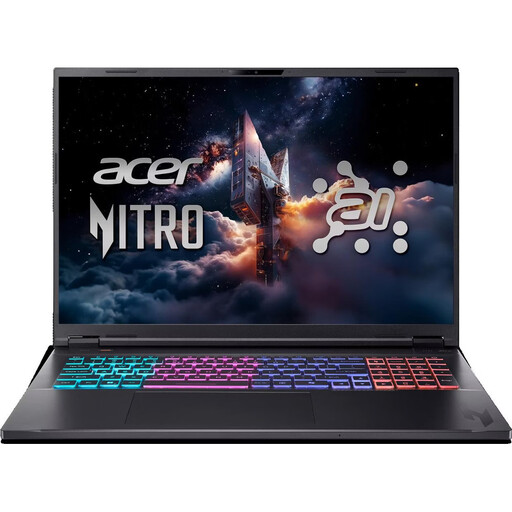
The 18-inch display gives you a large workspace on the laptop itself. Before buying, check that the English International keyboard suits the way you work.
WQXGA display; 16 GB RAM; 1-TB SSD; HDMI and USB-C; Windows 11 Home; keyboard layout: English International.
 No image available
Check the listed ports on this configuration to see if it suits a workspace with external peripherals.
16-inch WUXGA display; 32 GB RAM; 1-TB SSD; HDMI, USB4-C and RJ45; Windows 11 Pro.
 No image available
This specification is worth considering for large image files and additional demanding applications; a workstation isn’t automatically necessary for poster design alone.
16-inch display with 3840 × 2400 pixels; RTX PRO 4000; 64 GB RAM; 2-TB SSD; Windows 11 Pro; Thunderbolt 4.
 No image available
The touchscreen described is suited to designing directly on the device; check that its size works for your workflow.
13.8-inch touchscreen with 2304 × 1536 pixels; 16 GB RAM; 512-GB SSD; two USB 4.0 ports; Windows 11 Pro.
 No image available
The listed video ports are useful for connecting an existing monitor; this configuration is described as having a German QWERTZ keyboard layout.
15.6-inch matt Full HD display; 16 GB RAM; 1-TB SSD; HDMI 2.1 and USB-C with DisplayPort; Windows 11 Home.
For standard poster design, match the display, RAM and SSD to your design software rather than choosing a laptop based solely on its graphics card. If you also plan to work with 3D, video or other demanding tasks, check their requirements separately.
Windows lets you set up several user accounts, each with their own settings and files, as Microsoft Support explains. Also agree on a shared storage location and who will manage the approved final version; separate accounts don’t set up this process automatically.
No. Agree the output conditions with the printer, then set up the document and colour management accordingly. Adobe explains that screen calibration and print conditions affect how printed work looks.
Check that your existing peripherals have compatible connections, and whether you’ll need adapters or access to the design software you use. Your statutory rights against the seller and a voluntary guarantee are not the same thing; which consumer rights apply to a club purchase depends, among other things, on who makes the purchase.
Not simply because it’s a club poster. The State Commissioner for Data Protection and Freedom of Information of Rhineland-Palatinate explains that taking and using identifiable photos of people generally requires an appropriate legal basis or consent. The club must check the specific intended use.