What to consider when choosing
First check that the platform and game are compatible, then work out how audio and the microphone will connect. Finally, decide whether a cable or wireless freedom of movement better suits your set-up.
| Consideration |
What to check before buying |
Who this matters most to |
| Platform and game |
Check your console or operating system, the full model name and whether the co-op game supports the controller. |
If you’re looking for an extra controller for a device you already own, it needs to work with the game. Around 36% of consumers put platform and game compatibility first. |
| Headphones and chat |
Check the plug, audio and microphone support, and the controller connection for your specific platform. |
If you want to hear game audio and possibly chat while playing co-op, you’ll need a suitable audio and microphone connection. Around 29% of consumers prioritise headphones and chat. |
| Freedom of movement and power |
Consider how far you sit from the screen and where a cable would run; for a wireless model, check the battery or charging options. |
If you sit some distance from your gaming device, consider whether a cable would get in the way and whether the power supply suits your set-up. Around 21% of consumers prioritise freedom of movement and power. |
| Extra buttons |
Check whether the game supports the button layout you want and whether the model can be customised on your platform. |
If you want to map specific actions to extra buttons, make sure they’re compatible with the game and platform. Around 14% of consumers prioritise customisable extra buttons. |
Controllers at Joybuy
This selection includes controllers for different co-op set-ups on Xbox, Windows PC and Switch 2. Check the headset socket and audio and microphone connections separately for each model and device.
 No image available
Razer Wolverine V3 Tournament Edition White
For Xbox or Windows PC, if you’re looking for a wired controller with extra assignable buttons.
The product description lists four rear paddles, six assignable buttons and a 3-metre USB-C cable. It’s a wired controller.
View at Joybuy
 No image available
BIGBIG WON GALE HALL
For PC players looking for a controller with Bluetooth and wired connection options.
The product description lists PC, iOS and Android, Bluetooth 5.0 or USB-C, four programmable rear buttons and Hall Effect sticks. Check the headphone connection separately for your set-up.
View at Joybuy
 No image available
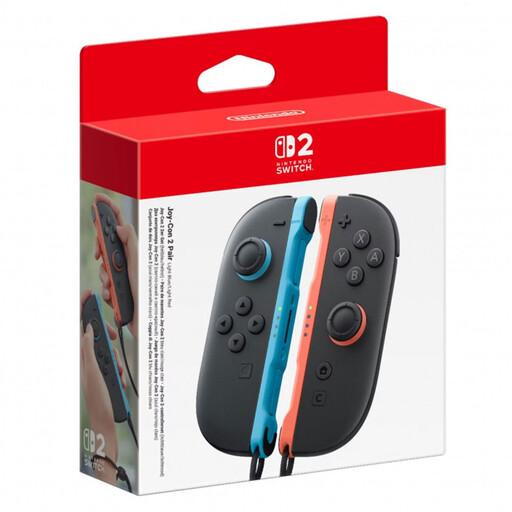
Nintendo Switch 2 Joy-Con 2 Set (L+R), Light Blue/Light Red
For co-op on Switch 2, if you’re looking for a set with one left and one right Joy-Con 2.
The product description lists a wireless Bluetooth connection and up to 20 hours of play time. Check the audio set-up on your Switch 2 for headphones, chat and game audio.
View at Joybuy
 No image available
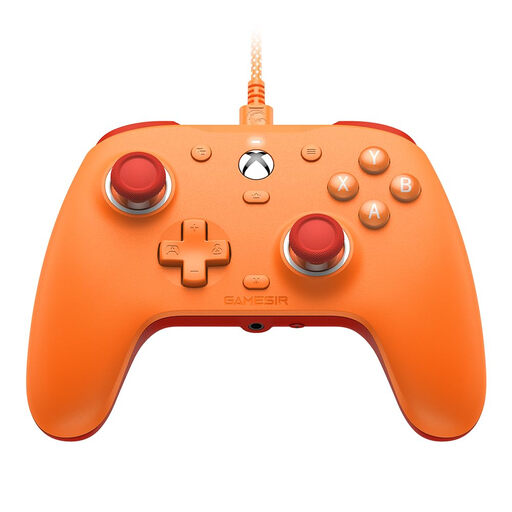
GameSir G7 SE Wired Gaming Controller (Orange)
For compatible Xbox and Windows PC set-ups, if you’re looking for a wired model with a 3.5 mm audio socket.
The title lists Xbox Series X|S, Xbox One and Windows 10/11, as well as Hall Effect sticks and a 3.5 mm audio socket. It’s a wired controller. Check audio and microphone support for your specific set-up.
View at Joybuy
 No image available
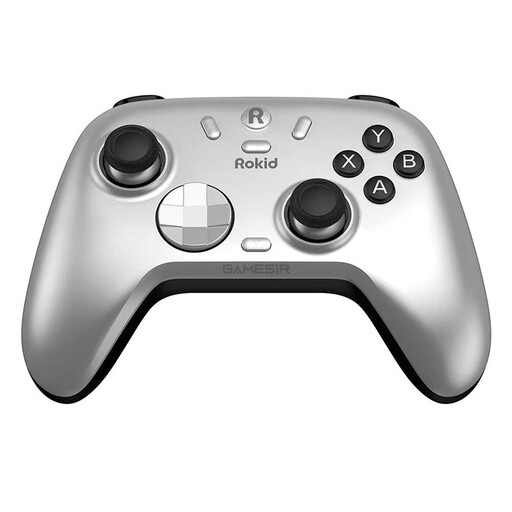
Rokid × GameSir Controller
For PC or Switch players who want to choose between the connection options listed in the product description.
The description lists PC and Switch, as well as Bluetooth, a wireless dongle or a wired connection. Hall Effect sticks, Hall triggers with trigger stops and two vibration motors are also listed. Check the headset audio connection separately for your device.
View at Joybuy
Frequently asked questions
Will my headset work with the DualSense if the controller is connected to my PC via Bluetooth?
To use a headset on a Windows PC or Mac, PlayStation requires a wired controller connection. Bluetooth support for controls doesn’t automatically mean audio will work through the socket.
How do I connect an Xbox Wireless Controller to a Windows PC for co-op gaming?
Microsoft lists a USB cable, the Xbox Wireless Adapter for Windows and Bluetooth as connection options. If you want to connect your headset to the controller, check the audio connection separately; for its Stereo Headset on a Windows PC, Microsoft lists connection via the Xbox Wireless Adapter among the options.
How do I power an Xbox Wireless Controller?
The standard controller can use AA batteries or a compatible rechargeable battery pack. According to Microsoft, rechargeable AA batteries won’t charge inside the controller; use the charging method recommended by the battery manufacturer.
Is buying a Switch 2 Pro Controller enough to use GameChat?
No. For GameChat on Switch 2, Nintendo also requires an internet connection, a paid Nintendo Switch Online membership and registration of a mobile phone number. The free welcome offer ended in late March 2026.
What are my rights if a controller bought online in Germany is faulty?
When you buy goods from a business seller, EU consumer information states that you’re generally entitled to a legal guarantee of at least two years from the date you receive them. If something is faulty, you may first be entitled to a free repair or replacement; an additional manufacturer’s warranty doesn’t replace these rights. Distance purchases generally come with a 14-day right to cancel, although exceptions and the specific terms of the contract should be taken into account.


