Two players on one console
If you’re playing together in front of one screen, the specific game needs to support suitable, separate inputs. Nintendo and Sony each set out their own compatibility requirements for their devices and supported games.


Choose your controller based first on the device running the game, then check whether that specific game supports separate inputs for both players. If you have several HDMI devices, select the picture source on your TV; when streaming through Steam, inputs must be sent to the game on the host device. Wireless connectivity, cables and extra features only become important once the platform and game are a match.
If you’re playing together in front of one screen, the specific game needs to support suitable, separate inputs. Nintendo and Sony each set out their own compatibility requirements for their devices and supported games.
On a Windows PC or when streaming a game, both the controller’s connection and support from the game and streaming setup matter. Steam explains that inputs are sent from the device being used to the host.
If you switch between connected devices on your TV, keep the choice of TV input separate from the controller connection. Sony explains how to use the remote’s INPUT button to select the device shown on screen.
First check which device runs the game and what co-op modes it offers. Then you can weigh up connectivity and comfort to suit your setup.
| What you’re looking for | What to check | Who should pay particular attention |
|---|---|---|
| Platform and game | Compare the exact model, gaming device and connection for each platform; check the game’s page for controller support. | If we switch between PC and console, I want to be sure the controller and game work together on the device we’re actually using. Around 36% of consumers put platform and game compatibility first. |
| Separate co-op inputs | Check the game’s page for local, online or Remote Play co-op, and test whether inputs from both players are recognised. | When solving puzzles together, I want to know whether both players can actually control the game in the mode we’ve chosen. Around 29% of consumers prioritise separate inputs for both players. |
| Video source or stream | Check whether the picture comes through an HDMI input or a stream; confirm the host device and how inputs are sent. | If the picture could come from several devices or a stream, I want to find out which device is running the game and where inputs are sent. Around 21% of consumers check the video source and streaming setup first. |
| Comfort and ongoing costs | Check the connection, power supply, required ports and terms for any optional extras. | Once I know the controller is suitable, I want to weigh up the cable, connection and any potential ongoing costs. Around 14% of consumers put comfort and ongoing costs first. |
Connections vary by model and platform. GameSir lists a wired connection for Xbox for the GameSir G7 Pro; the 8BitDo Ultimate 2C Wireless has different connection options listed for Windows and Android.
Before buying, check the connection for the exact model variant and your gaming device rather than relying on the word “wireless” alone.
Changing the HDMI input only changes which device the TV displays. It doesn’t automatically connect the gamepad to the device running the game.
Select the input for your gaming device on the TV, then check the controller connection separately.
Game pages distinguish between local, online and Remote Play co-op. A second controller alone doesn’t prove that two people can control the game in the mode you’ve chosen.
Check the co-op labels for the specific game and test that inputs from both players are assigned correctly.
Verbraucherzentrale distinguishes your statutory rights against the seller from a voluntary warranty.
Read the terms for any voluntary extras separately from your statutory rights.
A relevant option when the co-op game runs on a supported Xbox console, Windows PC or supported mobile device.
The DualSense is an option for PS5, as well as supported games and applications on other devices listed by Sony.
The Switch Pro Controller and Joy-Con are relevant for Nintendo gaming devices when the specific game supports the co-op controls you want.
The Ultimate variants are worth considering depending on your preferred combination of platform and connection.
The G7 Pro could be a good fit if its listed connection suits the device you’re using.
This selection includes controllers for Windows PC, Xbox, PlayStation and Nintendo Switch. The right model for you depends on your gaming device and whether the specific game supports it.
 No image available
An option if you switch between a Windows PC and Nintendo Switch; check that the specific game supports it.
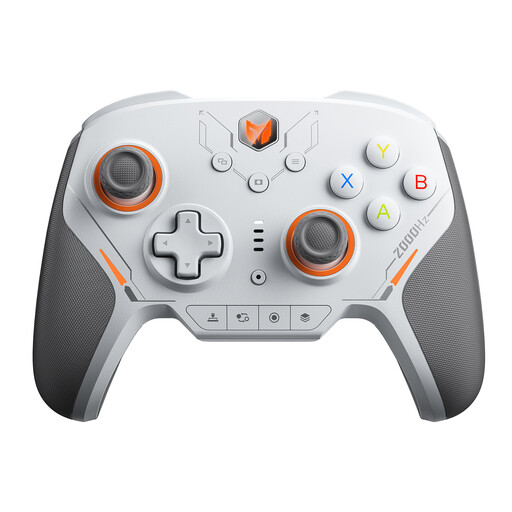
The product title lists a 2000 Hz report rate and TMR electromagnetic joysticks; the description mentions mechanical microswitches.
 No image available
For local co-op on Nintendo Switch, when the game supports separate inputs for two players.
The set includes one left and one right Joy-Con, which can be detached and used independently according to the product description. A separately sold Joy-Con Grip is needed for a traditional gamepad shape.
 No image available
For co-op games on the Xbox consoles named in the product title or a supported PC; check the game’s compatibility.
The product description lists Xbox Wireless and Bluetooth, and says two AA batteries are included.
 No image available
For PS5 or a compatible PC game; on PC, pay particular attention to support for the features you need.
The product description lists Bluetooth, USB-C, haptic feedback and adaptive triggers, with different levels of feature support depending on the game and platform. Sony requires a supported game and USB for haptic feedback on PC.
 No image available
For a compatible game on Xbox or Windows PC, if a wired connection works for where you sit.
The product description lists a 3 m USB-C cable, along with Hall Effect sticks, buttons and triggers. The controller is wired.
No. You select an HDMI input on the TV, not with the gamepad. Sony says to use the INPUT or SOURCE button on the TV remote; check separately that the controller is connected to the gaming device.
Check the Steam page for the specific game to see whether Remote Play Together is listed. Steam explains that video and audio are streamed from the host, while inputs from the device being used are sent back to the running game. Portal 2, for example, lists the feature.
Pairing and support for individual game features are two separate things. Sony requires a supported game and a USB connection for haptic feedback on PC; It Takes Two’s Steam page lists DualSense support as USB-only.
The German Federal Network Agency lists points to check including CE marking, traceability, manufacturer details, instructions in German and a declaration of conformity. These general checks don’t confirm that a specific product listing has already been assessed.
No. According to Verbraucherzentrale, your statutory rights are against the seller; a warranty is an optional extra with its own terms and conditions. If there’s a fault, repair or replacement may be the first step.