What to consider when choosing
First check that your platform and game are compatible. Then work out how many inputs two players need, and consider screen glare separately from your choice of controller.
When choosing a controller for co-op puzzle games by a bright window, focus on the factor that matters most to your decision.
| Priority |
What to check before buying |
Who is this most relevant to? |
| Platform and game |
Check your console or PC against the game’s requirements and supported connection types. |
If I want to avoid buying the wrong controller for my device or game, I check compatibility first. Around 36% of consumers put platform and game compatibility first. |
| Playing together |
Check the game’s instructions to see whether separate Joy-Con are enough or whether you need two full controllers. |
If I want to use the controllers I already own to play with someone else, I check the control options before buying another gamepad. Around 29% of consumers prioritise the inputs needed for two players. |
| Daylight visibility |
Position the screen and seating in relation to the window, and check what shading is available. |
If reflections obscure clues, I adjust the screen position first rather than expecting a controller to solve the problem. Around 21% of consumers prioritise visibility in daylight. |
| Connection and power |
Count the controllers you already have and check the connection and battery or charging requirements. |
If I need to plan connections and power for two devices, I compare these requirements before buying. Around 14% of consumers focus mainly on connection and power. |
Controllers at Joybuy
This selection includes controllers for Switch and Switch 2 games, as well as supported games on PC and Xbox.
 No image available
Nintendo Switch 2 – Joy-Con 2 (2-piece set, Blue/Light Yellow)
For compatible local multiplayer games on Nintendo Switch 2; according to the product details, the console already comes with a pair of Joy-Con 2.
The set includes two controllers and is listed for up to two players in supported games.
View at Joybuy
 No image available
EasySMX D10 Bluetooth gamepad for PC and Switch
For players looking for a Bluetooth gamepad for one of the platforms named in the product title, which also lists Android and iOS.
The product title lists a TMR joystick, dual-mode triggers, mechanical buttons and a 1000 Hz polling rate.
View at Joybuy
 No image available
Microsoft Xbox Wireless Controller, Pulse Red (Xbox One/Xbox Series X/S/PC)
For supported games on Xbox or a Windows PC; the product description lists Bluetooth.
According to the product description, two AA batteries are included.
View at Joybuy
 No image available
PlayStation DualSense Wireless Controller, Midnight Black (USB cable included)
For PS5 or a supported PC game; for It Takes Two, Steam lists DualSense on PC as USB only.
Haptic feedback and adaptive triggers are listed as features; whether they’re used depends on the game.
View at Joybuy
 No image available
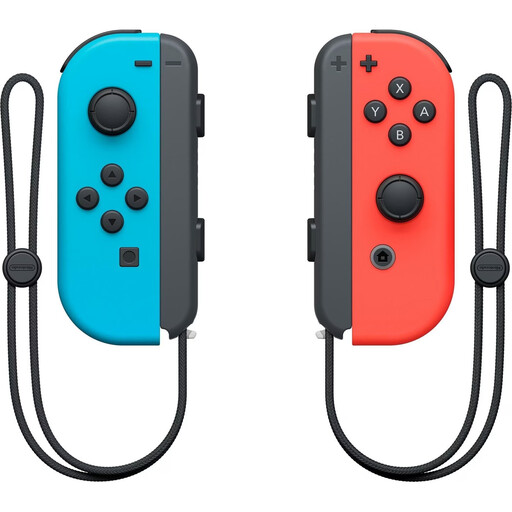
Nintendo Switch Joy-Con controller pair, Neon Red/Neon Blue
For Snipperclips on Nintendo Switch, Nintendo says each player uses one Joy-Con; this setup isn’t automatically supported by other co-op games.
According to Nintendo, original Joy-Con can only connect wirelessly to Switch 2.
View at Joybuy
Frequently asked questions
Is one Joy-Con per player enough on Switch?
For Snipperclips, yes: Nintendo Germany specifically says that two people can play in TV or tabletop mode, using one Joy-Con each. For other games, check which control options they support.
Can I use a DualSense via Bluetooth for It Takes Two on PC?
Don’t assume so just because PC pairing is generally possible: the Steam page for It Takes Two lists DualSense for this game as ‘USB Only’. Check the details for the game version and connection you plan to use.
What should I adjust first when playing in front of large windows?
Start by checking reflections and the screen’s position. To reduce window glare, the US Occupational Safety and Health Administration recommends options including repositioning your screen and using blinds or curtains. This affects where you place your screen, not which controller you use.
What are my rights if a controller is faulty in Germany?
When you buy as a consumer, you have statutory rights against the seller; these are separate from a voluntary manufacturer’s guarantee. The German Federal Ministry of Justice explains that new goods generally have a two-year limitation period. Your specific rights depend on the purchase and the fault.
What should I check when buying a wireless imported controller in Germany?
For electrical and wireless products within its remit, the German Federal Network Agency checks things including CE marking, product identification, manufacturer details, German-language instructions and the declaration of conformity. Check the documentation for the specific device instead of relying solely on a claim in the product description.


