What should you look for?
First check whether your mobile provider has coverage along your route, then consider the number of devices, power supply and tariff. The Federal Network Agency lists location, contract, device and network demand as factors that affect mobile connectivity.
| What you need |
What to look for |
Who is this important to? |
| Coverage along the route |
Check coverage for your chosen provider along the route and keep an offline copy of the itinerary as a back-up. |
If I need to check the itinerary while travelling, I’ll first make sure my provider has coverage along the route. Around 28% of consumers put coverage first. |
| Connecting several devices |
Compare the number of devices you need to connect at once with the figure given for the exact model; a device limit is not a guarantee of bandwidth. |
If several fellow passengers need to open the itinerary at the same time, I need enough connections and must remember that they’ll share the available mobile connection. Around 22% of consumers prioritise capacity for a group. |
| Power during the journey |
Compare the journey length and available charging options with the manufacturer’s stated battery life for the specific model. |
If the journey is long or there’s no socket available, I’ll plan for the operating time and allow for a possible charging break. Around 22% of consumers put power supply first. |
| Data allowance and crossing borders |
Check the tariff, data allowance, any speed restrictions and roaming terms for every country on your route. |
If my journey crosses borders, I want to know which tariff applies in each country and how much data is included. Around 17% of consumers prioritise tariffs and data costs. |
| Access security |
Check the default login details, set a suitable Wi-Fi password and look out for available firmware updates. |
If I’m sharing Wi-Fi with fellow passengers, I want to set the login details myself and control access. Around 11% of consumers put access security first. |
Joybuy products for mobile connectivity
The following Joybuy products include LTE and 5G routers. When choosing one for a coach journey, pay particular attention to the power supply, SIM and tariff requirements, and whether the device is suitable for your intended mobile use.
 No image available
4G router, 300 Mbps, 2.4 GHz, with SIM card slot
For journeys where a power supply is available while the router is in use.
4G router with a SIM card slot and 2.4 GHz Wi-Fi; the product description lists 300 Mbps.
Joybuy
 No image available
AVM FRITZ!Box 6825 4G LTE
For mobile LTE use, provided a USB-C power supply is available.
Cat 6 with 300 Mbps; Wi-Fi 6 AX 600 Mbps; Nano-SIM; 1 Gigabit LAN port; USB-C power supply.
Joybuy
 No image available
MERCUSYS MT110 4G LTE Mobile Wi-Fi
For several phones or tablets when you need a battery-powered LTE hotspot.
Rated for up to 10 devices; 2200 mAh battery with up to 10 hours of battery life; Nano-SIM; 150 Mbps.
Requires a compatible Nano-SIM with an active data tariff.
Joybuy
 No image available
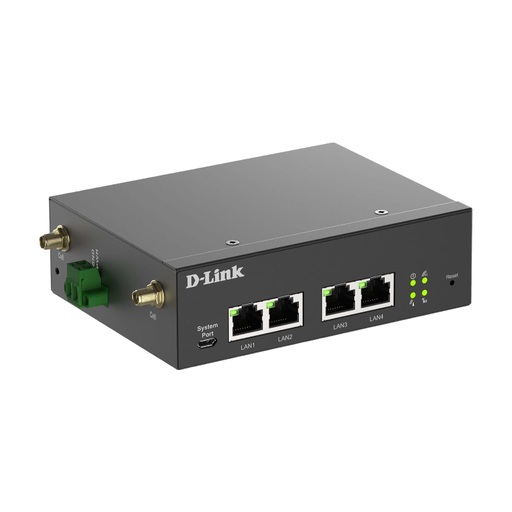
D-Link DWM-314-G Mobile Router/Gateway/Modem
The product description positions this 5G device for industrial and M2M applications; before using it on a coach, pay particular attention to the power supply and set-up.
5G NR; Dual-SIM; four Gigabit Ethernet ports; DC input 9–36 V.
The set-up described involves connecting the device to a computer via Ethernet.
Joybuy
 No image available
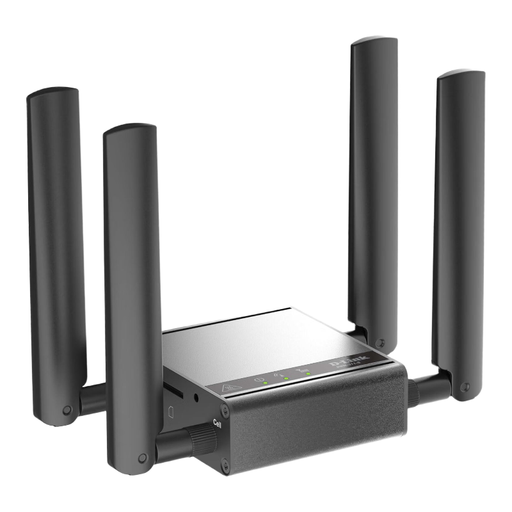
D-Link DWM-311-G Mobile Router/Gateway/Modem
Described as a mobile 5G M2M modem and gateway; check that its intended use and features are right for your journey.
The product description lists 2.5GbE and four mobile network antennas included.
Joybuy
Frequently asked questions
How do I set up the hotspot before my coach journey?
For the M7000, TP-Link describes inserting a SIM card and switching the device on as the set-up steps. Also check that your data tariff is active, try connecting the devices you plan to use before setting off, and change the default login details if necessary. The Federal Office for Information Security recommends keeping an eye out for available firmware updates.
Is the manufacturer’s stated battery life enough for my journey?
Not necessarily: TP-Link states that the M7000 offers up to 8 hours of battery life and notes that actual battery life depends on usage and conditions. Compare the operating time you need with the charging options actually available to you.
Can I use mobile internet on a cross-border coach journey without extra charges?
No, it depends on your tariff and the countries you’re travelling through. According to the Federal Network Agency, regulated EU roaming also applies in Iceland, Liechtenstein and Norway, subject to the relevant conditions; exceptions and fair-use limits may apply. Your contract may exclude roaming, and higher charges may apply outside the covered area. Check the details of your tariff for every country on your route.
What should I look for when buying a wireless device for use in Germany?
Check the relevant product requirements for the specific device on offer. As part of its market surveillance, the Federal Network Agency looks at factors including correct CE marking, identifiable manufacturer details, and the required German-language instructions and warnings. Check the documentation for the exact product variant rather than assuming that a similar model name means it complies.
Will there be any extra costs after I buy the device?
You’ll need an active data tariff or a suitable data package to access the internet. The allowance and any roaming charges depend on the specific offer and your route, so check the data allowance, validity period and country-specific terms before you travel.


