Occasional arrival messengers
If you mainly want to send a quick message with your estimated arrival time, first check whether your smartphone will do the job.


For a one-off, short arrival update, first check whether your smartphone has signal along the route and whether your plan has enough data. You don’t automatically need an additional router. If several devices regularly need to share a connection, a battery-powered router with its own SIM could be suitable – as long as the network coverage, plan and battery life are adequate for the journey.
If you mainly want to send a quick message with your estimated arrival time, first check whether your smartphone will do the job.
If you want to connect smartphones or tablets while travelling, check how many devices can use the router’s Wi-Fi at the same time.
If you want to stay connected for several hours, compare the stated battery life with the journey time and check whether you can charge the device along the way.
| What matters | What to check before buying | Who is most affected? |
|---|---|---|
| Signal along the coach route | Check network coverage along the route. The Federal Network Agency points out that its mobile coverage map shows predicted coverage outdoors and does not guarantee reception on a coach. | If I want to send an up-to-date arrival message, the mobile network needs to be available along my route. Around 36% of consumers are likely to consider reception their main concern. |
| Ease of use and ongoing costs | Check whether your smartphone and existing plan are enough. If you add another SIM, make sure you understand its format, activation, data allowance and plan conditions. | If I only send a short update now and then, I’d rather not set up another device or take out an additional plan. Around 29% of consumers are likely to prioritise ease of use and ongoing costs. |
| Shared Wi-Fi for several devices | Count the devices you want to connect at the same time and check the specifications for the exact model version. | If several fellow passengers or my own devices need a connection, I want to know whether they can all use the Wi-Fi at once. Around 21% of consumers are likely to prioritise shared Wi-Fi. |
| Power for the journey | Compare the stated battery life for the exact model with the journey time and check whether a suitable charging option is available. | If I want to stay connected on a longer journey, the power supply needs to last for the time I’ll be using the device. Around 14% of consumers are likely to focus mainly on battery life. |
The Federal Network Agency’s mobile coverage map shows predicted coverage outdoors. It doesn’t guarantee that a signal will be available inside the vehicle along the whole route.
Check coverage for the network you intend to use along the route, and bear in mind that an online arrival update may have to wait if there’s no signal.
Maximum quoted LTE, 5G or Wi-Fi speeds don’t prove that a short text message will get through more reliably while you’re travelling. A router of your own can’t overcome a signal dead spot either.
Check your smartphone, plan and reception first. Compare routers mainly if you regularly need a separate connection or shared Wi-Fi for several devices.
A device that plugs into a wall socket isn’t automatically suitable for a coach journey without an appropriate power supply. Battery-powered hotspots are designed to work without mains power, but battery life depends on the specific model and how you use it.
Before buying a mains-powered device, check whether a suitable power supply will be available during your journey.
TP-Link offers battery-powered LTE hotspots for different numbers of devices.
The DWR-933, revision B1, is a battery-powered LTE hotspot with dual-band Wi-Fi.
The Nighthawk M6 MR6150 is a possible 5G alternative if you need more data.
The Joybuy products below range from battery-powered LTE hotspots to mains-powered networking devices. Depending on the model, check the SIM, power supply and suitability for your intended use. If a device is being sold for use in Germany, it’s also important to check the documentation for the specific version.
 No image available
For travelling, if you’re looking for a mobile LTE hotspot with its own Nano-SIM.
Figures stated in the product name: up to 150 Mbps, Nano-SIM and 2200mAh battery.
You’ll need mobile reception along the route to send an up-to-date arrival message.
 No image available
An option if you’re looking for a battery-powered mobile hotspot to share a Wi-Fi connection.
Figures stated in the product name: up to 150 Mbps download, up to 50 Mbps upload, 2000mAh battery and Nano-SIM.
Check that the SIM format is compatible with your plan and SIM card.
 No image available
Could suit you if you’re looking for an LTE router with a Nano-SIM and Wi-Fi, and can use an external power source.
Figures stated in the product name: Cat 6 at 300 Mbps, Wi-Fi 6 AX 600 Mbps, 1× Gigabit LAN and USB-C power supply.
A suitable external power source is required for use while travelling.
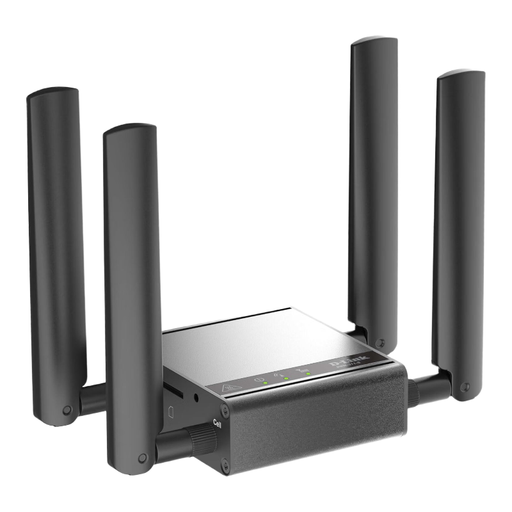 No image available
The product description positions this device for M2M applications and indoor use, so it isn’t directly comparable to a battery-powered travel hotspot.
A power supply is listed as included. Check whether power will be available where you intend to use the device.
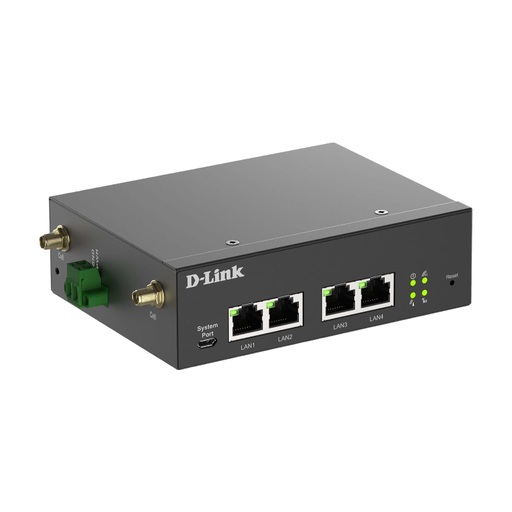 No image available
A possible option if you’re looking for a mobile network router and can provide the necessary external power supply.
According to the product description, it requires an external 9–36 V DC power supply; a power adapter is also listed.
Check whether this power supply will be available where you plan to use the device.
No. The Federal Network Agency’s mobile coverage map shows predicted outdoor coverage, not actual reception on a coach. Check the network you intend to use along the route.
Check the SIM format and plan, set up the Wi-Fi and charge the battery if the device has one. For the TP-Link M7200, TP-Link specifies a Mini-SIM; the manufacturer says that a SIM adapter isn’t included.
If your router has its own SIM, you’ll need to pay for a suitable data plan as well as the device. For cross-border journeys within the EU, roaming rules include fair use conditions, so check the data limits and validity of your specific plan.
Yes. According to the Federal Network Agency, providers must check the subscriber details they collect against an identity document before activating a prepaid SIM. This applies to the prepaid SIM, not to buying a router without a SIM.
The Federal Network Agency lists CE marking, manufacturer details, a German-language instruction manual and the relevant declaration of conformity among the checks made during market surveillance. Check these details for the exact version being offered; the model name alone isn’t enough.